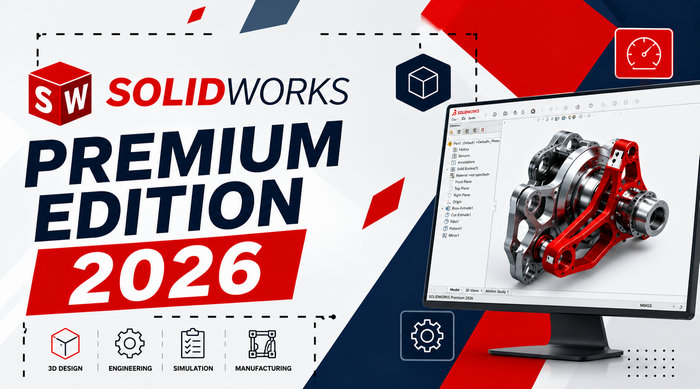
SOLIDWORKS Premium 2026 SP3.2 – Professional 3D Design and Engineering Solution
SOLIDWORKS Premium 2026 SP3.2 is an advanced computer-aided design solution created for engineers, product designers, manufacturers, and technical teams. It combines professional 3D modeling with engineering simulation, motion analysis, routing tools, manufacturing documentation, visualization, and cloud-connected collaboration features.
The Premium edition is the most comprehensive traditional SOLIDWORKS Design package. It includes the capabilities available in the Standard and Professional editions while adding tools for linear static simulation, time-based motion analysis, electrical cable routing, piping systems, tubing, and advanced surface flattening.
Service Pack 3.2 is a maintenance release within the SOLIDWORKS 2026 generation. It is intended to provide a more refined experience through accumulated reliability corrections, compatibility improvements, and fixes developed after the original 2026 release. Dassault Systèmes lists SOLIDWORKS 2026 SP3.2 among the available 2026 download versions.
What Is SOLIDWORKS Premium?
SOLIDWORKS Premium is a complete mechanical design platform that helps users move from an initial product concept to a production-ready design.
Engineers can create individual components, combine them into assemblies, test their behavior, prepare manufacturing drawings, analyze mechanical performance, and communicate the finished design to customers or production teams.
The program is commonly used in industries such as:
- Mechanical engineering
- Industrial equipment design
- Automotive component development
- Aerospace engineering
- Consumer product design
- Robotics and automation
- Sheet-metal manufacturing
- Machinery development
- Electrical and piping system design
- Medical equipment engineering
- Furniture and structural product design
What Is New in SOLIDWORKS 2026?
SOLIDWORKS 2026 introduces hundreds of user-driven enhancements intended to reduce repetitive work, improve design accuracy, and accelerate product development.
The 2026 generation focuses on AI-assisted workflows, smarter assembly rebuilding, faster sketching, improved drawing creation, enhanced sheet-metal tools, better data management, and a more streamlined interface.
Important areas improved in the 2026 release include:
- AI-assisted drawing generation
- Smarter assembly management
- Improved sketching performance
- Enhanced part and feature creation
- Better sheet-metal workflows
- Faster engineering documentation
- Improved import and export tools
- More efficient collaboration
- Updated simulation capabilities
- Better integration with the 3DEXPERIENCE platform
Some cloud-connected or AI-assisted features may depend on the selected licensing model, an active subscription, compatible services, and internet availability.
Professional 3D Part Modeling
SOLIDWORKS Premium provides a parametric modeling environment for creating accurate mechanical parts and complex product components.
Designers can build models using sketches, dimensions, constraints, reference geometry, and feature-based operations. When an important measurement changes, related features and drawings can update automatically.
Common modeling tools include:
- Extruded and revolved features
- Sweeps and lofts
- Fillets and chamfers
- Patterns and mirrors
- Shell and draft tools
- Reference planes and coordinate systems
- Multibody modeling
- Direct editing
- Advanced surfacing
- Design configurations
- Equation-driven dimensions
The parametric workflow makes it easier to modify designs without rebuilding the entire model manually.
Assembly Design
The assembly environment allows engineers to combine multiple parts and test how they fit and move together.
Users can define relationships between components through mates, inspect mechanical interference, evaluate clearances, create exploded views, and review product movement before manufacturing begins.
Assembly tools include:
- Standard and advanced mates
- Interference detection
- Collision detection
- Clearance verification
- Exploded views
- Assembly visualization
- Large Design Review
- Component patterns
- Bill of materials support
- Assembly performance evaluation
- Lightweight component workflows
SOLIDWORKS 2026 also introduces smarter assembly rebuild improvements intended to reduce unnecessary calculations and improve productivity when working with complex designs.
Engineering Drawings
SOLIDWORKS can generate detailed 2D production drawings directly from 3D parts and assemblies.
Because the drawings are associated with their source models, changes to the 3D geometry can automatically update related views and dimensions.
Drawing capabilities include:
- Standard projected views
- Section and detail views
- Auxiliary views
- Dimensions and annotations
- Geometric dimensioning and tolerancing
- Hole tables
- Weld symbols
- Surface-finish symbols
- Bills of materials
- Revision tables
- Automatic balloons
- Drawing templates
- Model-based annotations
These tools help engineers prepare clear documentation for manufacturing, inspection, assembly, and quality-control teams.
Linear Static Simulation
The Premium edition includes linear static analysis for parts and assemblies.
This capability uses finite element analysis to estimate how a design may respond to loads, restraints, pressure, and material properties. Engineers can examine stress, displacement, deformation, strain, and factor of safety before producing a physical prototype.
Simulation can help identify:
- Areas likely to experience excessive stress
- Components that may deform under load
- Overdesigned areas using unnecessary material
- Weak connections or mounting points
- Potential mechanical failure locations
- Opportunities to reduce weight
The included simulation tools are suitable for standard linear static studies. More advanced nonlinear, thermal, fatigue, frequency, and fluid-flow studies may require additional SOLIDWORKS Simulation products.
Motion Analysis
SOLIDWORKS Premium includes time-based motion analysis for studying the movement of mechanical assemblies.
The software can use assembly mates, motors, forces, gravity, springs, dampers, and component contact to simulate how a mechanism behaves throughout its operating cycle.
Motion Analysis can be used to:
- Examine mechanism movement
- Calculate velocities and acceleration
- Estimate forces and reaction loads
- Evaluate motor requirements
- Detect component contact
- Study mechanical timing
- Test linkages and moving assemblies
- Validate machine operation
This is particularly useful when designing machinery, robotic systems, lifting devices, production equipment, and other products containing moving components.
Pipe and Tube Routing
The Premium edition includes routing tools for designing piping and tubing systems inside mechanical assemblies.
Users can create routes based on design rules, place fittings, generate route geometry, and prepare manufacturing information.
Routing tools can assist with:
- Rigid piping systems
- Flexible tubing
- Hydraulic lines
- Pneumatic systems
- Industrial equipment
- Process machinery
- Cooling systems
- Fluid-transfer assemblies
Because routes remain connected to the overall assembly, they can update when related components or connection points are moved.
Electrical Cable and Wiring Harness Routing
SOLIDWORKS Premium also supports three-dimensional electrical cable and wiring-harness design.
Engineers can define wires, cables, connectors, routing paths, and harness structures directly within a mechanical assembly. Flattened harness drawings can then be prepared for manufacturing.
This capability is useful for:
- Industrial control systems
- Automotive wiring
- Robotic equipment
- Consumer electronics
- Electrical enclosures
- Machinery harnesses
- Aerospace assemblies
Electrical routing helps reduce conflicts between mechanical components and wiring before physical assembly begins.
Sheet-Metal Design
SOLIDWORKS includes dedicated tools for designing manufacturable sheet-metal components.
Users can create base flanges, edge flanges, bends, hems, jogs, louvers, forming features, and flat patterns.
Sheet-metal capabilities include:
- Automatic bend creation
- Bend allowance controls
- Corner treatments
- Flat-pattern generation
- Sheet-metal conversion
- Forming tools
- Welded corner support
- Manufacturing drawings
- Export for CNC cutting workflows
SOLIDWORKS 2026 includes additional sheet-metal enhancements intended to improve productivity and design flexibility.
Weldments and Structural Design
The weldment environment helps engineers create frames and structural systems from predefined or custom profiles.
It includes tools for:
- Structural members
- Corner treatments
- Gussets
- End caps
- Trim and extend operations
- Weld beads
- Cut lists
- Profile libraries
- Structural documentation
SOLIDWORKS 2026 adds enhanced corner-treatment capabilities for structure systems and weldments.
Surface Modeling and Flattening
Advanced surfacing tools allow designers to create complex shapes that may be difficult to produce using standard solid-modeling features.
The Premium edition also includes advanced surface flattening, which can help estimate flattened shapes for materials such as fabric, leather, composites, protective coverings, and other formed surfaces.
These tools are useful in consumer products, industrial coverings, upholstery, composite manufacturing, and packaging development.
Visualization and Rendering
SOLIDWORKS Professional and Premium provide visualization capabilities for creating realistic product presentations.
Users can apply materials, appearances, textures, lighting, environments, cameras, and shadows to communicate a product before it is manufactured.
SOLIDWORKS 2026 also improves compatibility with DSPBR appearances, supporting a smoother visual transition between SOLIDWORKS Design and SOLIDWORKS Visualize.
SOLIDWORKS Visualize is a separately purchased product and may not be included automatically with every license or deployment.
Design Validation Tools
In addition to simulation, SOLIDWORKS Premium provides several tools that help validate designs before manufacturing.
These can include:
- Interference detection
- Collision checking
- Clearance verification
- Draft analysis
- Undercut analysis
- Thickness analysis
- Symmetry checking
- Mass-property calculation
- Center-of-mass evaluation
- Assembly motion studies
- Design-rule checking
Using these tools early can reduce manufacturing errors, physical prototypes, and expensive redesign work.
File Import and Export
SOLIDWORKS supports many common engineering and manufacturing file formats.
Supported formats can include:
- STEP
- IGES
- Parasolid
- STL
- 3MF
- DXF
- DWG
- ACIS
- JT
- IFC
- OBJ
- eDrawings formats
- Native files from selected CAD platforms
Actual import and export availability may depend on the installed products, translators, licensing, and service-pack level.
Cloud Collaboration and Data Management
Current SOLIDWORKS Design offers can include Cloud Services for browser-based collaboration and CAD-aware file management.
These services can help teams:
- Store design files securely
- Share models through a browser
- Add comments and markups
- Manage revisions
- Review designs remotely
- Collaborate with customers and suppliers
- Reduce duplicate file copies
Dassault Systèmes describes SOLIDWORKS Design as combining desktop CAD with real-time cloud collaboration and secure file-management capabilities.
SOLIDWORKS PDM Compatibility
Organizations using SOLIDWORKS Product Data Management should verify server and client compatibility before upgrading.
SOLIDWORKS PDM Professional 2026 supports SOLIDWORKS Design 2026, 2025, and 2024. SOLIDWORKS PDM Standard 2026 supports SOLIDWORKS Design 2026 only. Using a newer SOLIDWORKS Design release with an older unsupported PDM version is not recommended.
Administrators should back up the vault database and file archive before performing a PDM upgrade.
System Requirements
SOLIDWORKS 2026 requires a supported 64-bit Windows environment.
General recommendations include:
- Windows 11 64-bit
- Modern Intel or AMD multi-core processor
- 16 GB of RAM or more
- 32 GB or more for complex assemblies and simulation
- Certified professional graphics card
- Updated certified graphics driver
- Solid-state drive
- Sufficient storage for projects and temporary files
- Reliable internet connection for licensing and cloud services
- Microsoft Office when required by integrated workflows
SOLIDWORKS 2025 SP5 was the final SOLIDWORKS release to support Windows 10. Therefore, Windows 11 should be used for SOLIDWORKS 2026 installations.
Using gaming graphics hardware may work in some situations, but a certified workstation GPU is recommended for professional reliability, visual accuracy, and official technical support.
Main Features
- Professional parametric 3D modeling
- Advanced part and assembly design
- Production-ready 2D drawings
- Linear static analysis for parts and assemblies
- Time-based motion analysis
- Pipe and tube routing
- Electrical cable and harness routing
- Sheet-metal design
- Weldment and structural tools
- Mold-design capabilities
- Advanced surface modeling and flattening
- Interference and collision detection
- Cost-estimation tools
- Design-rule checking
- Photorealistic visualization
- CAD file translation
- Cloud collaboration and revision management
- AI-assisted tools in supported workflows
Advantages
- Combines design, simulation, and documentation in one environment
- Suitable for complex professional engineering projects
- Strong parametric modeling capabilities
- Integrated motion and stress analysis
- Dedicated mechanical and electrical routing tools
- Excellent assembly-design workflow
- Extensive manufacturing documentation features
- Large professional user and training ecosystem
- Supports cloud-connected collaboration
- Reduces the need to switch between separate engineering applications
Disadvantages
- Requires powerful computer hardware
- Professional licensing can be expensive
- Complex simulation tasks require technical knowledge
- Advanced simulation modules may require additional licenses
- Large assemblies can consume significant memory
- Best graphics performance requires certified workstation hardware
- Windows 10 is not supported by the 2026 release
- Cloud and AI features may require an active subscription or internet connection
Installation Recommendations
Before installing SOLIDWORKS Premium 2026 SP3.2:
- Confirm that Windows 11 is fully updated.
- Check that the graphics card and driver are certified.
- Back up existing SOLIDWORKS templates and settings.
- Back up Toolbox and PDM data.
- Disable unnecessary background applications.
- Ensure sufficient free storage space.
- Confirm license and subscription eligibility.
- Review add-in compatibility.
- Verify PDM server and client compatibility.
- Use the official SOLIDWORKS Installation Manager.
SOLIDWORKS allows a new major release to be installed alongside an older version or used to upgrade an existing installation. Parallel installations should use clearly separated program, Toolbox, and data directories.
Who Should Use SOLIDWORKS Premium?
SOLIDWORKS Premium is most suitable for:
- Mechanical engineers
- Product designers
- Manufacturing engineers
- Machine designers
- Automation specialists
- Robotics developers
- Sheet-metal designers
- Piping engineers
- Electrical harness designers
- Engineering consultants
- Industrial design teams
- Technical universities and training centers
Users who only need basic part modeling and drawings may find the Standard edition sufficient. Premium is more appropriate when simulation, motion analysis, or routing features are required.
Final Verdict
SOLIDWORKS Premium 2026 SP3.2 is a complete professional engineering platform that combines advanced 3D CAD with simulation, motion analysis, routing, documentation, visualization, and collaboration capabilities.
Its integrated environment enables engineers to design components, build complex assemblies, test structural performance, study mechanical movement, create piping and electrical routes, and prepare production-ready drawings without depending on multiple disconnected programs.
The 2026 release improves productivity through smarter modeling, updated assembly workflows, AI-assisted features, enhanced drawings, and better integration with modern collaboration services.
For professional users who require more than conventional 3D modeling, SOLIDWORKS Premium 2026 SP3.2 provides a powerful solution for developing, validating, documenting, and preparing products for manufacturing.