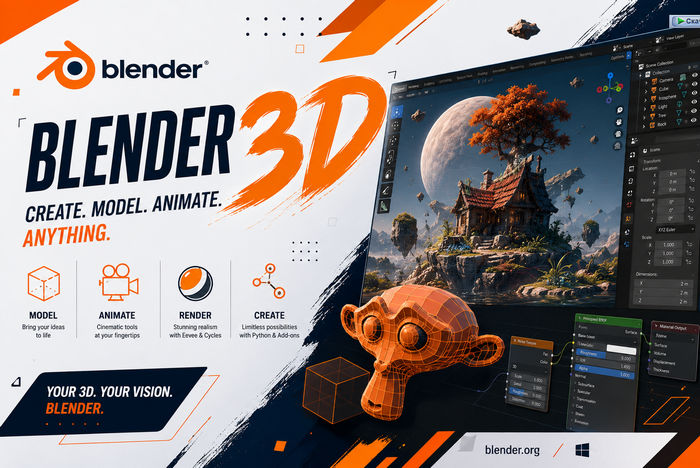
Blender 3D 5.2.0 LTS with Video Course – Master Professional 3D Design and Animation
Blender 3D 5.2.0 LTS is a powerful, free, and open-source creative application designed for 3D modeling, sculpting, animation, rendering, visual effects, simulation, compositing, motion tracking, and video editing.
Released on July 14, 2026, Blender 5.2 is the first Long-Term Support release in the Blender 5 series. It is scheduled to receive maintenance updates and critical bug fixes until July 2028, making it a dependable choice for professional studios, freelancers, educators, and creators working on long-term projects.
This package also includes a video course intended to help users understand Blender’s interface, tools, and production workflow. The course can be especially useful for beginners who want a structured introduction to 3D creation and experienced users who want to explore the features introduced in Blender 5.2.
What Is Blender 3D?
Blender is a complete digital-content creation suite covering almost every stage of the 3D production pipeline. It can be used to create characters, environments, visual effects, animations, architectural scenes, product visualizations, motion graphics, game assets, and edited videos.
Its primary production capabilities include:
- Polygonal and procedural modeling
- Digital sculpting
- Character rigging
- Keyframe and procedural animation
- Physics simulations
- Material and texture creation
- UV unwrapping
- Photorealistic rendering
- Real-time rendering
- Compositing and color correction
- Camera and object tracking
- Grease Pencil drawing
- Video editing
- Python automation
Blender supports the complete 3D workflow within one application, reducing the need to move projects between several separate programs.
What Is New in Blender 5.2 LTS?
Blender 5.2 LTS introduces major improvements across physics, animation, rendering, modeling, compositing, and procedural workflows.
One of the most significant changes is a new node-based approach to hair and cloth physics. The system allows artists to build and modify simulations procedurally, providing greater flexibility than workflows based only on fixed simulation settings.
The release also includes workflow improvements, performance optimizations, stability fixes, and enhancements across multiple Blender editors.
Important areas improved in Blender 5.2 include:
- Node-based hair and cloth simulations
- Geometry Nodes
- Cycles rendering
- Animation and rigging
- Modeling and sculpting
- Compositing
- Asset management
- Video editing
- User-interface workflows
- Python scripting and extensions
- General stability and performance
As an LTS version, Blender 5.2 is particularly suitable for production environments that value stability and extended maintenance.
Node-Based Hair and Cloth Physics
Blender 5.2 introduces a redesigned procedural workflow for simulating hair and cloth.
Instead of relying entirely on conventional physics panels, artists can use nodes to construct, control, and modify simulation behavior. This approach gives technical artists more control over how physical effects are created and allows simulation setups to be reused or adapted across multiple objects.
Potential applications include:
- Character clothing
- Flags and banners
- Curtains and fabric
- Hair motion
- Fur effects
- Soft decorative materials
- Product fabrics
- Procedural animation effects
Node-based physics can also make complicated setups easier to organize because the relationships between simulation operations are displayed visually.
Professional 3D Modeling
Blender provides an extensive collection of polygonal modeling tools for creating simple objects, detailed products, complex machinery, environments, and organic forms.
Its modeling system supports:
- Extrusion and inset operations
- Beveling
- Loop cuts
- Edge sliding
- Knife tools
- Boolean operations
- Proportional editing
- Snapping
- Symmetry and mirroring
- N-Gon geometry
- Subdivision surfaces
- Retopology
- Modifiers
- Non-destructive workflows
The modifier system allows creators to perform operations such as subdivision, mirroring, solidifying, array creation, deformation, and Boolean modeling without permanently changing the original geometry.
Blender’s official documentation provides dedicated tools and workflows for mesh modeling, curves, surfaces, text, volumes, and procedural geometry.
Digital Sculpting
Blender includes a complete sculpting environment for developing characters, creatures, clothing, environments, and detailed surface designs.
Artists can shape models using customizable brushes and tools for:
- Drawing and inflating forms
- Smoothing surfaces
- Adding creases
- Pinching geometry
- Scraping and flattening
- Grabbing and posing forms
- Masking specific regions
- Creating fine surface details
- Using dynamic topology
- Working with multiresolution models
Sculpting can be combined with retopology and texture-painting tools to prepare high-detail models for animation, games, rendering, or 3D printing.
Geometry Nodes
Geometry Nodes is Blender’s procedural modeling and effects system. It allows users to create complex geometry by connecting visual nodes instead of manually constructing every object.
It can be used for:
- Procedural buildings
- Natural environments
- Vegetation distribution
- Motion graphics
- Scattering objects
- Parametric products
- Repeating structures
- Terrain generation
- Hair systems
- Custom modeling tools
- Procedural animation
Node groups can be reused as tools and organized through asset catalogs, making Geometry Nodes valuable for both artists and technical production teams.
Character Rigging
Blender includes professional tools for building skeletal systems and preparing characters or mechanical objects for animation.
Rigging features include:
- Armatures and bones
- Forward and inverse kinematics
- Bone constraints
- Custom bone shapes
- Weight painting
- Automatic skinning
- Shape keys
- Drivers
- Deformation modifiers
- Rig layers and collections
- Pose libraries
These tools can be used to animate humans, animals, fantasy creatures, robots, machines, and other moving objects.
Animation Tools
Blender supports traditional keyframe animation as well as advanced procedural workflows.
Its animation environment includes:
- Dope Sheet
- Graph Editor
- Nonlinear Animation Editor
- Timeline
- Drivers
- Motion paths
- Pose libraries
- Shape-key animation
- Constraint animation
- Camera animation
- Audio synchronization
Almost any adjustable value in Blender can be animated, including object transformations, material properties, lights, modifiers, simulation parameters, and node values.
Cycles Rendering Engine
Cycles is Blender’s physically based path-tracing renderer. It is designed to generate realistic images using accurate lighting, shadows, reflections, refractions, volumetric effects, and physically based materials.
Cycles supports:
- CPU rendering
- GPU acceleration
- Physically based shaders
- Global illumination
- HDR environment lighting
- Volumetric rendering
- Depth of field
- Motion blur
- Denoising
- Render passes
- Light linking
- Render farms
The engine is suitable for architectural visualization, cinematic scenes, product advertising, animation, visual effects, and professional still images.
EEVEE Real-Time Rendering
EEVEE is Blender’s real-time rendering engine. It provides fast viewport feedback and significantly shorter rendering times than traditional path tracing.
It is useful for:
- Real-time previews
- Stylized animation
- Motion graphics
- Product visualization
- Game-style scenes
- Fast concept development
- Interactive presentations
- Previsualization
Artists can switch between EEVEE and Cycles depending on whether they prioritize speed or maximum physical realism.
Materials and Shading
Blender uses a node-based material editor that allows artists to build realistic and stylized surfaces.
Materials can simulate:
- Metal
- Glass
- Plastic
- Skin
- Fabric
- Wood
- Stone
- Water
- Emission
- Transparent surfaces
- Subsurface materials
- Volumetric effects
The shader system supports procedural textures, image textures, masks, displacement, normal maps, and physically based material properties.
UV Mapping and Texture Painting
UV mapping allows a two-dimensional image to be positioned accurately on the surface of a 3D model.
Blender provides tools for:
- Automatic unwrapping
- Manual seam placement
- UV island editing
- Packing UV islands
- Stretch inspection
- Multiple UV maps
- Live unwrapping
- Texture-coordinate control
The integrated texture-painting environment allows artists to paint colors and details directly onto a model while viewing the results in three dimensions.
Physics Simulations
Blender includes a wide range of simulation systems for creating realistic movement and physical interactions.
Supported effects include:
- Rigid bodies
- Cloth
- Hair
- Soft bodies
- Smoke
- Fire
- Liquids
- Particles
- Dynamic paint
- Collisions
- Force fields
Rigid-body constraints can be used to connect simulated objects through joint-like relationships, while cloth tools can simulate flexible materials interacting with collision objects.
Visual Effects and Motion Tracking
Blender includes camera and object-tracking tools for integrating computer-generated objects into recorded footage.
The motion-tracking workflow can be used to:
- Reconstruct camera movement
- Track objects
- Stabilize footage
- Place 3D objects inside video
- Match virtual cameras with real footage
- Remove unwanted markers
- Prepare visual-effects shots
These capabilities make Blender suitable for independent filmmaking, advertisements, online videos, and visual-effects experimentation.
Node-Based Compositing
The Compositor allows users to combine rendered images, footage, masks, and visual effects through a node-based workflow.
It can be used for:
- Color correction
- Glare and bloom
- Green-screen keying
- Depth effects
- Lens distortion
- Image masking
- Render-layer combination
- Motion blur
- Background replacement
- Visual-effects integration
Compositing can be performed without leaving Blender, allowing rendering and post-production to remain connected.
Grease Pencil
Grease Pencil combines traditional drawing with a three-dimensional production environment.
Artists can create:
- 2D animation
- Storyboards
- Concept sketches
- Motion graphics
- Hand-drawn visual effects
- Hybrid 2D and 3D scenes
- Annotations
- Stylized illustrations
Drawings can exist in three-dimensional space, allowing cameras, lighting, 3D objects, and hand-drawn elements to work together in the same scene.
Video Sequence Editor
Blender includes a nonlinear Video Sequence Editor for assembling and processing video projects.
Its features include:
- Video and audio tracks
- Cutting and trimming
- Transitions
- Speed adjustments
- Transform controls
- Text overlays
- Color correction
- Preview playback
- Image sequences
- Scene integration
- Audio mixing
- Proxy editing
The editor is suitable for tutorials, social-media videos, animation assembly, simple film editing, and the final preparation of rendered sequences.
Python Scripting and Automation
Blender includes a Python application programming interface that allows developers and technical artists to customize and automate the software.
Python can be used to:
- Automate repetitive tasks
- Generate objects procedurally
- Build custom tools
- Create add-ons
- Process multiple files
- Control rendering
- Manage scenes
- Create custom interfaces
- Connect Blender to external pipelines
The extensible architecture has helped Blender develop a large ecosystem of community and commercial add-ons.
Included Video Course
The included video course can provide a structured learning path for users who are new to Blender or want to improve their existing skills.
A complete Blender course may cover topics such as:
- Installing and configuring Blender
- Understanding the user interface
- Navigating the 3D viewport
- Creating and editing objects
- Mesh modeling
- Modifiers
- Materials and textures
- UV unwrapping
- Lighting
- Camera setup
- Rendering with EEVEE and Cycles
- Basic sculpting
- Rigging and animation
- Geometry Nodes
- Physics simulations
- Compositing
- Video editing
- Exporting finished projects
The exact lessons, duration, language, project files, and instructor depend on the course included with the package.
Blender Studio and Official Training
Users who need additional learning materials can also explore Blender Studio, which provides training videos, production files, rigs, assets, and behind-the-scenes resources created by Blender’s production team.
Access to some Blender Studio materials requires a subscription, and the subscription helps fund Blender’s open-source development and creative projects.
File Format Support
Blender supports many common 2D, 3D, animation, and interchange formats.
Depending on the enabled importers and exporters, supported formats may include:
- BLEND
- FBX
- OBJ
- STL
- PLY
- Alembic
- USD
- glTF and GLB
- BVH
- SVG
- OpenVDB
- Image sequences
- Common image formats
- Common video formats
Format support can vary according to the Blender version, installed extensions, platform, and selected project settings.
Supported Operating Systems
Blender is available for:
- Microsoft Windows
- Linux
- macOS
The Blender manual recommends keeping graphics drivers current and ensuring that the computer supports the required graphics technologies.
Hardware support and system requirements may differ between platforms and processor architectures.
Recommended System Requirements
For a smooth Blender experience, the following configuration is recommended:
- A modern 64-bit multi-core processor
- Windows, Linux, or macOS
- At least 16 GB of RAM
- 32 GB of RAM or more for complex projects
- A modern dedicated graphics card
- At least 8 GB of graphics memory for demanding rendering
- Updated graphics drivers
- A solid-state drive
- A full-HD or higher-resolution display
- A three-button mouse
- A graphics tablet for sculpting or painting
- Sufficient storage for textures, simulations, caches, and rendered files
Simple modeling projects can run on less powerful computers, but high-resolution sculpting, fluid simulations, complex Geometry Nodes setups, and photorealistic rendering require significantly stronger hardware.
Main Features
- Free and open-source software
- Long-Term Support until July 2028
- Professional polygonal modeling
- Procedural modeling with Geometry Nodes
- Digital sculpting
- Character rigging
- Keyframe and procedural animation
- Node-based hair and cloth physics
- Cycles path-tracing renderer
- EEVEE real-time renderer
- Materials and texture creation
- UV unwrapping
- Texture painting
- Physics simulations
- Motion tracking
- Visual-effects tools
- Node-based compositing
- Grease Pencil
- Video editing
- Python scripting
- Support for Windows, Linux, and macOS
- Included structured video training
Advantages
- Completely free to use
- Open-source and regularly developed
- Covers the entire 3D production pipeline
- Suitable for beginners and professionals
- Strong modeling and sculpting tools
- Powerful procedural Geometry Nodes system
- High-quality Cycles rendering
- Fast real-time EEVEE rendering
- Integrated animation and rigging
- Includes simulation and VFX tools
- Large international community
- Extensive documentation and training resources
- Supports automation through Python
- LTS release suitable for long projects
- Included video course helps simplify learning
Disadvantages
- The interface can be challenging for beginners
- Advanced projects require powerful hardware
- Cycles rendering can be time-consuming
- Complex simulations consume considerable memory and storage
- Geometry Nodes has a significant learning curve
- Some professional pipelines may require additional add-ons
- Video-editing tools are less specialized than dedicated editors
- Large projects require careful file and asset management
Who Should Use Blender 5.2?
Blender 5.2 LTS is suitable for:
- 3D artists
- Animators
- Game developers
- Character designers
- Visual-effects artists
- Architects
- Product designers
- Motion-graphics creators
- Video editors
- Digital sculptors
- Students
- Educators
- Independent filmmakers
- YouTube creators
- Technical artists
- Python developers
Beginners can use the included video course to learn the fundamentals, while professional users can integrate Blender into complex production pipelines.
Installation Recommendations
Before installing Blender 5.2.0:
- Update the graphics-card driver.
- Confirm that the operating system is supported.
- Make a backup of important project files.
- Check the compatibility of existing add-ons.
- Keep older Blender versions when maintaining older projects.
- Use a separate configuration during initial testing.
- Confirm that sufficient storage is available for simulations and renders.
- Save new projects with versioned filenames.
- Test important production files before permanently migrating.
- Obtain Blender and extensions from trusted sources.
Projects saved in newer Blender versions may not behave correctly when reopened in significantly older releases. Maintaining backups is therefore strongly recommended.
Final Verdict
Blender 3D 5.2.0 LTS is a comprehensive and production-ready creative suite for modeling, animation, simulation, rendering, visual effects, compositing, and video editing.
The introduction of node-based hair and cloth physics expands Blender’s procedural capabilities, while improvements across Geometry Nodes, Cycles, animation, modeling, and the interface make the 5.2 release valuable for both individual creators and professional studios.
Its Long-Term Support status makes it a strong choice for projects that require a stable production environment through July 2028. The included video course also provides a practical learning path for understanding Blender’s tools and building complete projects from the ground up.
For users seeking a powerful 3D application without subscription fees, Blender 5.2.0 LTS remains one of the most capable and flexible creative solutions available.