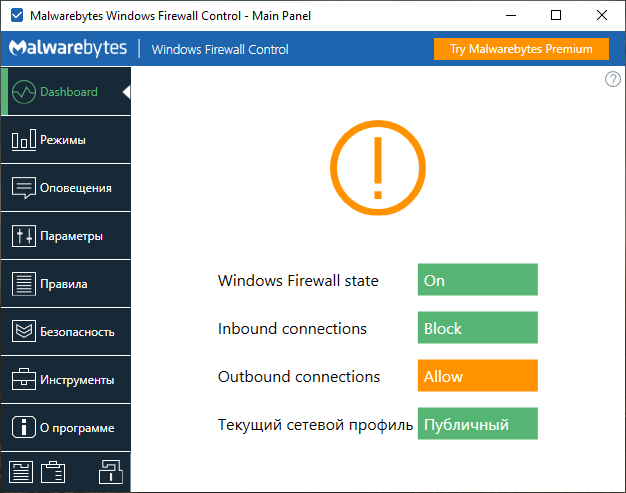
Windows Firewall Control is a lightweight application that extends the functionality of the Windows Firewall, providing quick access to the most commonly used firewall features in Windows 10, 8.1, and 7.
Windows Firewall Control filtering modes:
- High Filtering: All outgoing and incoming connections are blocked. This mode blocks all attempts to connect to or from the computer.
- Medium Filtering: Outgoing connections that don’t match the rule are blocked. Only programs you’ve allowed can initiate outgoing connections.
- Low Filtering: Outgoing connections that don’t match the rule are allowed. You can block programs if you want to prevent outgoing connections.
- No Filtering: Windows Firewall is disabled. Avoid using this mode unless you have another firewall installed on your computer.
Changes in this version:
– New: Added a new checkbox, “Enable beta updates,” to the “About” tab. It’s disabled
by default. This will help WFC enthusiasts release new experimental features.
– Fixed: Connection log not loading entries on some computers.
– New: Added a new checkbox, “Enable beta updates,” to the “About” tab. It’s disabled
by default. This will help WFC enthusiasts release new experimental features.
– Fixed: Connection log not loading entries on some computers.
System requirements:
– Microsoft .NET Framework 4.6 or higher
– Compatible with 32-bit and 64-bit versions of Windows 10, 8.1, 8, and Windows 7.
– The Windows Firewall service must be enabled for Windows Firewall Control to run.
– The DNS Client service must be enabled for notifications to function properly.
– Microsoft .NET Framework 4.6 or higher
– Compatible with 32-bit and 64-bit versions of Windows 10, 8.1, 8, and Windows 7.
– The Windows Firewall service must be enabled for Windows Firewall Control to run.
– The DNS Client service must be enabled for notifications to function properly.
Malwarebytes, the developer of the popular security solutions Malwarebytes Premium and Malwarebytes Free, acquired Windows Firewall Control in June 2018. This isn’t the company’s first acquisition. In 2016, Malwarebytes acquired AdwCleaner, a popular PUP removal utility, and a year earlier, in 2015, it acquired Junkware Removal Tool, another utility for cleaning unwanted software.
15