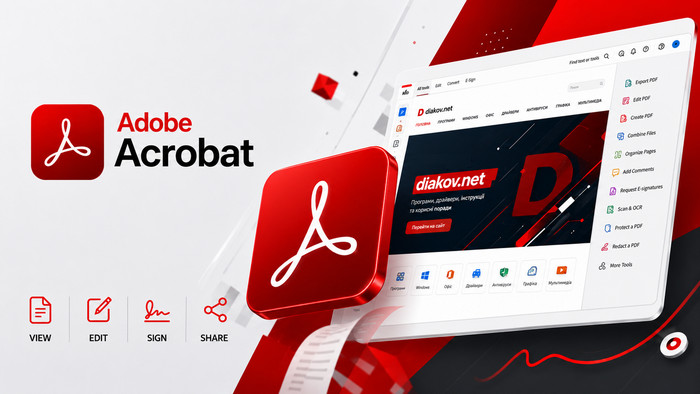
Adobe Acrobat 26.002.21869 – Professional PDF Editing and Document Management Software
Overview
Adobe Acrobat 26.002.21869 is a professional PDF solution designed for creating, editing, converting, organizing, reviewing, protecting, and managing digital documents. It provides a comprehensive workspace for individuals, businesses, students, and professionals who regularly work with PDF files and need capabilities beyond basic document viewing.
Acrobat brings many essential document tools together in one environment. Users can modify PDF content, convert documents between common formats, combine multiple files, reorganize pages, add comments, prepare forms, apply security settings, and handle electronic signature workflows.
Whether you work with business reports, contracts, invoices, presentations, application forms, educational materials, or scanned documents, Adobe Acrobat provides a flexible platform for managing PDF-based workflows.
Create Professional PDF Documents
Adobe Acrobat makes it easy to create PDF documents from different types of source files. Documents originally created in office applications and other supported formats can be converted into PDFs that are convenient for distribution, archiving, and sharing.
PDF is widely used because it helps preserve the appearance and structure of documents across different computers and devices. This makes Acrobat useful when preparing files that need to maintain consistent formatting when shared with other users.
Edit PDF Files
One of the most important capabilities of Adobe Acrobat is direct PDF editing.
Instead of returning to the original source document whenever a small change is required, users can modify supported text and other document elements directly within the PDF.
This can be particularly useful when correcting typing errors, updating information, making last-minute document changes, or adjusting existing business materials.
Convert PDF Documents
Adobe Acrobat provides tools for converting PDF files into other supported document formats and for creating PDFs from compatible files.
Conversion capabilities are useful when information stored inside a PDF needs to be reused or edited in another application.
The quality of conversion can depend on the complexity of the original document, particularly when dealing with sophisticated layouts, unusual fonts, complex tables, or scanned pages.
Combine Multiple Files
Working with information spread across several documents can become inconvenient. Acrobat allows compatible files to be combined into a single PDF document.
This is useful for creating reports, project documentation, portfolios, presentations, application packages, invoices, or collections of related documents.
Combining files can help create a more organized document that is easier to distribute and archive.
Organize PDF Pages
Adobe Acrobat provides page-management tools that make it easier to restructure existing PDF documents.
Users can rearrange pages, rotate incorrectly oriented pages, remove unnecessary content, and perform other organizational operations depending on the available Acrobat tools.
This functionality is particularly valuable when working with large reports or scanned documents where pages may need to be reorganized before distribution.
Split Large PDF Files
Sometimes a large PDF contains several sections that need to be distributed independently.
Acrobat provides functionality for separating document content into smaller files, making it easier to extract relevant sections instead of sending an entire document.
This can be useful for large manuals, reports, scanned archives, business documentation, and educational materials.
Work with Scanned Documents
Paper documents remain common in many offices, and Acrobat provides useful capabilities for bringing scanned material into digital workflows.
Scanned pages can be stored and organized as PDFs, allowing physical paperwork to become easier to archive, share, and manage electronically.
The effectiveness of document recognition and processing depends heavily on the quality, clarity, language, and resolution of the original scan.
OCR Technology
Optical Character Recognition, commonly known as OCR, can recognize text contained within compatible scanned documents and images.
This technology can transform a scanned page from a simple image into content that is more useful for searching and other document operations.
OCR can be especially valuable for digitizing printed contracts, invoices, letters, archived paperwork, books, forms, and other physical documents.
Add Comments and Annotations
Document collaboration often requires more than simply sending a file between users.
Adobe Acrobat provides commenting and annotation tools that can help reviewers communicate changes and feedback directly within a PDF.
Users can highlight relevant sections, add notes, mark areas that require attention, and participate in structured document-review workflows.
Fill and Manage PDF Forms
PDF forms are widely used for applications, surveys, administrative documents, registration forms, and business processes.
Adobe Acrobat provides functionality for working with interactive PDF forms and entering information into compatible fields.
For organizations that rely heavily on electronic documents, digital forms can help reduce dependence on traditional paper-based processes.
Electronic Signature Workflows
Signatures are an important part of many professional document workflows, particularly for agreements, approvals, contracts, and administrative forms.
Acrobat integrates capabilities for handling electronic signature-related processes, depending on the user’s Adobe services, subscription, and configuration.
This can make it easier to prepare documents for signing and manage approval workflows without relying entirely on printing and scanning.
Protect Sensitive PDF Files
PDF documents can contain confidential or commercially sensitive information, making document security an important consideration.
Adobe Acrobat includes security and protection features that can help users control access to compatible documents and restrict certain actions.
The exact protection options available can vary depending on the Acrobat edition, document type, and security configuration.
Redact Confidential Information
Simply covering sensitive text visually is not an appropriate method for securely removing confidential information.
Professional redaction tools are designed to permanently remove selected information from a document before it is distributed.
This functionality can be important for legal, financial, corporate, government, and administrative workflows where documents must be shared without exposing confidential information.
Compare Documents
When multiple versions of a document exist, identifying exactly what changed can become difficult.
Document comparison capabilities can help users examine differences between versions more efficiently than manually reviewing every page.
This can be particularly valuable for contracts, policies, technical documentation, reports, and other files that frequently undergo revisions.
Search Through PDF Content
Large PDF documents can contain hundreds or even thousands of pages.
Search functionality allows users to locate words, phrases, and other text content without manually reading through the entire document.
When working with recognized scanned documents, OCR can further improve the usefulness of search by making previously image-based text discoverable.
Professional Document Review
Acrobat can be used as part of structured document-review workflows involving multiple participants.
Comments, annotations, document comparison, and sharing capabilities can help teams review information and communicate revisions more efficiently.
This makes the application particularly useful in environments where documents move through multiple stages of preparation, review, approval, and distribution.
PDF Accessibility
Accessibility is an important consideration when preparing documents for broad audiences.
Adobe Acrobat includes tools that can assist users in evaluating and improving aspects of PDF accessibility. Proper document structure, reading order, alternative descriptions, and other accessibility considerations can help make content more usable with assistive technologies.
Creating a genuinely accessible PDF may still require careful manual review and knowledge of relevant accessibility standards.
Business and Office Use
Adobe Acrobat is widely suited to professional environments where PDF documents form an important part of daily operations.
Businesses can use Acrobat for contracts, proposals, financial documents, invoices, reports, forms, internal documentation, and customer communications.
Having editing, conversion, organization, review, protection, and signature-related functionality within the same environment can simplify many common office workflows.
Educational Use
Students, teachers, researchers, and educational institutions can also benefit from Acrobat’s document-management capabilities.
PDF textbooks, research papers, assignments, presentations, scanned materials, and academic documents can be reviewed, annotated, organized, and shared.
Highlighting and commenting tools are particularly useful when studying or reviewing lengthy documents.
User-Friendly Workspace
Despite offering many professional features, Adobe Acrobat provides an organized interface designed to make commonly used PDF operations easier to access.
Users can move between document viewing and specialized tools depending on the task they need to perform.
For people who work with PDFs every day, having these capabilities integrated into one application can reduce the need to switch constantly between separate utilities.
Adobe Ecosystem Integration
Acrobat is part of the broader Adobe software and services ecosystem.
Depending on the user’s plan and available services, documents can participate in cloud-based sharing, collaboration, storage, and electronic signature workflows.
This integration can be particularly useful for professionals already using other Adobe products and services as part of their daily work.
Performance and Productivity
Modern document workflows frequently involve large PDFs, scanned files, graphics-heavy reports, and complex forms.
Adobe continues to develop Acrobat around professional document handling and productivity. Actual performance depends on the computer hardware, document complexity, available memory, storage speed, and other system conditions.
Using modern hardware and fast SSD storage can improve the experience when working with particularly large or demanding files.
Why Choose Adobe Acrobat?
Adobe Acrobat provides significantly more functionality than a standard PDF reader.
Its combination of PDF creation, editing, conversion, OCR, page organization, commenting, forms, protection, redaction, comparison, and signature-related workflows makes it suitable for users who require comprehensive control over digital documents.
Rather than using separate utilities for different PDF operations, Acrobat provides a centralized environment for handling many stages of the document lifecycle.
Conclusion
Adobe Acrobat 26.002.21869 is a comprehensive PDF editing and document-management solution for users who need professional control over digital documents. It combines essential PDF capabilities with advanced tools for editing, conversion, organization, OCR, collaboration, security, forms, and electronic workflows.
Whether you are preparing business contracts, organizing scanned paperwork, editing reports, reviewing academic documents, protecting confidential information, or converting files for further editing, Adobe Acrobat provides a versatile environment for managing PDF content efficiently.
For professionals, businesses, students, and everyday users who regularly work with PDF documents, Adobe Acrobat 26.002.21869 offers a powerful collection of tools for creating, modifying, reviewing, sharing, and managing documents from a unified workspace.