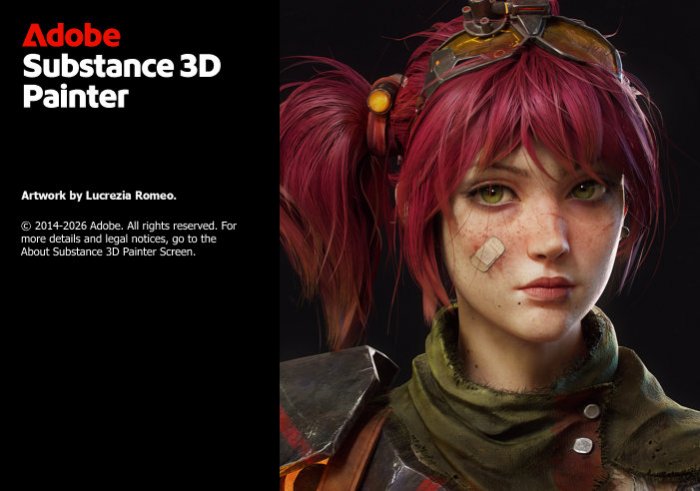
Adobe Substance 3D Painter v12.1.2 – Complete Review, Features, Advantages and Disadvantages
Introduction
Adobe Substance 3D Painter v12.1.2 is a professional 3D texturing and material-painting application designed for game developers, 3D artists, visual-effects specialists, product designers, and digital-content creators. It provides an advanced environment for creating highly detailed textures and realistic materials directly on 3D models.
Rather than relying exclusively on traditional 2D image editing, Substance 3D Painter allows artists to paint directly on the surface of a three-dimensional object while viewing the results in real time. Materials, masks, procedural effects, generators, brushes, and physically based rendering workflows can be combined to produce surfaces ranging from clean painted metal and polished plastic to damaged machinery, weathered wood, leather, fabric, stone, and many other materials.
Real-Time 3D Painting
One of the most important features of Substance 3D Painter is the ability to paint directly onto a 3D model.
Artists can rotate the object, zoom into individual areas, and apply details directly where they are required. The results are displayed interactively, providing immediate visual feedback.
This approach is considerably more intuitive for many texturing tasks than manually determining where every element should appear on a flattened UV texture.
Physically Based Rendering Workflow
Substance 3D Painter is built around modern physically based rendering, commonly known as PBR.
A PBR workflow uses different texture channels to describe how a material should react to light. Depending on the selected workflow, these can include Base Color, Roughness, Metallic, Normal, Height, Emissive, and other information.
Separating these material properties allows artists to create surfaces that respond more convincingly when imported into compatible game engines and rendering applications.
Smart Materials
Smart Materials are among the most powerful productivity features in Substance 3D Painter.
Instead of representing a material as a simple flat image, a Smart Material can combine multiple layers, masks, generators, procedural effects, and surface properties.
For example, a worn-metal material can contain paint, exposed metal, scratches, dirt, roughness variations, and edge wear.
When properly configured, these effects can respond to the geometry of different models, making Smart Materials highly reusable.
Smart Masks
Smart Masks provide a procedural method for controlling where effects appear.
A mask can use information about the model’s geometry to place wear, dirt, scratches, dust, or other details in appropriate areas.
This allows artists to create complex surface variation without manually painting every individual detail.
Smart Masks can also be customized and combined with manual painting for greater artistic control.
Mesh Maps
Many procedural features in Substance 3D Painter depend on baked mesh maps.
These maps provide information about the geometry of the 3D object and can include Ambient Occlusion, Curvature, World Space Normal, Position, Thickness, and other data.
Generators and Smart Masks can then use this information to understand characteristics such as exposed edges, recessed areas, orientation, and surface depth.
Properly baked mesh maps can therefore dramatically improve the quality of procedural texturing.
Texture Baking
Substance 3D Painter includes integrated baking functionality.
Baking can transfer geometric information from a detailed high-poly model to maps that can be used on a lower-poly version.
This workflow is extremely important in game development because highly detailed models may contain too many polygons for efficient real-time rendering.
Normal maps and other baked information allow a lower-poly asset to retain much of the visual complexity of the original high-resolution model.
Layer-Based Workflow
Artists familiar with applications such as Adobe Photoshop will recognize the concept of layers.
Substance 3D Painter provides a layer stack where different materials, effects, painted details, masks, and adjustments can be organized.
Layers can be reordered, grouped, blended, hidden, or modified independently.
This non-destructive structure makes complex materials considerably easier to manage and allows artists to revise individual components without rebuilding the entire texture.
Fill Layers
Fill Layers are especially important for non-destructive material creation.
Instead of manually painting a value across an object, a Fill Layer can control one or more material channels procedurally.
A single Fill Layer might define the base color, metallic response, roughness, and height characteristics of a surface.
Masks can then determine where that material appears on the model.
This approach provides excellent flexibility because material properties can be changed later without repainting the affected areas.
Masks
Masks determine which parts of a layer are visible.
Artists can manually paint masks or create them using procedural tools, generators, selections, and other methods.
For example, a model might contain a base metal layer with a painted coating above it. A mask can selectively remove portions of the paint to reveal the metal underneath.
This provides a convincing method for creating wear and damage while maintaining a fully editable layer structure.
Generators
Generators automate many common texturing effects.
They can use baked mesh information to create dirt accumulation, edge wear, gradients, and other effects based on the geometry of the object.
A generator can serve as an excellent starting point, but professional artists frequently customize the generated result and combine it with hand-painted details.
This balance between automation and manual control is one of Substance 3D Painter’s greatest strengths.
Brushes
The software includes a broad range of brushes for manually painting textures and masks.
Artists can modify brush properties such as size, spacing, flow, opacity, and other parameters depending on the selected tool and material.
Custom brushes can also be incorporated into specialized workflows.
Manual painting remains particularly valuable for unique storytelling details such as scratches, fingerprints, stains, damage, markings, and other features that should not appear completely procedural.
Alphas
Alphas are grayscale images used to control the shape or intensity of brush strokes and other effects.
They can be used to stamp scratches, bolts, symbols, surface damage, fabric patterns, mechanical details, and countless other forms onto a model.
Custom alphas allow artists to create highly specific details without modeling every feature directly into the geometry.
Stencils and Projection
Projection and stencil techniques provide additional methods for transferring visual information onto a 3D model.
Artists can use reference images, patterns, logos, or other imagery as guides while painting.
This is particularly useful for placing labels, decals, graphics, signs, surface markings, and other precise visual elements onto an asset.
Procedural Texturing
Procedural texturing is a major part of Substance 3D Painter’s workflow.
Instead of storing every surface detail as manually painted pixels, procedural systems can generate patterns and variations according to adjustable parameters.
This allows artists to quickly change scale, intensity, randomness, contrast, and other properties.
Procedural materials are particularly effective when creating surfaces such as concrete, metal, wood, stone, dirt, rust, and industrial materials.
Realistic Wear and Damage
Creating believable wear is one of the areas where Substance 3D Painter excels.
Artists can combine curvature information, generators, masks, grunge maps, and manual painting to create scratches, chipped paint, rust, dust, dirt, fingerprints, stains, and edge damage.
These details help communicate the history and usage of an object.
A perfectly uniform surface can look artificial, while carefully controlled imperfections often make a 3D asset considerably more convincing.
Material Channels
Different texture channels control different visual properties of a material.
Base Color determines the primary visible color, while Roughness influences how smooth or diffuse reflections appear.
Metallic information identifies metallic surfaces, Normal maps simulate fine geometric details, and Height information can create the appearance of raised or recessed features.
Additional channels can be incorporated depending on the rendering pipeline and project requirements.
UV-Based 2D View
Although Substance 3D Painter emphasizes direct 3D painting, artists can also work with the flattened UV representation of a model.
The 2D view can be useful when precise placement is required or when an artist needs to inspect how textures correspond to UV islands.
Working between 3D and 2D views provides flexibility for different types of texturing tasks.
Seam Management
UV seams can create difficulties during traditional texture painting because visual details may need to continue across separate UV islands.
Painting directly in the 3D viewport can simplify many of these situations because the artist can work on the visible surface rather than manually aligning details across a flattened texture.
Good UV preparation remains important, but the painting workflow can reduce the amount of manual seam correction required.
Decals and Logos
Substance 3D Painter is well suited to adding decals and graphical details.
Logos, warning labels, serial numbers, signs, symbols, and other graphics can be projected or incorporated into layer-based workflows.
These elements can also interact with material properties.
For example, a printed logo can have different roughness or height characteristics from the material underneath, producing a more realistic result than simply placing a flat colored image on the surface.
Symmetry
Symmetry can accelerate texturing for models containing mirrored or repeated geometry.
Instead of painting the same detail manually on both sides of an object, artists can use symmetry-related workflows where appropriate.
This is particularly useful during early texturing stages or when working with characters, vehicles, weapons, props, and other symmetrical assets.
Artists can later break the symmetry with unique wear and surface variation to create a more natural appearance.
Texture Sets
Complex models may contain several materials or texture sets.
Substance 3D Painter allows artists to manage these areas separately, providing individual layer stacks and texture information where required.
This is useful for assets containing combinations such as metal, glass, rubber, fabric, plastic, and painted surfaces.
Proper texture-set organization can make complicated projects much easier to manage.
Viewport and Material Preview
A high-quality viewport allows artists to evaluate their textures while they work.
Lighting environments can help reveal how roughness, metallic properties, normals, and other material characteristics respond under different illumination.
Because PBR materials are designed to react to lighting, testing them under multiple environments can help identify problems that may not be obvious under a single lighting setup.
Export Presets
One of Substance 3D Painter’s greatest practical advantages is its flexible texture-export system.
Different rendering engines and applications expect texture maps to be organized in different ways.
Export presets can automatically prepare textures according to the requirements of particular workflows.
Artists can also customize export configurations when a project requires a specialized pipeline.
Game Engine Workflows
Substance 3D Painter is widely used for producing assets intended for real-time game engines.
After texturing is complete, maps can be exported and connected to materials inside engines such as Unreal Engine or Unity according to the requirements of the selected rendering pipeline.
This makes the application particularly useful for environment artists, character artists, prop artists, vehicle artists, and other professionals working in game development.
Integration with Other 3D Applications
Textures produced in Substance 3D Painter can be used with many professional 3D packages and rendering systems.
Artists can model and UV their assets in applications such as Blender, Autodesk Maya, 3ds Max, Cinema 4D, or other compatible software, texture them in Painter, and then return to the main 3D application for rendering or animation.
This flexibility allows Painter to function as a specialized texturing stage within a much larger production pipeline.
Adobe Substance 3D Ecosystem
Painter is part of the broader Adobe Substance 3D ecosystem.
Other Substance applications focus on areas such as procedural material authoring, asset staging, and material creation.
Combining these tools can provide advanced artists with a more comprehensive workflow for creating and managing realistic 3D materials and assets.
Non-Destructive Editing
Non-destructive editing is one of the most important characteristics of Substance 3D Painter.
Fill Layers, masks, generators, filters, and procedural effects can often be modified long after they were initially created.
For example, an artist can change the base color of a painted surface while retaining the existing scratches, dirt, and wear layered above it.
This makes revisions considerably easier when clients or art directors request changes late in production.
High-Resolution Textures
Professional 3D assets frequently require high-resolution texture maps.
Substance 3D Painter can work with demanding texture resolutions depending on the project and available computer resources.
Higher-resolution textures provide greater detail but require more VRAM, system memory, storage capacity, and processing power.
Artists should therefore choose texture resolutions according to the final purpose of the asset rather than automatically using the maximum available quality.
Performance and Hardware Requirements
Substance 3D Painter can be demanding on computer hardware, particularly when working with complex models, multiple texture sets, high-resolution textures, many procedural layers, and advanced effects.
A capable dedicated GPU is especially important because much of the interactive texturing workflow depends on graphics processing.
Sufficient system RAM, fast SSD storage, and a modern processor also contribute to a smoother experience.
Users working professionally with 4K or higher-resolution texture sets should pay particular attention to available graphics memory.
Advantages of Adobe Substance 3D Painter v12.1.2
The greatest strength of Substance 3D Painter is its combination of direct 3D painting and procedural texturing.
Smart Materials, Smart Masks, generators, mesh-map baking, Fill Layers, advanced masks, brushes, alphas, decals, and flexible export options allow artists to create sophisticated materials without permanently committing to early decisions.
Its PBR-oriented workflow makes it particularly suitable for modern games, visual effects, product visualization, and professional 3D rendering.
The ability to combine automation with hand-painted details provides both speed and artistic control.
Disadvantages of Adobe Substance 3D Painter v12.1.2
Substance 3D Painter has a significant learning curve for users who are new to professional 3D texturing.
Understanding UV maps, baking, PBR channels, roughness, metallic values, normal maps, masks, generators, and export pipelines requires time and practice.
The software can also be demanding on hardware. Large projects with several high-resolution texture sets may consume substantial GPU memory and system resources.
Painter is primarily a texturing application rather than a complete 3D modeling solution. Models generally need to be created and prepared in another application before they are brought into the texturing workflow.
Substance 3D Painter vs Photoshop
Photoshop remains extremely powerful for traditional 2D image manipulation, but Substance 3D Painter is designed specifically around 3D materials.
Painting directly on a model makes it easier to understand how details will appear on the finished object.
Painter also provides specialized PBR channels, mesh-aware generators, Smart Materials, baking tools, and 3D visualization that are much more closely aligned with modern game and rendering workflows.
Photoshop can still complement Painter when custom 2D textures, decals, masks, or other graphical assets need to be created.
Substance 3D Painter vs Substance 3D Designer
Painter and Designer are both professional Substance applications, but they emphasize different approaches.
Painter focuses primarily on applying and painting materials directly onto specific 3D assets.
Substance 3D Designer focuses more heavily on constructing procedural materials and textures through a node-based workflow.
A material can be created procedurally in Designer and then used and customized on individual assets inside Painter.
Professional artists may therefore use both applications together rather than choosing one as a complete replacement for the other.
Who Should Use Adobe Substance 3D Painter?
Adobe Substance 3D Painter v12.1.2 is particularly suitable for game artists, 3D texture artists, environment artists, character artists, prop artists, visual-effects professionals, product-visualization specialists, and other creators who need detailed PBR materials.
It is also an excellent tool for independent developers and Blender users who want to improve the visual quality of their 3D assets before importing them into a rendering application or game engine.
Beginners can learn Painter, but understanding fundamental concepts such as UV mapping and PBR materials beforehand will make the learning process considerably easier.
Conclusion
Adobe Substance 3D Painter v12.1.2 is a comprehensive professional texturing application built around modern PBR production workflows.
Its combination of real-time 3D painting, Smart Materials, Smart Masks, mesh-map baking, procedural generators, Fill Layers, brushes, decals, masking, high-resolution texturing, and flexible export pipelines provides artists with extensive control over the appearance of 3D assets.
The software requires both technical knowledge and capable hardware for demanding projects, but its non-destructive workflow can dramatically accelerate the creation and revision of sophisticated materials.
For game development, visual effects, product visualization, and professional 3D artwork, Substance 3D Painter remains one of the most capable tools for transforming an untextured model into a detailed and convincing digital asset.