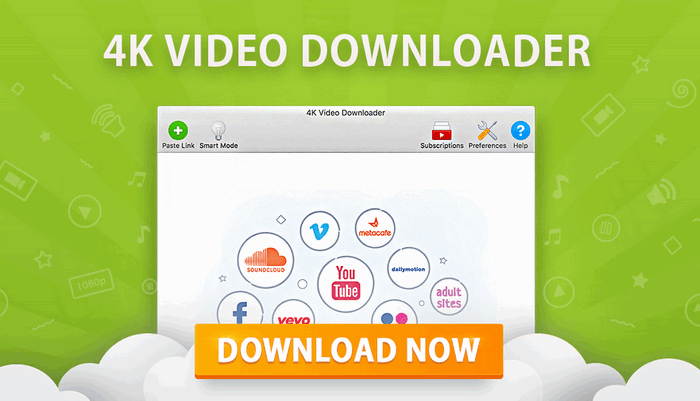
4K Video Downloader Plus 26.3.0.0388 – Powerful Video and Playlist Management Tool
4K Video Downloader Plus 26.3.0.0388 is a multimedia application designed to help users save online videos, playlists, audio tracks, subtitles, and other supported content for offline use. It combines a simple interface with flexible quality and format options, making it suitable for both casual users and people who regularly manage large collections of online media.
The program focuses on ease of use while offering support for high-resolution video, playlist processing, subtitle handling, audio extraction, and configurable download preferences.
About 4K Video Downloader Plus 26.3.0.0388
4K Video Downloader Plus is the newer generation of the well-known 4K Video Downloader application. It provides a redesigned interface and additional tools intended to make handling online multimedia content faster and more convenient.
Users can copy the link of supported online content, paste it into the application, choose the preferred format and quality, and save the file locally.
Version 26.3.0.0388 continues the application’s focus on usability, performance, compatibility, and streamlined media management.
Main Features
High-Quality Video Support
One of the main advantages of 4K Video Downloader Plus is its support for high-resolution video.
Depending on the original source and available formats, users can work with resolutions such as:
- 720p HD
- 1080p Full HD
- 1440p
- 4K Ultra HD
- 8K
This makes the software useful for users who want to preserve the best available quality for offline viewing.
Playlist and Channel Support
Instead of processing videos individually, the application can handle supported playlists and collections.
This is especially useful for users who want to organize educational videos, music collections, tutorials, or other large sets of content.
Playlist processing reduces repetitive work and makes it easier to manage multiple files from one location.
Audio Extraction
4K Video Downloader Plus can also be used to extract audio from supported videos.
This feature is useful when users only need:
- Music
- Podcasts
- Interviews
- Lectures
- Voice recordings
- Background audio
Available output options may vary depending on the source and selected configuration.
Subtitle Support
The application provides options for working with subtitles when they are available with supported online videos.
Users can save subtitles separately or include them as part of their offline media workflow.
This can be particularly helpful for:
- Foreign-language videos
- Educational content
- Tutorials
- Interviews
- Accessibility purposes
Smart Mode
Smart Mode is designed to speed up repetitive tasks.
Users can configure preferred settings such as format, quality, subtitle options, and destination folder. Once configured, the application can apply these preferences automatically to future supported downloads.
This feature is useful for people who frequently save content using the same settings.
Built-In Browser
4K Video Downloader Plus includes an integrated browser that can simplify navigation and content access within the application.
Instead of constantly switching between a web browser and the program, users can access supported websites directly and manage content from one interface.
Multiple Format Options
The software supports several commonly used multimedia formats depending on the selected content.
Typical options may include formats such as:
- MP4
- MKV
- MP3
- M4A
- OGG
This flexibility allows users to choose formats suitable for computers, smartphones, tablets, televisions, and media players.
Batch Processing
For users managing multiple videos or playlists, batch processing can significantly improve productivity.
Multiple items can be processed without having to repeat the same steps for every individual file.
This makes 4K Video Downloader Plus particularly useful for large media collections.
Proxy Configuration
The application provides proxy-related settings that can be useful in certain network environments.
Advanced users can configure network options according to their connection requirements while maintaining control over how the software accesses supported services.
Simple User Interface
One of the strengths of 4K Video Downloader Plus is its straightforward interface.
The main controls are clearly organized, allowing users to:
- Copy a supported media link.
- Paste the link into the program.
- Select the desired quality and format.
- Choose a destination folder.
- Start processing the media.
The workflow is easy to understand even for users who have little experience with multimedia utilities.
Custom Quality Selection
Users can select different video resolutions depending on the quality available from the source.
Lower resolutions can help reduce storage requirements, while higher resolutions provide improved image detail on compatible displays.
This makes it possible to balance quality, file size, and storage space.
File Organization
The program can store downloaded media in user-selected folders, making it easier to organize different types of content.
Users can separate files into categories such as:
- Music
- Tutorials
- Courses
- Entertainment
- Podcasts
- Personal collections
Good file organization becomes especially useful when working with large playlists or channels.
Advantages
4K Video Downloader Plus 26.3.0.0388 offers several notable advantages:
- Clean and modern interface
- High-resolution video support
- Playlist and channel processing
- Audio extraction
- Subtitle support
- Smart Mode for automated preferences
- Multiple output formats
- Batch processing
- Built-in browser
- Customizable quality settings
- Convenient media organization
- Suitable for both beginners and advanced users
Limitations
The availability of specific resolutions, formats, subtitles, or other options depends on the original online source.
Some websites may also change their systems over time, which can temporarily affect compatibility until the application is updated.
Certain advanced capabilities may differ according to the software edition or licensing plan.
Users should also ensure they have permission to save or reuse online content and comply with applicable copyright laws and the terms of the relevant service.
Who Should Use 4K Video Downloader Plus?
The program can be useful for users who:
- Want offline access to supported online videos
- Regularly manage video playlists
- Need high-resolution media
- Extract audio from online videos
- Save educational or tutorial content
- Work with subtitles
- Prefer automatic format and quality settings
- Maintain organized offline multimedia libraries
System Requirements
For a comfortable experience, a modern Windows computer is recommended.
Typical requirements include:
- Operating System: Supported Windows 10 or Windows 11 edition
- Processor: Modern Intel or AMD processor
- RAM: 4 GB minimum, with 8 GB or more recommended
- Storage: Sufficient free space for the application and media files
- Internet Connection: Required for accessing supported online content
- Display: Standard HD resolution or higher
Users planning to work frequently with 4K or 8K video should have sufficient storage capacity and a reasonably powerful computer.
Performance
4K Video Downloader Plus is designed to provide a relatively streamlined workflow without requiring complicated multimedia knowledge.
Actual processing speed depends on several factors, including:
- Internet connection speed
- Source server performance
- Video resolution
- File size
- Number of simultaneous tasks
- Computer hardware
Higher-resolution content naturally requires more bandwidth, storage space, and processing time.
Overall Experience
4K Video Downloader Plus 26.3.0.0388 provides a practical environment for managing supported online multimedia content. Its combination of high-resolution video support, playlist processing, audio extraction, subtitles, Smart Mode, and batch functionality makes it suitable for many different media-management scenarios.
The clean interface also keeps the program accessible to beginners while still providing useful configuration options for more experienced users.
Conclusion
4K Video Downloader Plus 26.3.0.0388 is a versatile multimedia utility for users who want a convenient way to manage supported online videos, playlists, audio, and subtitles for offline access.
With support for high-quality video, multiple formats, batch processing, Smart Mode, an integrated browser, and flexible output settings, the program offers a well-rounded solution for organizing personal offline media collections.
Users should always respect copyright restrictions, content ownership, and the terms of service of the platforms from which media is obtained.