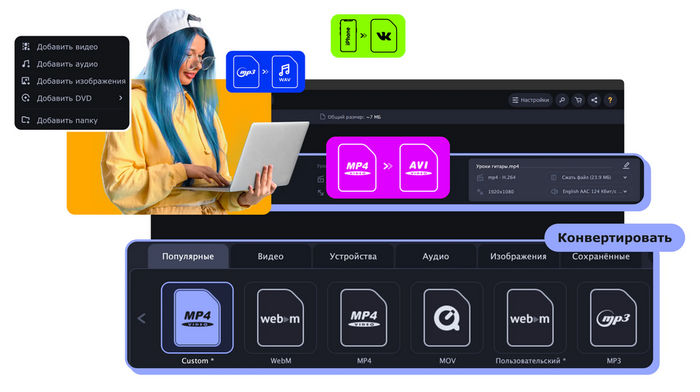
Movavi Video Converter 24.5.0 – Fast and Easy Video Conversion Software
Movavi Video Converter 24.5.0 is a powerful multimedia conversion program designed for users who need a quick and straightforward way to convert video, audio, and image files between different formats. The software combines high-speed processing with an easy-to-use interface, making it suitable for beginners as well as experienced users.
Whether you want to convert a large video for a mobile device, change an audio format, compress media files, or prepare videos for different platforms, Movavi Video Converter provides a practical collection of tools in one application.
About Movavi Video Converter 24.5.0
Movavi Video Converter focuses on simplifying media conversion without requiring complicated technical settings. Users can import their files, choose an output format or device preset, adjust the required settings, and start the conversion process.
The program supports a wide variety of popular media formats and includes optimized presets for smartphones, tablets, computers, TVs, and other devices.
Version 24.5.0 continues to provide improved performance, convenient media-processing features, and a smooth workflow for everyday video conversion tasks.
Main Features
Fast Video Conversion
One of the strongest features of Movavi Video Converter is its conversion speed. The program is optimized to process media files efficiently while maintaining good output quality.
Hardware acceleration can also improve processing performance on compatible computers.
Support for Popular Formats
Movavi Video Converter supports many commonly used video and audio formats, including:
- MP4
- AVI
- MOV
- MKV
- WMV
- MPEG
- WebM
- MP3
- WAV
- AAC
- FLAC
- OGG
This broad compatibility makes it easy to prepare media files for different programs and devices.
Video Compression
Large video files can consume significant storage space and may be difficult to upload or share online.
Movavi Video Converter includes compression options that allow users to reduce video file sizes while controlling the balance between quality and storage requirements.
Device Presets
Instead of manually configuring resolution, codec, bitrate, and other technical parameters, users can select ready-made presets optimized for different devices.
These presets can simplify conversion for:
- Smartphones
- Tablets
- Smart TVs
- Computers
- Media players
- Portable devices
Basic Video Editing Tools
Movavi Video Converter is primarily a conversion application, but it also provides useful editing functions.
Depending on the media file, users can perform basic operations such as:
- Trim unnecessary video sections
- Crop videos
- Rotate footage
- Adjust certain visual properties
- Add subtitles
- Modify audio settings
These tools can eliminate the need to open a separate editor for simple adjustments.
Subtitle Support
Subtitle management is another useful feature for movies, television episodes, tutorials, and educational content.
Users can work with subtitle tracks and prepare videos that include the required subtitles before conversion.
This is particularly helpful when creating media files for portable devices or home entertainment systems.
Audio Conversion
Movavi Video Converter is not limited to video files.
The software can convert audio between several popular formats, making it useful for preparing music, podcasts, recordings, and other audio content for different devices or applications.
Users can also extract audio from compatible video files when they only need the soundtrack or spoken content.
Image Conversion
In addition to video and audio, the program provides support for image conversion.
This makes Movavi Video Converter a more versatile multimedia utility for users who regularly work with different types of media files.
Simple and Modern Interface
The interface is designed around a simple workflow.
Media files can be added to the program, followed by selecting the desired output format and starting the conversion process.
Important controls are clearly organized, reducing the amount of technical knowledge required to use the application.
This makes Movavi Video Converter especially suitable for users who prefer practical software that does not require complicated configuration.
Batch Conversion
When dealing with many files, converting them individually can be time-consuming.
Movavi Video Converter supports batch processing, allowing multiple media files to be added and converted during the same session.
This feature can save considerable time when processing large video or audio collections.
Output Quality Settings
Advanced users can customize different output parameters depending on the selected format.
Available options may include settings such as:
- Video resolution
- Video codec
- Audio codec
- Bitrate
- Frame rate
- Audio quality
- File size
These controls provide greater flexibility when users need a specific balance between quality, compatibility, and storage space.
Who Should Use Movavi Video Converter?
Movavi Video Converter 24.5.0 can be useful for many types of users.
It is especially suitable for people who:
- Frequently convert videos between different formats.
- Need smaller video files for sharing or storage.
- Want to prepare movies for phones or tablets.
- Need to extract audio from video files.
- Convert music and audio recordings.
- Prefer presets instead of manually configuring codecs.
- Need basic editing tools alongside conversion features.
- Regularly process multiple media files.
Advantages
Movavi Video Converter offers several important advantages:
- Clean and beginner-friendly interface.
- Fast media conversion.
- Support for many popular formats.
- Video, audio, and image conversion.
- Batch processing capabilities.
- Video compression options.
- Device-specific presets.
- Basic video editing functions.
- Subtitle support.
- Customizable conversion settings.
- Hardware acceleration support on compatible systems.
Disadvantages
Despite its flexibility, there are some limitations to consider.
The program is mainly designed for media conversion rather than professional video editing, so its editing tools are relatively basic compared with dedicated video editors.
Some advanced features may also require additional configuration or depend on the selected media format and computer hardware.
System Requirements
Movavi Video Converter 24.5.0 is designed to run on modern Windows systems. For comfortable performance, a computer should generally include:
- A supported 64-bit Windows operating system.
- A modern Intel or AMD processor.
- At least several gigabytes of RAM.
- Sufficient free disk space for installation and converted media.
- A compatible graphics processor for supported hardware acceleration features.
- Adequate storage space for large source and output video files.
Higher-resolution videos, especially Full HD and 4K content, benefit from a faster processor, additional RAM, SSD storage, and a capable graphics card.
Overall Experience
Movavi Video Converter 24.5.0 offers a balanced combination of speed, simplicity, and useful multimedia tools. Its straightforward interface makes media conversion accessible to new users, while customizable output parameters provide additional control for more experienced users.
The inclusion of compression, batch conversion, device presets, subtitle tools, audio extraction, and basic editing features makes the program useful for much more than simple format conversion.
Conclusion
Movavi Video Converter 24.5.0 is a practical solution for converting and managing video, audio, and image files. It provides broad format compatibility, fast processing, convenient presets, compression tools, and basic editing capabilities within an easy-to-understand interface.
For users who regularly need to convert media for different devices, reduce video sizes, extract audio, or prepare files in specific formats, Movavi Video Converter provides a convenient all-in-one multimedia conversion environment.