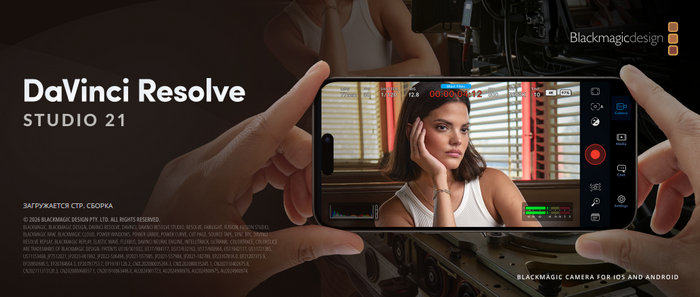
Blackmagic Design DaVinci Resolve Studio 21.0.3: Professional Video Editing, Color Grading, VFX, and Audio Production
Blackmagic Design DaVinci Resolve Studio 21.0.3 is a professional post-production application that combines video editing, color correction, visual effects, motion graphics, audio production, media management, and final delivery within one integrated workspace.
The Studio edition is designed for filmmakers, professional editors, colorists, visual-effects artists, content creators, broadcasters, and production teams that require advanced artificial-intelligence tools, high-resolution processing, professional effects, and expanded format support.
Version 21.0.3 is a maintenance update that improves the reliability and usability of the DaVinci Resolve 21 workflow. One of its highlighted changes is the addition of new smoothing modes for retime speed curves and retime keyframes, providing editors with greater control when creating speed ramps and variable-speed effects.
What Is DaVinci Resolve Studio?
DaVinci Resolve Studio is the premium edition of Blackmagic Design’s complete post-production platform. Instead of requiring separate applications for editing, color grading, visual effects, motion graphics, and audio mixing, Resolve organizes these tasks into dedicated pages inside a single project.
Its primary workspaces include:
- Media for importing and organizing footage
- Cut for fast editing and short-form production
- Edit for traditional timeline-based editing
- Fusion for visual effects and motion graphics
- Color for professional color correction and grading
- Fairlight for audio editing, mixing, and restoration
- Deliver for rendering and exporting completed projects
- Photo for advanced still-image processing
This integrated approach allows users to move between different production stages without repeatedly exporting files or transferring projects between separate programs.
What Is New in DaVinci Resolve Studio 21.0.3?
DaVinci Resolve Studio 21.0.3 focuses mainly on workflow refinement, improved performance, and corrections for problems found in previous releases.
Improved Retime Curve Smoothing
The update adds new smoothing modes for retime speed curves and retime keyframes.
Retime controls are used to accelerate, slow down, reverse, or dynamically change the speed of video clips. The additional smoothing options help editors create cleaner transitions between different playback speeds.
This can be especially useful for:
- Cinematic speed ramps
- Sports highlights
- Music videos
- Action sequences
- Product advertisements
- Slow-motion transitions
- Social-media content
Smoother speed changes can reduce sudden motion shifts and produce more natural-looking acceleration and deceleration.
Better Editing Reliability
Version 21.0.3 includes general improvements intended to make editing and timeline operations more reliable.
Maintenance updates are particularly important in professional environments where complex projects may contain multiple video tracks, high-resolution media, effects, subtitles, multicamera clips, and large audio sessions.
Performance and Stability Improvements
The update improves overall application stability and addresses issues reported during earlier DaVinci Resolve 21 releases.
Users working with demanding media formats, Fusion compositions, AI tools, color nodes, and Fairlight sessions can benefit from installing the latest available maintenance update before beginning an important production.
Major Features of DaVinci Resolve Studio 21
Complete Professional Editing Workspace
The Edit page provides a traditional nonlinear editing environment with multiple video and audio tracks, source and timeline viewers, trimming tools, transitions, keyframes, markers, multicamera editing, adjustment clips, compound clips, and nested timelines.
Editors can create projects ranging from simple online videos to feature films, documentaries, advertisements, television programs, and professional corporate productions.
Fast Cut Page
The Cut page is optimized for editors who need to work quickly.
It provides streamlined tools for importing, reviewing, trimming, and arranging footage. Its dual-timeline interface allows users to view an entire project while simultaneously working on a detailed section.
The Cut page is especially useful for:
- News production
- YouTube videos
- Event highlights
- Interviews
- Social-media projects
- Fast-turnaround commercial content
Advanced Color Grading
DaVinci Resolve is widely recognized for its professional color-grading environment.
The Color page uses a node-based workflow that allows users to build flexible correction structures without permanently modifying the original media.
Color-grading tools include:
- Primary color correction
- Curves and color warping
- Power Windows
- Qualifiers
- Motion tracking
- HDR grading
- Color management
- Camera RAW controls
- Secondary corrections
- Shot matching
- Gallery stills
- Look-up tables
- Noise reduction
- Film-style effects
These tools can be used to correct exposure and white balance, match different cameras, isolate specific colors, improve skin tones, and create cinematic visual styles.
DaVinci AI Neural Engine
The Studio edition includes the DaVinci AI Neural Engine, which uses machine learning to accelerate complex editing and post-production tasks.
AI-powered features can assist with:
- Facial recognition
- Object detection
- Smart Reframe
- Speed Warp retiming
- Super Scale
- Automatic color matching
- Voice isolation
- Dialogue processing
- Mask generation
- Transcription
- Text-based editing
- Content searching
These tools can reduce repetitive manual work and allow editors to spend more time on creative decisions.
IntelliSearch
DaVinci Resolve 21 introduces IntelliSearch, an AI-assisted media-searching system designed to help users locate footage more quickly.
For projects containing hundreds or thousands of clips, intelligent searching can simplify the process of finding specific people, objects, actions, scenes, or spoken dialogue.
This feature is particularly valuable for documentary editors, event filmmakers, news organizations, and production teams managing large media libraries.
CineFocus
CineFocus is an advanced tool introduced in DaVinci Resolve 21 for controlling and modifying the apparent focal point of supported footage.
It can help direct the viewer’s attention and improve shots where the original focus may not be ideal. Results depend on the quality, resolution, depth information, and characteristics of the source media.
Professional Visual Effects with Fusion
Fusion is integrated directly into DaVinci Resolve and provides a node-based environment for creating visual effects and motion graphics.
Fusion can be used for:
- Green-screen compositing
- Object removal
- Motion tracking
- Camera tracking
- Screen replacement
- Rotoscoping
- Particle effects
- Animated titles
- Motion graphics
- 3D compositions
- Image stabilization
- Keying
- Paint and cleanup work
Node-based compositing gives artists precise control over how effects are connected and processed.
More Than 100 Resolve FX
DaVinci Resolve Studio includes more than 100 GPU- and CPU-accelerated Resolve FX.
Available effects cover categories such as:
- Blurring
- Lighting
- Image restoration
- Noise reduction
- Lens effects
- Film grain
- Sharpening
- Beauty correction
- Stylization
- Warping
- Texture generation
- Motion effects
DaVinci Resolve 21 also expands the effects collection with tools such as UltraSharpen, which can improve image sharpness and help correct footage with minor focus problems.
Professional Audio Production with Fairlight
The Fairlight page provides a complete digital audio workstation inside DaVinci Resolve.
It supports audio editing, recording, restoration, mixing, automation, equalization, dynamics processing, effects, buses, submixes, and professional loudness monitoring.
Fairlight tools can be used for:
- Dialogue editing
- Noise reduction
- Voice isolation
- Sound design
- Music mixing
- Automated dialogue replacement
- Podcast production
- Surround-sound mixing
- Audio synchronization
- Final mastering
Users can edit video and mix audio in the same project without transferring the timeline to a separate audio application.
Immersive Video Workflows
DaVinci Resolve 21 expands support for immersive production workflows, including VR180 and VR360 projects.
It also introduces advanced tools for immersive rotation, stereoscopic media handling, and supported Apple Immersive workflows.
These capabilities make Resolve suitable for creators developing content for virtual-reality platforms, immersive displays, and specialized entertainment experiences.
Native Lottie Animation Support
DaVinci Resolve 21 supports importing Lottie animation files.
Lottie graphics can be placed directly on a timeline and used for:
- Animated logos
- Lower thirds
- Transitions
- Interface graphics
- Social-media elements
- Title animations
- Video overlays
Transparency is maintained, allowing animations to be positioned over video footage without requiring additional background removal.
Vertical and Square Video Resolutions
Resolve 21 includes project and timeline presets designed for vertical and square content.
These presets simplify production for platforms such as:
- TikTok
- Instagram Reels
- YouTube Shorts
- Snapchat
- X
They can be combined with Smart Reframe to reposition important subjects automatically when adapting horizontal footage to vertical formats.
Direct Social-Media Uploading
Users can connect supported social-media accounts and upload completed videos during the export process.
Resolve provides optimized export options for platforms including YouTube, TikTok, Vimeo, and X.
This reduces the number of steps required to render, locate, and manually upload completed projects.
Blackmagic Cloud Collaboration
DaVinci Resolve supports cloud-based collaboration through Blackmagic Cloud.
Editors, colorists, visual-effects artists, and sound engineers can work on the same project while using dedicated project libraries and synchronized media workflows.
Collaborative tools may include:
- Shared project libraries
- Timeline locking
- User-specific changes
- Project synchronization
- Remote collaboration
- Shared markers and comments
This is useful for distributed teams working from different offices or countries.
DaVinci Resolve Studio vs. the Free Edition
The free version of DaVinci Resolve already provides powerful editing, Fusion, Fairlight, color-grading, and collaboration tools.
However, the Studio edition adds professional capabilities intended for more demanding productions.
DaVinci Resolve Studio includes:
- DaVinci AI Neural Engine features
- Advanced noise reduction
- Magic Mask
- Additional Resolve FX
- Film grain
- Optical blur
- Stereoscopic 3D tools
- Advanced HDR grading
- Higher frame-rate support
- Resolutions beyond 4K
- Expanded hardware acceleration
- Additional professional format support
- More Fairlight effects
- Advanced remote and collaborative features
The free edition generally supports most 8-bit formats at up to 60 frames per second and Ultra HD resolutions of up to 3840 × 2160. The Studio edition supports 10-bit video at up to 120 frames per second and resolutions beyond 4K.
Supported Platforms
DaVinci Resolve Studio 21.0.3 is available for:
- Microsoft Windows
- Apple macOS
- Linux
Some features, codecs, AI functions, and hardware-acceleration options may vary depending on the operating system, graphics processor, installed drivers, and hardware configuration.
General System Requirements
DaVinci Resolve Studio is a demanding professional application. Actual requirements depend on the media resolution, codec, effects, project complexity, and required playback performance.
Windows Recommendations
- A modern 64-bit version of Windows
- A recent multicore Intel or AMD processor
- At least 16 GB of system memory
- 32 GB or more for Fusion and demanding projects
- A supported GPU with dedicated video memory
- Updated graphics drivers
- Fast SSD storage
- Additional storage for media and cache files
macOS Recommendations
- A supported recent version of macOS
- Apple Silicon or a supported Intel-based Mac
- At least 16 GB of unified or system memory
- More memory for high-resolution Fusion and AI workflows
- Fast internal or external SSD storage
- Sufficient free space for cache, proxies, and exported files
Linux Recommendations
- A supported 64-bit Linux distribution
- A powerful multicore processor
- At least 32 GB of system memory for professional workflows
- A compatible dedicated GPU
- Supported graphics drivers
- High-speed SSD or professional media storage
For 4K, 6K, 8K, RAW, noise reduction, Fusion, or AI-intensive work, a powerful GPU and large amount of video memory are strongly recommended.
Recommended Hardware for Smooth Performance
For professional editing, consider a workstation with:
- A recent multicore processor
- 32 GB or more of RAM
- A modern NVIDIA, AMD, or Apple Silicon GPU
- At least 8 GB of GPU memory for demanding projects
- NVMe SSD storage for the operating system and applications
- A separate high-speed drive for source media
- Dedicated cache and export storage
- A calibrated display for color-sensitive work
Proxy media, optimized media, render cache, and lower timeline resolutions can improve performance on less powerful computers.
Advantages of DaVinci Resolve Studio 21.0.3
- Complete post-production environment
- Professional color-grading tools
- Advanced AI-powered features
- Integrated Fusion visual effects
- Full Fairlight audio workstation
- Support for high resolutions and frame rates
- Excellent media-management tools
- Node-based color and compositing workflows
- Cloud collaboration support
- Direct social-media delivery
- Advanced noise reduction
- Powerful speed-retiming controls
- Regular stability and compatibility updates
- Available for Windows, macOS, and Linux
Disadvantages
- Requires powerful hardware for demanding projects
- The interface can be difficult for beginners
- Fusion has a significant learning curve
- AI tools and noise reduction can heavily use the GPU
- Large projects require substantial storage space
- Some codecs and features depend on the operating system
- The Studio edition requires a paid license
- Professional workflows may require additional hardware and calibrated monitors
Is DaVinci Resolve Studio 21.0.3 Suitable for Beginners?
Beginners can use DaVinci Resolve, but the program contains many advanced tools and professional concepts.
New users may initially focus on:
- Importing media through the Media page.
- Creating basic edits on the Cut or Edit page.
- Adding transitions and titles.
- Making simple corrections on the Color page.
- Adjusting dialogue levels in Fairlight.
- Exporting the final video through the Deliver page.
As users gain experience, they can gradually explore node-based grading, Fusion effects, audio automation, advanced retiming, AI tools, and collaborative workflows.
Who Should Use DaVinci Resolve Studio?
DaVinci Resolve Studio 21.0.3 is suitable for:
- Professional video editors
- Filmmakers
- Colorists
- Visual-effects artists
- Motion-graphics designers
- Sound editors
- YouTube creators
- Social-media producers
- Wedding videographers
- Documentary filmmakers
- Advertising agencies
- Television studios
- Post-production companies
- Independent content creators
The Studio edition is most valuable for users who need AI-assisted tools, advanced noise reduction, professional effects, higher resolutions, high-frame-rate media, and expanded hardware acceleration.
Is DaVinci Resolve Studio 21.0.3 Worth Using?
DaVinci Resolve Studio 21.0.3 is an excellent choice for users seeking a complete professional post-production platform.
Its greatest advantage is the integration of editing, color grading, visual effects, motion graphics, audio production, collaboration, and delivery into one application. This eliminates many of the compatibility and project-transfer problems that can occur when using several separate programs.
The 21.0.3 update is particularly useful for editors working with retime curves and speed ramps, as the new smoothing modes provide greater control over variable-speed transitions.
Final Verdict
Blackmagic Design DaVinci Resolve Studio 21.0.3 is a powerful and comprehensive solution for professional video production.
It combines high-end editing tools, industry-leading color grading, Fusion visual effects, Fairlight audio processing, artificial-intelligence features, immersive-video support, cloud collaboration, and advanced delivery options in one organized environment.
Version 21.0.3 improves the DaVinci Resolve 21 experience with refined retiming controls and general stability enhancements. For professional creators who need performance, flexibility, and complete creative control, DaVinci Resolve Studio remains one of the strongest post-production applications available.