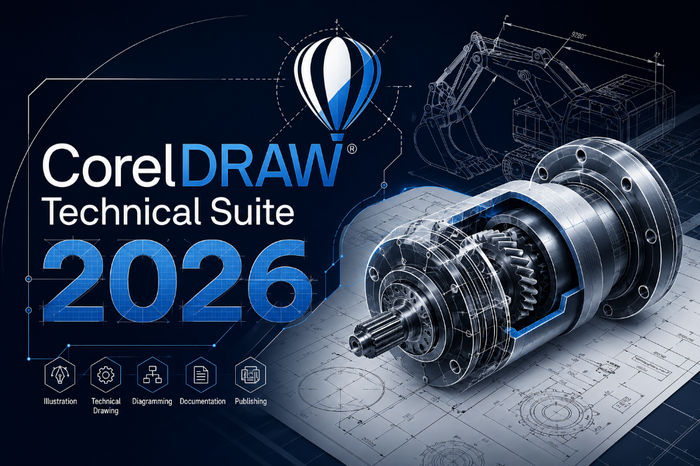
CorelDRAW Technical Suite 2026 v27.1.0.129: Advanced Technical Illustration and 3D CAD Design Software
CorelDRAW Technical Suite 2026 v27.1.0.129 is a professional technical illustration and visual communication solution developed for engineers, architects, technical designers, manufacturing companies, and documentation specialists. It combines accurate vector drawing, page layout, image editing, 3D model visualization, and technical publishing tools within one integrated environment.
The software is designed to simplify the creation of assembly instructions, maintenance manuals, engineering diagrams, spare-parts catalogs, product documentation, floor plans, schematics, and detailed technical illustrations.
Complete Technical Design Suite
CorelDRAW Technical Suite includes several professional applications that cover different stages of the technical design workflow.
Corel DESIGNER is the main application for creating precise technical illustrations, diagrams, callouts, dimensions, and projected drawings. CorelDRAW provides advanced vector design and page-layout tools, while Corel PHOTO-PAINT is used for professional photo editing and image correction.
The suite also includes Corel Font Manager for organizing fonts and XVL Studio Corel Edition for viewing, converting, and repurposing compatible 3D engineering models.
Professional Technical Illustration Tools
Corel DESIGNER provides specialized tools for producing accurate engineering and technical graphics.
Users can create isometric, dimetric, trimetric, and custom projected drawings without manually calculating every angle. Objects can be placed and edited directly on projected planes, making it easier to create realistic exploded views, assembly diagrams, and product illustrations.
The software also includes accurate dimensioning tools, drawing scales, connection lines, callouts, and object-positioning controls.
3D CAD Model Support
CorelDRAW Technical Suite allows users to reuse existing 3D CAD models instead of recreating complex products manually.
Through XVL Studio Corel Edition, users can import compatible 3D files, rotate models, hide unnecessary components, create exploded views, generate cross-sections, and convert selected views into editable 2D vector illustrations.
The advanced 3D CAD edition supports several professional engineering formats associated with applications such as SOLIDWORKS, CATIA, Autodesk Inventor, PTC Creo, Siemens NX, and Solid Edge.
Support is also available for widely used formats such as STEP, JT, IGES, and Parasolid, depending on the selected product edition.
Improved 3D-to-2D Conversion
The 2026 edition improves the process of converting three-dimensional models into two-dimensional vector illustrations.
Cleaner vector fills and more accurate line generation reduce the amount of manual correction required after conversion. This is especially useful when working with complex mechanical assemblies, curved surfaces, small components, and overlapping parts.
The converted artwork can be edited directly in Corel DESIGNER or CorelDRAW.
AI Generate
CorelDRAW Technical Suite 2026 introduces AI Generate, allowing users to create visual content from written descriptions, reference images, sketches, and existing artwork.
The feature can help produce concept images, supporting graphics, backgrounds, product presentations, and alternative design ideas.
Users can also modify existing images through text instructions, such as replacing objects, changing colors, removing unwanted elements, or creating multiple variations of the same design.
AI-Powered Background Removal
The AI background-removal tool can automatically separate a subject from its surrounding background.
This feature is useful when preparing photographs of machines, vehicles, tools, electronic devices, and industrial products for catalogs or technical documents.
It reduces the need for complex manual selections and helps users create clean product images that can be placed inside new layouts.
AI Image Masking
Corel PHOTO-PAINT includes AI-assisted masking tools that can identify and isolate people, products, machines, and other objects inside an image.
Users can create editable masks and apply corrections to selected areas without affecting the rest of the photograph.
This makes it easier to adjust brightness, improve colors, replace backgrounds, highlight specific components, and combine photographs with vector illustrations.
Callouts and Hotspots
Callouts are essential for technical manuals, spare-parts catalogs, and assembly instructions.
CorelDRAW Technical Suite allows users to connect labels, item numbers, descriptions, and technical information to specific objects within an illustration.
Sticky callouts remain connected to their original objects even when the design is moved or modified. Automatic hotspots can also be added to selected parts for creating interactive technical documents.
These tools are particularly useful for maintenance guides, online product catalogs, service instructions, and electronic documentation.
S1000D Support
CorelDRAW Technical Suite 2026 supports workflows based on the S1000D international technical publication specification.
The software includes support for S1000D Issue 6 SVG profiles and improved CGM export. It also provides compatible color palettes and illustration presets for organizations working in aerospace, defense, transportation, manufacturing, and other highly regulated industries.
These capabilities help companies create standardized technical graphics for interactive electronic technical publications.
CGM and WebCGM Workflows
The suite supports CGM and WebCGM formats commonly used in professional technical documentation environments.
Users can create structured vector illustrations while maintaining important object data, callouts, and interactive information.
Support for CGM Version 4, WebCGM, ATA Grexchange, ActiveCGM, and S1000D workflows makes the software suitable for advanced engineering and documentation projects.
Interactive SVG Export
Technical illustrations can be exported as interactive SVG files for use on websites, mobile devices, and electronic manuals.
Hotspots, callouts, and connected information can remain interactive after export. This allows companies to create online spare-parts catalogs, interactive product guides, maintenance diagrams, and training materials.
Because SVG files are scalable, they remain sharp on both standard and high-resolution displays.
DWG and DXF Compatibility
CorelDRAW Technical Suite supports DWG and DXF files, allowing users to exchange drawings with engineers, architects, and CAD departments.
Existing technical drawings can be imported, edited, annotated, and included in documentation projects.
The suite also supports many other common formats, including PDF, SVG, EPS, AI, PSD, TIFF, PNG, JPEG, WebP, CGM, and various 3D engineering formats.
Image Editing with Corel PHOTO-PAINT
Corel PHOTO-PAINT provides professional image-editing tools for preparing photographs and bitmap graphics.
Users can correct colors, adjust lighting, remove unwanted objects, improve image quality, change perspective, straighten photographs, and apply nondestructive effects.
The software also includes AI-powered upsampling and JPEG artifact removal, helping users improve low-resolution or compressed images before using them in technical documents.
Bitmap-to-Vector Conversion
PowerTRACE converts bitmap images into editable vector graphics.
This feature is useful for converting scanned drawings, old diagrams, logos, blueprints, and printed documentation into scalable digital artwork.
After conversion, users can edit individual lines, curves, objects, colors, and text without losing image quality.
Font and Style Management
Corel Font Manager helps users search, preview, organize, and use fonts without installing every font permanently on the computer.
The suite also supports OpenType typography, variable fonts, numbered lists, bullet lists, object styles, and reusable style sets.
These tools help companies maintain consistent fonts, colors, line widths, callouts, and page layouts across large documentation projects.
Automation and Customization
CorelDRAW Technical Suite supports automation through Visual Basic for Applications, Microsoft Visual Studio Tools for Applications, and JavaScript.
Organizations can create macros and custom tools for repetitive tasks such as exporting files, renaming objects, generating documents, processing illustrations, and preparing standardized layouts.
The interface is also highly customizable, allowing users to arrange toolbars, panels, shortcuts, and workspaces according to their preferred workflow.
Technical Publishing
Completed projects can be published in several professional formats.
Users can create standard PDF documents, PDF/A archives, interactive SVG files, CGM graphics, WebCGM documents, and interactive 3D PDF files.
The suite also supports workflows for multilingual documentation by allowing text to be exported for translation and then imported back into the original technical illustration.
Included Applications
CorelDRAW Technical Suite 2026 includes:
- Corel DESIGNER
- CorelDRAW
- Corel PHOTO-PAINT
- XVL Studio Corel Edition
- Corel Font Manager
- CorelDRAW Web
- CAPTURE
- PowerTRACE
The available tools and supported CAD formats may differ depending on whether the standard edition or advanced 3D CAD edition is installed.
Main Features
- Professional technical illustration
- Vector drawing and page layout
- Isometric and projected drawing tools
- Accurate dimensions and drawing scales
- Intelligent callouts and hotspots
- Exploded-view creation
- 3D model visualization
- 3D-to-2D vector conversion
- Advanced CAD file compatibility
- AI Generate
- AI background removal
- AI-assisted image masking
- S1000D Issue 6 support
- CGM and WebCGM publishing
- Interactive SVG export
- DWG and DXF support
- Professional photo editing
- Bitmap-to-vector conversion
- Font and style management
- PDF and 3D PDF publishing
- Workflow automation
- Customizable interface
Advantages
CorelDRAW Technical Suite offers a complete environment for producing professional technical illustrations and documentation.
Its integration of vector design, bitmap editing, 3D model handling, CAD compatibility, and technical publishing tools reduces the need to use several separate programs.
The software is particularly useful for organizations that need to transform engineering data into clear and understandable visual instructions.
Possible Disadvantages
The software contains many advanced tools, which may require time for new users to learn.
Working with large 3D models and complex technical documents may also require a powerful computer with sufficient memory, graphics performance, and storage speed.
Some advanced CAD import formats and 3D publishing features are only available in specific editions of the suite.
Who Should Use CorelDRAW Technical Suite?
CorelDRAW Technical Suite is suitable for:
- Technical illustrators
- Mechanical engineers
- Architects
- Manufacturing companies
- Documentation specialists
- CAD designers
- Automotive companies
- Aerospace organizations
- Product designers
- Maintenance teams
- Technical publishers
- Training-content creators
Conclusion
CorelDRAW Technical Suite 2026 v27.1.0.129 is a comprehensive professional solution for technical illustration, engineering documentation, 3D CAD visualization, and visual communication.
It combines Corel DESIGNER, CorelDRAW, Corel PHOTO-PAINT, XVL Studio, PowerTRACE, and several supporting tools within one integrated environment.
With its projected drawing tools, intelligent callouts, improved 3D-to-2D conversion, AI-powered features, S1000D support, CAD compatibility, and advanced publishing options, it provides everything required to transform complex engineering information into clear, accurate, and visually professional technical documentation.