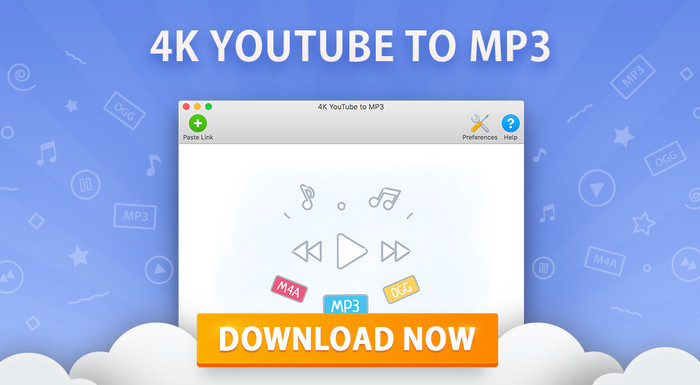
4K YouTube to MP3 26.2.0.0376: A Simple and Powerful Audio Downloader
4K YouTube to MP3 26.2.0.0376 is a practical desktop program designed for users who want to extract audio from online videos and save it directly to their computer. Developed by 4K Download, the software focuses on converting video links into high-quality audio files that can be played offline on computers, phones, music players, and other devices.
Although the name highlights YouTube, the program is not limited to YouTube only. According to the official product page, 4K YouTube to MP3 supports audio extraction from many popular platforms, including YouTube, Vimeo, TikTok, SoundCloud, Twitch, Bilibili, and more. This makes it a flexible tool for saving music, podcasts, lectures, interviews, audiobooks, and other audio-based content for offline listening.
Easy Audio Conversion
The main advantage of 4K YouTube to MP3 is its simplicity. Users only need to copy a video link, paste it into the program, and choose the desired audio format and quality. The software then extracts the audio and saves it to the selected folder.
This simple workflow makes the program suitable for beginners who do not want to use complicated converters or browser-based tools. It also works well for advanced users who regularly download audio from different platforms and need a reliable desktop solution.
High-Quality Audio Downloads
4K YouTube to MP3 can save audio in popular formats such as MP3, M4A, and OGG. MP3 is the most common format and works with almost all devices and media players. M4A can provide good quality with efficient file size, while OGG is useful for users who prefer open audio formats.
The software is designed to preserve good audio quality depending on the original source. This is useful for users who want to download songs, podcasts, educational videos, or long audio content without going through extra conversion steps.
Playlist and Channel Support
One of the strongest features of 4K YouTube to MP3 is the ability to download full playlists and channels. Instead of downloading each video separately, users can paste a playlist or channel link and let the program process multiple audio files automatically.
This feature is especially useful for music playlists, podcast series, online courses, language lessons, interviews, and audiobook-style content. It saves time and makes it easier to build an offline audio library.
Batch Downloading
4K YouTube to MP3 also supports downloading multiple links. Users can add several URLs and allow the program to convert them one after another. This makes the software more efficient for people who often collect audio from different videos or platforms.
Batch downloading is important because it reduces manual work. Instead of repeating the same steps for every video, users can prepare a list of links and let the program handle the process.
Built-In Music Player
The program includes a built-in music player that allows users to listen to downloaded audio files without leaving the application. This gives users a more complete experience because they can download, organize, and play their audio files from the same place.
For users who download lectures, podcasts, or music regularly, this feature can make the software feel more like a simple audio library manager rather than just a converter.
Cross-Platform Support
4K YouTube to MP3 is available for major desktop systems, including Windows, macOS, and Linux. This makes it suitable for different types of users and work environments. Whether the user is working on a Windows PC, a Mac, or a Linux machine, the program offers a similar downloading experience.
The official website also presents the program as a free YouTube to MP3 converter for desktop users, with additional options depending on the selected version or license.
Clean Interface and Fast Workflow
The interface of 4K YouTube to MP3 is clean and straightforward. The program does not overload the user with unnecessary menus. Most tasks can be completed from the main window, making the software easy to use even for people who are not familiar with audio conversion tools.
This clean design helps users focus on the main task: converting online videos into audio files quickly and easily.
Useful for Different Types of Content
4K YouTube to MP3 can be useful for many purposes. Students can save lectures and educational videos for offline study. Music lovers can create personal audio collections from allowed sources. Podcast listeners can keep episodes available without an internet connection. Language learners can download listening materials and practice anytime.
It is also useful for users who travel, have limited internet access, or want to avoid streaming the same content repeatedly.
Pros
4K YouTube to MP3 26.2.0.0376 offers a simple interface, support for popular audio formats, playlist and channel downloading, batch processing, a built-in music player, and compatibility with Windows, macOS, and Linux. It supports multiple online platforms and provides a practical way to save audio content for offline use.
Cons
Some advanced features may require a paid license, depending on the user’s needs. The quality of the final audio also depends on the original source. In addition, users should always respect copyright laws and platform terms when downloading online content. The program should be used only for content that the user owns, has permission to download, or is legally available for offline use.
Conclusion
4K YouTube to MP3 26.2.0.0376 is a reliable and easy-to-use audio downloading tool for users who want to convert online videos into MP3, M4A, or OGG files. It combines a simple workflow with useful features such as playlist downloads, channel support, batch downloading, cross-platform compatibility, and a built-in player.
For anyone who wants to save music, podcasts, lectures, interviews, or educational content for offline listening, 4K YouTube to MP3 is a strong and practical solution. Its clean interface and flexible features make it one of the most convenient tools for building a personal offline audio collection.