Movavi Screen Recorder 24.7.0: A Simple and Powerful Tool for Capturing Your Screen
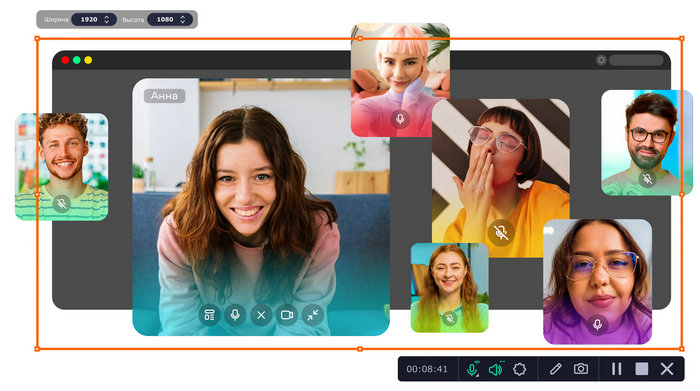
Movavi Screen Recorder 24.7.0 is a practical screen recording program designed for users who want to capture desktop activity, online meetings, tutorials, webinars, gameplay moments, video calls, and educational content with ease. The software focuses on simplicity, making it suitable for beginners, students, teachers, content creators, and professionals who need a fast way to record high-quality videos from their computer screen.
Overview
Movavi Screen Recorder is known for its clean interface and easy controls. Instead of overwhelming users with complicated menus, the program provides the main recording options in a clear and accessible way. Users can choose whether to record the entire screen, select a specific area, capture webcam footage, record microphone audio, or save system sound.
Version 24.7.0 continues the same user-friendly approach while bringing minor improvements that help the program run more smoothly. It is not a major redesign, but it improves the overall experience by keeping the recorder stable, fast, and reliable for daily use.
Main Features
One of the strongest features of Movavi Screen Recorder 24.7.0 is its flexible screen capture system. Users can record the full desktop or select a custom area depending on the type of content they want to create. This is useful for tutorials, software demonstrations, online lessons, and presentations.
The program also supports audio recording from different sources. You can record system audio, microphone input, or both at the same time. This makes it useful for creating narrated tutorials, recording online classes, saving webinars, or producing explanation videos.
Another useful feature is webcam capture. Users can add their face to the recording, which is especially helpful for reaction videos, online courses, training sessions, and professional presentations. Movavi also allows users to draw on the screen while recording, making it easier to highlight important points during tutorials or demonstrations.
The software includes mouse cursor highlighting and keystroke display options. These tools are valuable for educational content because they help viewers follow every click and keyboard action clearly.
Performance and Ease of Use
Movavi Screen Recorder 24.7.0 is designed to be lightweight and easy to use. The recording process is simple: select the area, choose audio and webcam settings, then start recording. This makes the program a good option for users who do not want to spend a long time learning complicated recording software.
The interface is modern and organized, which helps users quickly access the features they need. Whether you are recording a quick clip or creating a complete tutorial, the software keeps the workflow smooth and direct.
Editing and Export Options
After recording, Movavi Screen Recorder gives users basic editing options such as trimming unwanted parts from the video. This is useful when you need to remove mistakes, cut out silent moments, or prepare a cleaner final clip before saving.
The program can export recordings in popular video formats, making it easy to share content on YouTube, social media platforms, learning websites, or with colleagues and friends.
Best Uses
Movavi Screen Recorder 24.7.0 is suitable for many different purposes. Teachers can use it to create online lessons and explain digital materials. Students can record lectures or prepare presentations. Business users can capture meetings, product demos, and training videos. Content creators can record tutorials, guides, and reaction content.
It is also useful for anyone who wants to save online events, video calls, or step-by-step instructions for later viewing.
Pros
Movavi Screen Recorder 24.7.0 offers a clean and beginner-friendly interface. It supports full-screen and custom-area recording, webcam capture, microphone and system audio recording, real-time drawing tools, mouse highlighting, and keystroke display. The program is also lightweight and suitable for quick recording tasks.
Cons
Although Movavi Screen Recorder is easy to use, it is not a full advanced video editing suite. Users who need complex editing tools, professional effects, or advanced post-production features may need a separate video editor. Some advanced features may also require a paid license depending on the version and plan.
System Requirements
Movavi Screen Recorder generally works on modern Windows systems and requires a 64-bit operating system. It is suitable for Windows 10 and Windows 11, and it does not need extremely powerful hardware for basic recording tasks. However, for smoother performance, especially when recording high-resolution videos or using webcam and audio at the same time, a better processor and enough free storage space are recommended.
Final Verdict
Movavi Screen Recorder 24.7.0 is a reliable and easy-to-use screen recording solution for everyday users. It is especially useful for tutorials, webinars, meetings, presentations, online courses, and quick video captures. While it may not replace a professional video editor, it does an excellent job as a dedicated screen recorder.
For users who want a simple, clean, and effective tool to record their screen without complicated settings, Movavi Screen Recorder 24.7.0 is a strong choice.