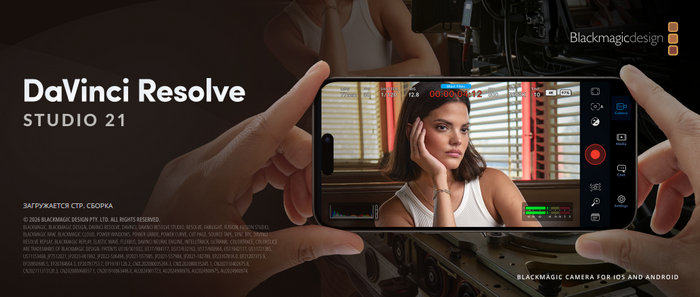
Blackmagic Design DaVinci Resolve Studio 21.0.1: A Professional All-in-One Editing Powerhouse
Blackmagic Design DaVinci Resolve Studio 21.0.1 is one of the most advanced professional video editing, color grading, visual effects, motion graphics, and audio post-production applications available today. It is designed for filmmakers, content creators, editors, colorists, YouTubers, production studios, and anyone who needs a complete creative workflow inside a single program.
Unlike many editing tools that focus only on cutting video, DaVinci Resolve Studio combines multiple professional workspaces into one powerful platform. Users can edit footage, correct and grade colors, build visual effects, mix audio, manage media, and export final projects without constantly switching between different applications. This makes the software especially valuable for creators who want speed, control, and professional results.
What Is DaVinci Resolve Studio 21.0.1?
DaVinci Resolve Studio 21.0.1 is the paid professional edition of DaVinci Resolve. While the free version is already strong enough for many users, the Studio edition unlocks a wider range of high-end tools, including advanced AI features, more Resolve FX, professional HDR support, noise reduction, stereoscopic 3D tools, faster GPU acceleration, and expanded format support.
Version 21.0.1 is an update based on the major DaVinci Resolve 21 release. It focuses on improving stability, RAW image workflows, HDR delivery, Photo page performance, Fusion layouts, media management, and several workflow issues. This makes it an important update for users who already moved to Resolve 21 and want a smoother and more reliable editing experience.
A Complete Creative Workflow
One of the strongest points of DaVinci Resolve Studio is its page-based workflow. Each page is built for a specific stage of production. The Media page helps users organize footage, the Cut page is made for fast editing, the Edit page offers a traditional timeline workflow, the Fusion page handles visual effects and motion graphics, the Color page provides world-class color grading, Fairlight is dedicated to professional audio, and the Deliver page is used for exporting final projects.
DaVinci Resolve 21 also introduced the Photo page, expanding the software beyond video and making it more useful for photographers and hybrid creators. With this page, users can organize, edit, color-correct, and enhance still images using many of the same advanced color tools that made Resolve famous in the film industry.
Professional Video Editing Tools
DaVinci Resolve Studio 21.0.1 gives editors a fast and flexible timeline with powerful trimming, multicam editing, timeline comparison, proxy workflows, subtitles, markers, metadata tools, and advanced media management. Whether you are editing short social media clips, YouTube videos, documentaries, music videos, commercials, or feature films, Resolve provides the tools needed to build complex projects efficiently.
The Cut page is ideal for quick work, especially when speed matters. The Edit page, on the other hand, gives more detailed control over timelines, transitions, effects, titles, keyframes, and layered editing. This balance makes the software suitable for both beginners who want a faster workflow and professionals who need deeper control.
Industry-Leading Color Grading
DaVinci Resolve is widely known for its color grading tools. The Color page offers professional controls such as nodes, curves, qualifiers, tracking, HDR grading, color warper, masks, scopes, and advanced color management. These tools allow creators to correct exposure, balance shots, match cameras, create cinematic looks, and deliver polished visuals.
The Studio version adds even more power with professional HDR scopes, Dolby Vision and HDR10+ support, advanced noise reduction, and high-end finishing tools. This makes it a serious option for professional post-production houses and creators working on premium content.
DaVinci AI Neural Engine
A major advantage of DaVinci Resolve Studio is the DaVinci AI Neural Engine. This technology powers many intelligent features that save time and improve results. It can help with facial recognition, object tracking, Magic Mask, smart reframing, Super Scale upscaling, speed warp retiming, dialogue separation, voice isolation, and other advanced tasks.
These AI tools are especially useful for modern creators who need faster workflows. Instead of spending hours manually isolating objects, cleaning audio, reframing videos for social media, or improving footage quality, users can rely on AI-assisted tools to complete these tasks more efficiently.
Visual Effects and Motion Graphics with Fusion
Fusion is built directly into DaVinci Resolve Studio, giving users a powerful visual effects and motion graphics environment. It uses a node-based system, which is common in professional VFX workflows. With Fusion, users can create titles, 3D compositions, green screen effects, motion graphics, particle effects, tracking shots, and complex composites.
Because Fusion is integrated inside Resolve, there is no need to export clips to another program for effects work. This saves time and keeps the whole project organized inside one application.
Professional Audio with Fairlight
Fairlight is the audio post-production section of DaVinci Resolve Studio. It offers professional tools for recording, editing, mixing, cleaning, and mastering audio. Users can work with dialogue, sound effects, music, automation, EQ, dynamics, noise reduction, and immersive audio formats.
For creators producing interviews, documentaries, films, podcasts, or commercial videos, Fairlight provides the audio control needed to achieve a clean and professional final mix. Studio features such as voice isolation, music remixing, and dialogue separation make audio editing even more powerful and accessible.
Studio Performance and Format Support
DaVinci Resolve Studio 21.0.1 is built for demanding workflows. It supports high-resolution projects, advanced professional formats, multiple GPUs, accelerated H.264 and H.265 encoding and decoding, 10-bit formats, HDR delivery, IMF, DCP, and other professional finishing options.
The Studio edition can handle extremely high resolutions and frame rates, making it suitable for cinema, broadcast, streaming, and high-end commercial production. Its GPU acceleration also helps improve real-time playback and rendering performance on supported systems.
Why Choose DaVinci Resolve Studio 21.0.1?
DaVinci Resolve Studio 21.0.1 is ideal for users who want more than a basic video editor. It is a complete post-production suite that brings editing, color grading, VFX, audio, photo editing, AI tools, and delivery into one professional environment. Instead of paying for multiple separate applications, creators can manage nearly the entire production process in one place.
The software is especially recommended for professional editors, filmmakers, studios, colorists, YouTubers, photographers, and content creators who need advanced quality and long-term flexibility. Beginners may need some time to learn the interface, but the software rewards that effort with powerful creative control.
Final Verdict
Blackmagic Design DaVinci Resolve Studio 21.0.1 is a powerful and polished update to one of the best creative production tools in the industry. It combines professional video editing, Hollywood-level color grading, advanced AI features, Fusion visual effects, Fairlight audio tools, and expanded photo workflows in one complete package.
For creators who want a serious, future-ready editing solution, DaVinci Resolve Studio 21.0.1 stands out as an excellent choice. It is not just a video editor; it is a full professional studio designed for modern content production.