EF Commander 26.06: A Powerful Dual-Pane File Manager for Windows
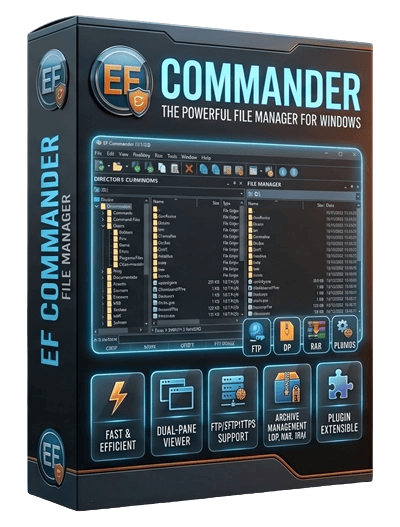
EF Commander 26.06 is a professional file manager for Windows designed to give users more control, speed, and flexibility when working with files and folders. Unlike the standard Windows File Explorer, EF Commander offers a dual-pane interface that makes copying, moving, comparing, organizing, and managing files much easier.
The program is inspired by the classic Norton Commander style, which is known for its practical two-window layout. This design allows users to open two different folders side by side and manage files between them without constantly switching between windows. For users who deal with many files every day, this can save a lot of time and improve productivity.
One of the most important features of EF Commander is its tabbed interface. Users can open multiple folder locations in separate tabs and quickly switch between them. This makes the program useful for organizing large projects, managing downloads, working with external drives, or handling files across different folders.
EF Commander also includes built-in support for archives. Users can open and manage compressed files directly inside the program, making it easier to view, extract, or organize archived content without relying on many separate tools. This feature is useful for anyone who frequently works with ZIP, RAR, 7Z, and other compressed file formats.
Another strong point of EF Commander 26.06 is its integrated FTP, SFTP, FTPS, and SCP client. This allows users to connect to remote servers and transfer files securely from the same interface. For web developers, system administrators, and advanced users, this feature can reduce the need for additional file transfer software.
The software also includes useful tools such as a built-in file viewer, HEX editor, multi-rename tool, thumbnail preview, file search, directory comparison, and customizable interface options. These features make it more than a basic file manager; it becomes a complete file management environment for both normal and professional use.
EF Commander supports parallel file operations, which means users can copy, move, delete, or process multiple file tasks at the same time. This is especially helpful when dealing with large amounts of data or working across different drives and network locations.
Customization is another important advantage. Users can adjust colors, fonts, icons, columns, keyboard shortcuts, and other interface elements to match their workflow. This makes EF Commander suitable for beginners who want a clear interface and advanced users who need detailed control.
Overall, EF Commander 26.06 is a reliable and feature-rich file management solution for Windows. With its dual-pane design, archive support, secure file transfer tools, built-in viewers, and advanced file operations, it provides a powerful alternative to the default Windows File Explorer. It is a good choice for users who want faster, more organized, and more professional file management.