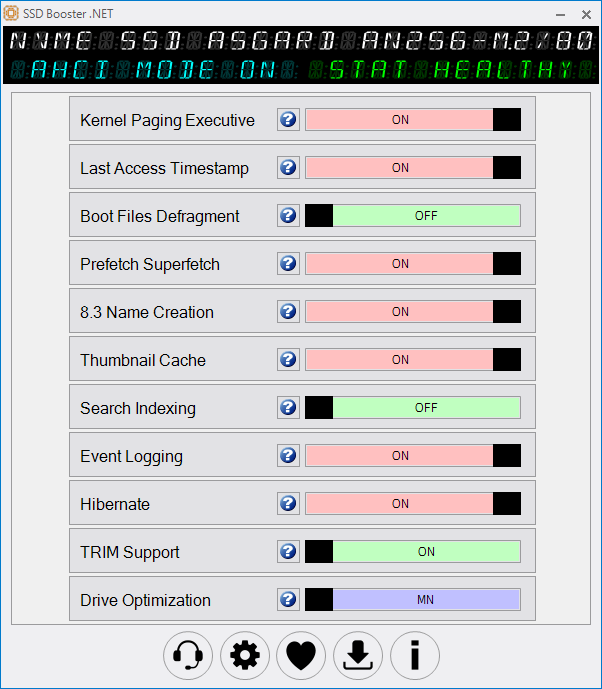
SSD Booster .NET is our perfect Windows SSD optimization and tuning tool to improve efficiency and maintain peak performance. SSD Booster .NET’s
compact layout
comes with a simple user interface that displays a list of features and on/off sliders. Furthermore, it requires no installation. Simply run the executable file each time you want to make changes.
Provides quick access to a set of advanced features.
This application can enable or disable a total of ten features. Some—such as Hibernate, Drive Optimization, and Event Logging—are easy to guess, but for others, it’s not the same. For example, Prefetch and Superfetch create files containing data about running applications and optimize future startups.
A time-saving SSD companion:
This is where SSD Booster .NET is most useful. It practically brings to life some important drive settings that would normally take time and effort to find. As for the slider, it’s all straightforward. When the feature is activated, the slider turns green, and red for the opposite state.
The app also includes a system information tab that displays information about your computer’s hardware and operating system. To check your specifications, go to the “About” section and look for the “System Info” button.