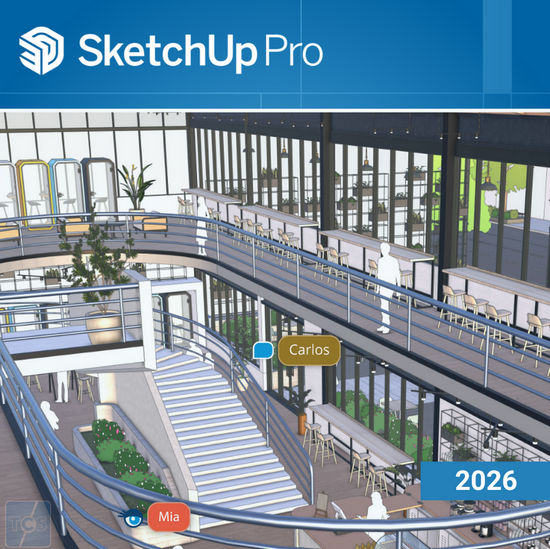
SketchUp is useful from the early design stages to the final construction stage. Programming, diagramming, design development, detailing, documentation, requests for information—wherever drawings are needed, SketchUp Pro is your tool.

SketchUp Pro 2026 Features:
- The new Environments panel provides options for including and adding 360° image files to SketchUp models, adding a sky dome, and lighting for dynamic reflections.
- Photorealistic materials are now available as a new surface style, allowing physically based rendering (PBR) materials to dynamically react to the light and environment of the model.
- A new generative AI tool available in material editing that creates PBR textures for materials that don’t have them.
- New import, reload, and save features are now available as part of the native Trimble Connect functionality in SketchUp.
- The new Apply Tags to Scenes context menu option allows you to apply the visibility of selected tags to the selected scenes.
- Extension Migrator is a new SketchUp Labs extension that helps you migrate other extensions when you upgrade SketchUp to a new version.
- Reminder to clear unused resources. By default, when saving a file, a reminder will now appear asking whether to clear unused resources. This will help prevent the model from becoming too large.
- Modeling Tool Improvements. SketchUp 2025 introduces improvements to the Rotate, Arc, Snaps, and Text tools.
- SketchUp 2025 features improved interoperability with IFC and Revit.
- Using the Windows Installer, Studio subscribers can now download and install V-Ray for SketchUp.
- The Style Builder app is no longer included in SketchUp and has been discontinued.
- The move, rotate, and scale tools have received functionality updates and now work much like they do in SketchUp.
- The Merge and Split tools will now help you split line segments in a selected object or combine selected segments into a single object.
- The new Zoom Window tool (Z) zooms in on a selected area of a document.
- LayOut renders any environments or photorealistic materials in SketchUp models in viewports, and SketchUp’s Model panel now includes configuration options for environments and AmbientOcclusion.
- The Pages panel now offers the option to export a single page or a range of pages.
Key features of SketchUp Pro:
- Export models in 3DS, DWG, DXF, OBJ, XSI, VRML and FBX formats.
- Export animation and virtual tour in MOV and AVI format.
- Support for organic modeling (Sandbox) and Film & Stage functions.
- Import and export GIS data.
- Printing and exporting raster images at higher than screen resolution.
SketchUp is useful from the early design stages to the final construction stage. Programming, diagramming, design development, detailing, documentation, requests for information—wherever drawings are needed, SketchUp Pro is your tool.
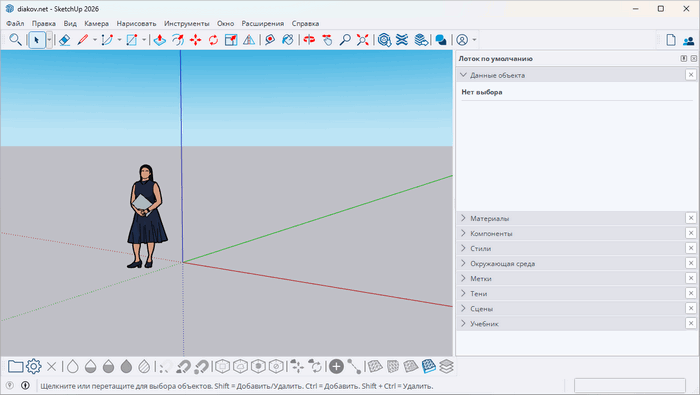
SketchUp Pro 2026 Features:
- The new Environments panel provides options for including and adding 360° image files to SketchUp models, adding a sky dome, and lighting for dynamic reflections.
- Photorealistic materials are now available as a new surface style, allowing physically based rendering (PBR) materials to dynamically react to the light and environment of the model.
- A new generative AI tool available in material editing that creates PBR textures for materials that don’t have them.
- New import, reload, and save features are now available as part of the native Trimble Connect functionality in SketchUp.
- The new Apply Tags to Scenes context menu option allows you to apply the visibility of selected tags to the selected scenes.
- Extension Migrator is a new SketchUp Labs extension that helps you migrate other extensions when you upgrade SketchUp to a new version.
- Reminder to clear unused resources. By default, when saving a file, a reminder will now appear asking whether to clear unused resources. This will help prevent the model from becoming too large.
- Modeling Tool Improvements. SketchUp 2025 introduces improvements to the Rotate, Arc, Snaps, and Text tools.
- SketchUp 2025 features improved interoperability with IFC and Revit.
- Using the Windows Installer, Studio subscribers can now download and install V-Ray for SketchUp.
- The Style Builder app is no longer included in SketchUp and has been discontinued.
- The move, rotate, and scale tools have received functionality updates and now work much like they do in SketchUp.
- The Merge and Split tools will now help you split line segments in a selected object or combine selected segments into a single object.
- The new Zoom Window tool (Z) zooms in on a selected area of a document.
- LayOut renders any environments or photorealistic materials in SketchUp models in viewports, and SketchUp’s Model panel now includes configuration options for environments and AmbientOcclusion.
- The Pages panel now offers the option to export a single page or a range of pages.
Key features of SketchUp Pro:
- Export models in 3DS, DWG, DXF, OBJ, XSI, VRML and FBX formats.
- Export animation and virtual tour in MOV and AVI format.
- Support for organic modeling (Sandbox) and Film & Stage functions.
- Import and export GIS data.
- Printing and exporting raster images at higher than screen resolution.
15