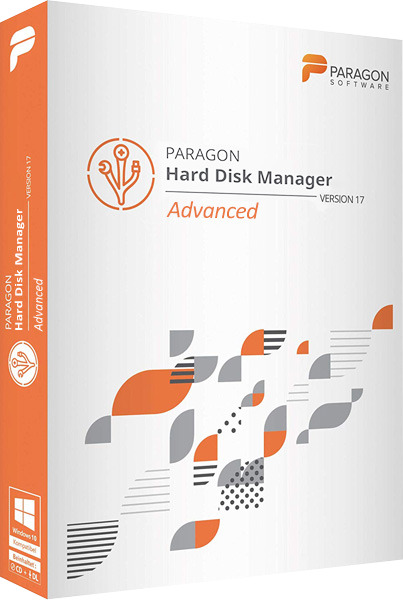
Paragon Hard Disk Manager is a multifunctional and user-friendly solution for full hard drive maintenance. This program lets you manage boot processes, partition disks, perform backups and restores, ensure system and data security, and decommission disks. It’s a convenient and practical tool for working with hard drives and archiving data for users of all skill levels. It’s equally suitable for backing up personal and corporate data.

With this program you can:
- Perform any operations with partitions
- Change partition parameters: hide/show, make active/inactive, assign/remove logical drive letter, change volume label, convert file system, etc.
- Redistribute disk space between volumes
- Copy disks or their partitions
- Create backup archives of your system and data on a local or network drive before performing important operations
- Boot your computer from the Recovery CD, restore disks or their partitions, and cancel any operation with partitions in case of user error
- Quickly browse FAT, FAT32, NTFS, Ext2 or Ext3 FS partitions, edit or copy files and directories using the file manager (fully built-in application)
- Defragment partitions and optimize their cluster sizes
- Configure and manage operating systems on a single PC
- Easily create a WinPE/Linux/DOS based bootable disk on a USB flash drive for fast and reliable maintenance and recovery capabilities.
- Works with Windows 7, 64-bit versions of Windows XP, Vista, and 7, newer GPT hard drives (used by Windows 7, Vista, Mac OS X, and Linux), and the latest Linux kernel
- Install Windows 7 or Vista on your Intel-based Mac
- Test surfaces, view and edit sectors, shrink MFT (Master File Table) on all types of dynamic volumes
Segmentation and optimization functions:
- New hard drive logic. Paragon has developed a completely new logic for hard drive partitioning, making all disk partitioning operations faster and safer.
- Basic and advanced partitioning operations. Create, format, delete, and recover deleted partitions; hide/show partitions, and change their status (active/inactive); assign, change, or delete drive letters; change hard drive partition labels (volume labels); convert file systems; check file system integrity; perform a full surface scan.
- Partitioning. The disk partitioning feature allows you to separate the OS and data, or different types of data, into two partitions of the same file system and type.
- Merge partitions. Combine the disk space of two adjacent partitions (NTFS, FAT16/FAT32) to create a single, larger partition.
- Redistributing free space. Increasing the amount of free space on one partition by using unused space on other hard drive partitions.
- Automatic partition alignment. Our unique technology automatically aligns partitions on a drive according to its internal geometry, significantly improving the performance of data storage devices. This operation is extremely useful for SSDs, AFD drives, and all other drives with a sector size greater than 512B (the list of supported operations is limited).
- Boot Corrector. Fixes most system boot issues that can occur due to human error, software glitches, or virus attacks.
- Changing the cluster size allows you to optimize system performance and disk space.
- HFS <> NTFS file system conversion. Convert any version of the NTFS file system to Apple HFS and vice versa without formatting.
- Convert a basic MBR disk to a GPT disk. Take advantage of the new, easy-to-use disk partitioning scheme.
- Converting a dynamic MBR to a basic MBR. Converting a dynamic MBR disk containing simple volumes to a basic MBR disk.
- Convert GPT to Basic MBR. Convert a basic or dynamic GPT disk containing simple volumes to a basic MBR disk.
- NTFS file system optimization. Defragmenting and compacting the MFT maximizes NTFS file system performance.
- Change section ID. Ability to manage access to sections.
- Changing primary slots. This can help resolve issues caused by incorrect partition ordering in the partition table.
- Downgrading NTFS to an earlier version. Helps with compatibility issues.
- Changing your serial number. An additional feature for experienced users!
- Deleted partition recovery. Find and restore any accidentally deleted partition.
- Boot manager. Manage multiple operating systems on one computer easily and simply.
Backup and Restore Features:
- Advanced backup technologies. Sector- and file-level archives with incremental and differential appends, a unique method for file-based increments to sector-based archives, and the ability to create sector-based complements.
- Intelligent Archiving Wizard. Archive exactly the objects you need using the most appropriate archiving technology, automatically selected based on the type of data being protected.
- Incremental updates to a sector-based archive. Unlike differential archives, incremental updates can contain not only data that has changed since the creation of a full sector-based archive, but also since the creation of one of its increments, helping save time and storage resources. This method is the first to utilize the company’s innovative technology, improving network archiving efficiency by 200%.
- Synthetic archive. Modify any archive parameters (merge a differential archive with a full one, split an archive into several parts of a specified size, compress, etc.) without performing physical archiving.
- Cyclic Archive: Organizing an Automated Data Protection System That Fully Complies with the “Set It and Forget It” Backup Policy
- Any backup storage media. Local mounted/unmounted partitions, external storage, CD/DVD/Blu-ray discs, network folders, FTP servers, and even a protected hidden partition (archive capsule)
- Selective recovery. Extract individual files and folders from an archive without restoring the entire archive using the Recovery Wizard.
- Adaptive Recovery. The P2P operating system setup wizard will help you run a physical Windows system (starting with Windows 2000) on a different hardware platform (P2P), and will automatically find and install all the necessary drivers for proper Windows operation.
- New > Reports devices that lack drivers; searches for and installs missing drivers from built-in Windows repositories; reports boot-critical devices that lack drivers; identifies all devices according to their model description; detects and installs drivers for network interface controllers (NICs)
- Non-Disruptive Archiving. Back up or migrate Windows systems without interrupting operation using Microsoft Volume Shadow Copy Service (MS VSS) or Paragon Hot Processing.
- Saving backup copies to FTP/SFTP. Storing backup archives on an FTP/SFTP server provides a new level of protection for your data and system.
- Asynchronous data transfer. Increased backup performance through asynchronous data transfer.
- Encrypt and password-protect archives. Guarantee the security of confidential data and prevent unauthorized access.
- Comprehensive data recovery environments. Choose from three options: Linux/DOS-based or WinPE, available on CD/DVD/Blu-ray or flash drives, or from an Archive Capsule.
- Disaster Recovery for Apple Boot Camp. Protect your Mac dual-booting with Windows or with Linux or WinPE-based recovery discs.

Supported computer interfaces:
- Parallel ATA (IDE) HDD
- Serial ATA (SATA) HDD
- External SATA (eSATA) HDD
- SCSI HDD
- USB (Universal Serial Bus) 1.x/2.0/3.0
- IEEE 1394 (FireWire)
- RAID support (software and physical)
- PC or PCMCIA Card (Personal Computer Memory Card International Association)
Supported types of hard drives and external storage devices:
- 2.2TB+ drives
- AFD (Advanced Format Drive)
- Any drives with a sector size not equal to 512B
- Solid State Drives (SSD)
- Hard disk drives (HDD)
- CD-R/RW
- DVD-R/RW
- DVD+R/RW
- DVD+/-R (DL)
- BD-R
- BD-RE
Supported file systems:
- NTFS (v1.2, v3.0, v3.1)
- FAT16
- FAT32
- Linux Ext2FS
- Linux Ext3FS
- Linux Ext4FS
- Linux Swap
- Apple HFS+
- Other file systems (in sector-by-sector read and write mode)

OS: Windows 7, Windows 8, Windows 8.1, Windows 10, , Windows 11 (x64) Download Paragon Hard Disk Manager 17 Advanced 17.63.0 64-bit (219.41 MB):
| | | | |
Download Paragon Hard Disk Manager 17 Advanced 17.20.11 32/64-bit (248.18 MB):