Topaz Gigapixel Pro 1.3.6 – Professional AI Image Upscaling and Enhancement
Topaz Gigapixel Pro 1.3.6 is a professional AI-powered image upscaling and enhancement application developed by Topaz Labs. It is designed for photographers, designers, studios, artists, and creative professionals who need to enlarge images while preserving — and in many cases recovering — fine details, sharpness, texture, and overall image quality.
Unlike traditional image resizing methods that simply interpolate existing pixels, Topaz Gigapixel uses advanced artificial intelligence models to analyze image content and intelligently reconstruct details while increasing resolution.
Version 1.3.6 was officially released on August 31, 2026. It is primarily a stability and bug-fix update, including an important fix for the Photoshop plugin on macOS.
Professional AI Image Upscaling
The main purpose of Topaz Gigapixel Pro is to transform small or low-resolution images into significantly larger, higher-quality versions.
Gigapixel can upscale images by up to 6x while attempting to preserve natural textures, edges, facial features, and fine details. Gigapixel Pro supports professional workflows with outputs reaching up to 32,000 pixels wide, making it suitable for large-format printing, advertising, commercial photography, displays, and other high-resolution applications.
Rather than simply stretching pixels, its AI models analyze the characteristics of the source image and reconstruct information that traditional resizing algorithms would normally blur or distort.
Advanced AI Models
Topaz Gigapixel provides multiple AI models optimized for different image types and restoration tasks.
The Standard model works as a balanced general-purpose option for photographs and graphics, while High Fidelity is designed for higher-quality source images where maintaining the original appearance is especially important.
Low Res is optimized for small and heavily compressed images, while Text & Shapes is useful when processing graphics, typography, signs, logos, and similar content.
Art & CG is designed for illustrations, digital artwork, and computer-generated imagery.
More advanced models such as Recover, Redefine, Standard Max, Wonder, and Face Recovery provide additional capabilities for restoring damaged or extremely low-quality source material.
Wonder AI Technology
Gigapixel’s newer Wonder models represent some of Topaz Labs’ most advanced approaches to image reconstruction.
Wonder is designed for challenging low-resolution images where conventional upscaling may not be sufficient. It can upscale, sharpen, and reduce unwanted image degradation while reconstructing additional visual information.
This makes it particularly useful when working with extremely small images, compressed internet pictures, older photographs, AI-generated artwork, or source material containing limited usable detail.
The 1.3.5/1.3.6 release cycle also includes a fix related to Wonder 3.5 model extraction on macOS, ensuring all required model files are correctly extracted.
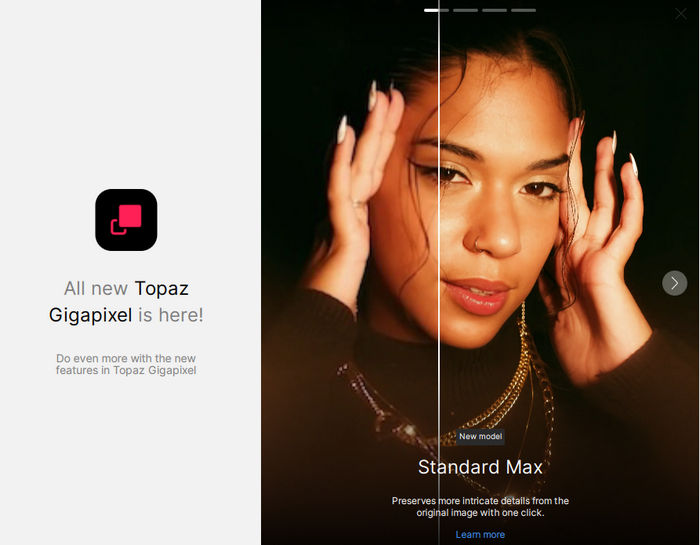
Standard Max for Accurate Restoration
Standard Max provides another advanced option for users who prioritize accurate and natural-looking image restoration.
It is designed to retain the visual structure and characteristics of the original source while generating higher-resolution output.
This makes it useful for professional workflows where excessive AI reinterpretation is undesirable and preserving the original image is more important than creatively reconstructing missing details.
Face Recovery
Portraits can be especially difficult to upscale because even small distortions around the eyes, mouth, skin, or facial structure can make a person look unnatural.
Topaz Gigapixel includes Face Recovery technology specifically designed to improve faces in low-resolution photographs.
The feature analyzes facial regions separately and attempts to restore more natural-looking facial details while maintaining the identity and general appearance of the original subject.
Topaz Gigapixel 1.3.6 also incorporates a fix from this release cycle that addresses Face Recovery settings not being correctly passed to the processing engine.
NeuroStream Technology
Topaz Gigapixel incorporates NeuroStream, a technology created to make larger AI models practical on consumer hardware.
According to Topaz Labs, NeuroStream can significantly reduce VRAM requirements when processing demanding AI models such as Wonder 2 and Wonder 3. A lightweight background component called NeuroServer manages these models locally and shuts down when it is no longer required.
This allows increasingly sophisticated image enhancement models to run locally instead of requiring extremely powerful workstation-class GPUs for every workflow.
Local AI Processing
One of the major advantages of Topaz Gigapixel is its ability to perform AI processing locally.
Local rendering means professional users can process sensitive, private, copyrighted, or confidential images without necessarily sending those files to an external cloud service.
This can be particularly valuable for photography studios, agencies, commercial organizations, and businesses handling proprietary visual assets.
Topaz currently provides both local and cloud image rendering options depending on the selected model and workflow.
Batch Image Processing
Professional users often need to process hundreds or even thousands of images rather than working on files individually.
Topaz Gigapixel Pro includes batch-processing capabilities that allow multiple images to be processed within the same workflow.
This can save considerable time when preparing product photography, archival images, digital artwork, print collections, or other large image libraries.
RAW Image Support
Gigapixel Pro supports RAW workflows, allowing photographers and studios to work with high-quality source material before converting images into more conventional delivery formats.
Working from RAW files can provide significantly more image information than heavily compressed formats, giving the enhancement models better source material for professional output.
RAW support is one of the workflow capabilities highlighted by Topaz Labs for Gigapixel Pro.
CMYK and Professional Color Support
Professional printing workflows frequently require more advanced color-management capabilities than ordinary consumer applications.
Gigapixel Pro includes CMYK support together with support for custom ICC profiles, helping professional users maintain more controlled color workflows when preparing assets for printing and publication.
These capabilities make the Pro edition particularly suitable for design studios, publishing environments, commercial printers, advertising teams, and other production environments.
Photoshop Integration
Topaz Gigapixel can operate as a standalone application or integrate into supported professional image-editing workflows.
The Photoshop plugin can be accessed through Photoshop’s File > Automate menu. When an image is processed, Gigapixel can return the result to Photoshop on a new layer, allowing the enhanced image to become part of a larger editing workflow.
Topaz Gigapixel also supports integration with Lightroom Classic, although available plugin functionality can vary depending on the host application and processing method.
Improved Photoshop Plugin in Version 1.3.6
One of the specific improvements in Topaz Gigapixel 1.3.6 addresses the Photoshop plugin on macOS.
Topaz Labs identified a library conflict in version 1.3.5 that could prevent the Photoshop plugin from opening correctly.
Version 1.3.6 fixes this issue, making it an important update for Mac users who use Gigapixel as part of their Adobe Photoshop workflow.
Better JPEG Image Handling
The 1.3.5/1.3.6 update cycle also fixes a problem where certain JPG images could appear gray when loaded into the application.
This correction improves reliability when processing JPEG files from different cameras, editing applications, websites, or other image sources.
Grain Processing Fixes
Gigapixel provides grain controls that can help produce more natural-looking results after aggressive enlargement.
In this release cycle, Topaz fixed an issue where grain was not being processed correctly while users adjusted the corresponding slider.
This provides more reliable visual feedback and makes it easier to fine-tune the final image appearance.
Improved Windows Installation Support
Topaz Gigapixel 1.3.6 also incorporates a fix affecting custom installation directories on Windows.
Previously, license files could fail to respect custom installation locations. This behavior has been corrected, improving reliability for users who install the application outside its standard configuration.
Improved Apple Silicon Stability
AI image processing can require substantial amounts of system memory.
As part of this update, Topaz added protection that prevents NeuroServer from running on Apple Silicon computers with less than 16 GB of system memory.
Topaz explains that NeuroServer requires at least 16 GB in this configuration and may otherwise cause the system to freeze, so the new restriction is intended to improve application stability.
Compare Different AI Models
Different photographs often require different enhancement techniques.
Gigapixel provides comparison functionality that allows users to evaluate AI models and determine which produces the best result for a particular image.
A detailed photograph may benefit from High Fidelity, while a tiny compressed image might produce better results with Low Res, Standard Max, Recover, or one of the generative models.
This flexibility allows experienced users to select the processing method rather than relying on a single universal enhancement algorithm.
Auto Mode
For users who do not want to manually configure every image, Gigapixel includes an Auto Mode that can simplify the enhancement workflow.
Users can allow the application to automatically choose suitable processing parameters and then manually adjust the result if necessary.
This makes the software accessible to beginners while retaining the advanced control expected by professional users.
Large-Format Printing
One of the strongest use cases for Gigapixel Pro is preparing images for large-format output.
Images originally captured at relatively limited resolutions can be enlarged for posters, exhibition prints, advertising material, commercial signage, displays, and other high-resolution applications.
Gigapixel Pro supports extremely large output sizes, with Topaz advertising 6x enlargement and image dimensions reaching up to 32,000 pixels wide.
Useful for Old and Low-Resolution Photos
Gigapixel is also highly useful when restoring older digital images and photographs.
Photos from early digital cameras, old websites, compressed archives, scanned photographs, screenshots, and social-media platforms often have relatively low resolution.
AI-assisted upscaling can make these files significantly more usable on modern high-resolution screens or for printing.
Models such as Low Res, Recover, Redefine, and Face Recovery provide different approaches depending on how severely the original image has been degraded.
Graphics, Artwork, and AI-Generated Images
Topaz Gigapixel is not limited to photography.
Its specialized models can also process illustrations, digital paintings, game artwork, CGI renders, anime-style artwork, logos, text-heavy graphics, and AI-generated images.
The Art & CG and Text & Shapes models are particularly useful for non-photographic source material, helping maintain cleaner edges and graphical structures during enlargement.
Gigapixel Pro for Professional Teams
The Pro edition is designed for commercial and studio environments where multiple users may need access to professional image enhancement tools.
Gigapixel Pro includes commercial licensing, seat-management capabilities, custom ICC profile support, offline activation options, and increased cloud-processing concurrency compared with the standard personal offering.
This makes it better suited to creative agencies, production studios, commercial photographers, publishers, and organizations working with high volumes of visual content.
What’s New in Topaz Gigapixel Pro 1.3.6?
Topaz Gigapixel Pro 1.3.6 is primarily a maintenance and reliability release rather than a major feature update.
The most notable version-specific change is the fix for the Photoshop plugin failing to open on macOS because of a library conflict.
The surrounding 1.3.5/1.3.6 update also addresses gray JPG loading, Face Recovery settings, grain processing, Windows custom-install license paths, incomplete Wonder 3.5 extraction on macOS, NeuroServer stability requirements on Apple Silicon, subscription-information presentation, and an updated EULA.
Conclusion
Topaz Gigapixel Pro 1.3.6 is a powerful professional solution for photographers, designers, artists, studios, and businesses that need to enlarge images without relying on conventional resizing methods.
Its combination of advanced AI upscaling, multiple specialized models, Face Recovery, generative restoration technology, RAW and CMYK support, batch processing, Photoshop integration, custom ICC profiles, and extremely large output capabilities makes it suitable for both creative and commercial workflows.
Version 1.3.6 focuses primarily on improving stability and fixing issues identified in the previous release, with the macOS Photoshop plugin fix being its most important version-specific change.
For users who regularly work with low-resolution photographs, old images, digital artwork, AI-generated graphics, or assets intended for large-format printing, Topaz Gigapixel Pro provides an advanced set of tools for producing larger, cleaner, sharper, and more detailed results.