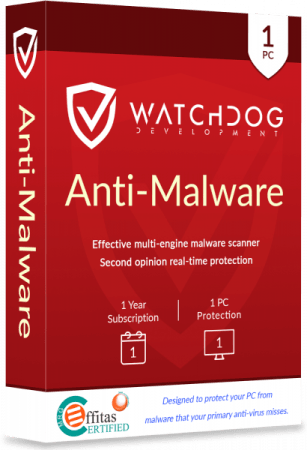
Watchdog Anti-Malware Premium / Business 4.4.15 – Advanced Multi-Engine Malware Protection
Overview
Watchdog Anti-Malware Premium / Business 4.4.15 is a Windows security application designed to detect, block, quarantine, and remove malicious software.
The program operates as an additional security layer that can work alongside a primary antivirus solution. It combines local monitoring with cloud-based analysis to identify suspicious files and detect threats that may have been missed by conventional security software.
Watchdog Anti-Malware is available in Premium and Business editions. The Premium edition is intended mainly for individual users and home computers, while the Business edition provides commercial licensing for protecting multiple workplace devices.
Multi-Engine Cloud Scanning
One of the main features of Watchdog Anti-Malware is its cloud-based multi-engine scanning technology.
When the program discovers a suspicious file, it can generate identifying information and send the required data to the Watchdog Cloud Scanning Platform. Multiple malware-detection engines then analyze the file and help determine whether it is safe or malicious.
This approach provides access to several detection technologies without requiring numerous antivirus programs to be installed on the same computer.
Installing several full antivirus applications simultaneously can create conflicts, reduce performance, and produce duplicate notifications. Watchdog attempts to avoid these problems by performing much of its additional classification through its cloud infrastructure.
Three-Stage Detection Process
Watchdog Anti-Malware uses a straightforward security workflow:
Scan
The application examines selected areas of the computer and searches for files or behaviors that may indicate malware.
Analyze
Suspicious files are checked through the cloud platform, where multiple detection technologies can evaluate their fingerprints and characteristics.
Confirm and Remove
When an item is confirmed as malicious, Watchdog can block, quarantine, or remove it according to the selected configuration.
This workflow is designed to make advanced malware analysis accessible without requiring users to understand complicated security settings.
Real-Time Protection
The Premium and Business editions include real-time protection for continuously monitoring the computer.
Instead of waiting for a manual scan, the protection module observes files and supported system activity while Windows is running. Suspicious items can be analyzed before they are allowed to cause further damage.
Real-time protection may help defend against threats introduced through:
- Internet downloads
- Email attachments
- Removable storage devices
- Compressed archives
- Browser extensions
- Software installers
- Shared folders
- Untrusted websites
- Modified executable files
No security product can guarantee the detection of every new or highly targeted threat. Users should continue following safe browsing and downloading practices.
Malware Detection and Removal
Watchdog Anti-Malware is designed to identify several common categories of malicious and unwanted software.
These categories may include:
- Viruses
- Trojans
- Computer worms
- Spyware
- Adware
- Rootkits
- Bootkits
- Ransomware
- Browser hijackers
- Potentially unwanted programs
- Malicious browser extensions
- Suspicious executable files
Detected items can be reviewed before being removed or transferred to quarantine.
Rootkit and Bootkit Detection
Rootkits are designed to conceal malicious processes, files, or system modifications. Bootkits attempt to infect components involved in the computer’s startup process.
These threats can be difficult to identify because they may operate below the level of normal desktop applications.
Watchdog Anti-Malware includes technology intended to detect and remove supported persistent threats, including deeply embedded rootkits and bootkits.
Some infections may require restarting Windows or using additional recovery procedures before complete removal is possible.
Browser Hijacker Removal
Browser hijackers can change the homepage, default search provider, new-tab page, proxy configuration, shortcuts, or installed browser extensions without clear permission.
Watchdog Anti-Malware can scan for supported hijackers and unwanted browser modifications.
Removing these items may help resolve symptoms such as:
- Unexpected advertisements
- Repeated redirects
- Modified search results
- Unknown browser toolbars
- Unwanted extensions
- Changed browser settings
- Suspicious pop-up windows
- Slow browser startup
Users may still need to reset certain browser settings manually after removing a persistent hijacker.
Anti-Ransomware Protection
The Premium and Business editions advertise anti-ransomware protection modules intended to reduce the risk of unauthorized file encryption and destructive system activity.
Ransomware can encrypt documents, photographs, databases, backups, and business files before demanding payment for their recovery.
Real-time monitoring may block recognized ransomware components or suspicious files before they complete their operations.
Anti-ransomware software should always be combined with reliable offline or cloud backups. A backup stored permanently on the same computer may also be encrypted during an attack.
Quarantine Management
When Watchdog identifies a suspicious item, it can move the file into a protected quarantine area.
Quarantined files are isolated from their original locations and prevented from running normally. Users can review the detection and choose whether to delete or restore the item.
Restoration should be performed only when the user is confident that the detection is incorrect. Returning an actual malicious file to its original location can reinfect the computer.
False-Positive Management
A false positive occurs when legitimate software is incorrectly classified as dangerous.
Multi-engine detection may improve confidence when several scanners agree about a file, but no detection system is completely free from errors.
Watchdog Anti-Malware provides tools for reviewing detections, excluding trusted items, and restoring files from quarantine.
Before excluding a detected file, users should verify:
- Its original download source
- Its digital signature
- The software publisher
- Its file location
- Whether it has been modified
- Results from other trusted security scanners
Unknown files should not be excluded merely to prevent repeated warnings.
Smart Scanning
The application provides a simplified scanning workflow for users who want to check their computers without configuring every technical option.
A smart scan can classify files, check for updates, analyze suspicious objects, and display detected threats in an organized results list.
The interface also presents information such as:
- Scan duration
- Number of analyzed objects
- Detected threats
- Last scan time
- Protection status
- Quarantined items
- License information
- Excluded files
Custom Folder Scanning
Users can select a particular folder for scanning instead of examining the entire computer.
This is useful when checking:
- A Downloads folder
- An external drive
- A transferred software package
- An extracted archive
- A shared network folder
- A collection of executable files
- A folder received from another user
Targeted scanning can be faster than a complete system scan, but it does not examine threats located elsewhere on the computer.
Lightweight Design
Watchdog Anti-Malware is designed to operate with a relatively small local footprint.
Its cloud-based scanning infrastructure reduces the need to store every malware definition and detection engine directly on the computer.
This can provide faster scans and lower system-resource usage compared with running several complete security packages simultaneously.
Some temporary slowdown may still occur while scanning a large number of files or analyzing a slow storage device.
Premium Edition
Watchdog Anti-Malware Premium is designed for personal and home use.
Depending on the purchased license, it may provide:
- Real-time malware protection
- Cloud-based multi-engine scanning
- Malware detection and removal
- Browser hijacker removal
- Rootkit and bootkit detection
- Anti-ransomware modules
- Quarantine management
- Exclusion controls
- Automatic product updates
- Technical support
- Protection for the licensed number of computers
The exact number of supported devices and subscription duration depends on the selected plan.
Business Edition
Watchdog Anti-Malware Business is intended for organizations that need to protect multiple workplace computers under commercial licensing.
It provides the core malware-detection and real-time protection technologies of the consumer edition while offering seat-based licensing for company devices.
The Business edition can be suitable for:
- Small businesses
- Offices
- Retail environments
- Professional service companies
- Educational organizations
- Remote employees
- Customer-service workstations
- Shared workplace computers
Business plans are commonly priced according to the number of protected seats and the selected subscription duration.
Premium and Business Comparison
The two editions use the same general security approach, but their licensing and intended deployment differ.
Premium Edition
The Premium edition is best suited to individual users who want additional malware scanning and real-time protection on personal Windows computers.
Business Edition
The Business edition is designed for commercial environments and multiple employee devices. It provides licensing that permits use within an organization.
Businesses should verify whether the selected plan includes the required number of seats, technical support options, renewal terms, and deployment capabilities before purchasing.
Second-Layer Security
Watchdog describes Anti-Malware as a second-opinion or additional security scanner rather than a complete replacement for traditional antivirus protection.
It is designed to catch malware that another antivirus product may miss.
This distinction is important because a complete endpoint-security solution may also include:
- Email protection
- Network attack prevention
- Firewall management
- Exploit prevention
- Web filtering
- Device control
- Central administration
- Security reporting
- Endpoint detection and response
Watchdog Anti-Malware should therefore be treated as an additional malware-defense layer unless the organization uses another product that provides the remaining required protections.
Compatibility with Other Antivirus Software
Because Watchdog Anti-Malware is designed as a supplementary scanner, it may operate alongside an existing primary antivirus application.
Its cloud-based multi-engine approach attempts to provide additional detection without installing several full antivirus engines locally.
Users should still monitor the computer for conflicts, duplicate alerts, blocked files, or performance problems after combining security applications.
Two products that both provide deep real-time monitoring can occasionally interfere with each other.
Cloud Connectivity
An active internet connection is required for normal cloud analysis, licensing, product updates, and access to current classification information.
Without internet access, some local functions may remain available, but the program cannot fully use its cloud-based multi-engine technology.
Users working in restricted business environments should ensure that required Watchdog services are permitted through firewalls, proxy servers, and network-security policies.
Privacy Considerations
During scanning, Watchdog may communicate file information to its servers for malware classification.
The developer states that this information can include file metadata such as hashes, names, versions, and, in some cases, file contents. Collection is focused on executable files and certain non-executable items such as browser plugins.
The developer states that personal documents and images are not scanned or collected for this cloud-classification process.
Organizations handling confidential software should review the current privacy policy and data-processing terms before deployment.
Automatic Updates
Cybersecurity software requires regular updates to respond to new malware, corrected false positives, application bugs, and security vulnerabilities.
Watchdog Anti-Malware can check for updated program components and scanning technologies.
Users should keep automatic updates enabled whenever possible. Running an old security version may leave the computer exposed to known vulnerabilities or outdated detection logic.
Security Improvements in Recent Releases
Recent official releases have included several security, compatibility, and interface improvements.
Documented changes include:
- Fixes for critical driver vulnerabilities
- Corrections related to previously reported security issues
- False-positive improvements
- Updated malware-scanning SDK components
- Update-system improvements
- High-DPI display corrections
- Improved scan cancellation controls
- Better detection-list visibility
- Log4Net vulnerability remediation
- Minor stability and interface fixes
These updates demonstrate why security applications should be maintained with the latest verified official release.
Main Features
- Real-time Windows malware protection
- Multi-engine cloud scanning
- Advanced malware detection and removal
- Virus and Trojan detection
- Spyware and adware removal
- Browser hijacker detection
- Rootkit and bootkit removal
- Anti-ransomware protection modules
- Smart system scanning
- Custom folder scans
- Quarantine management
- Trusted-file exclusions
- Cloud-based file classification
- Automatic security updates
- Lightweight local resource usage
- 32-bit and 64-bit Windows support
- Premium licensing for home users
- Seat-based Business licensing
- Email and telephone support
- Fully functional trial period
Advantages
Watchdog Anti-Malware provides an additional layer of protection without requiring multiple complete antivirus products to be installed locally.
Its multi-engine cloud platform can offer a broader second opinion when analyzing suspicious files.
The interface is simple enough for inexperienced users, while quarantine and exclusion controls provide additional management options.
The Business edition makes the same core protection available through commercial seat-based licensing.
Its relatively low memory and storage requirements also make it suitable for computers with limited resources.
Limitations
Watchdog Anti-Malware is not presented by its developer as a full replacement for a complete antivirus or enterprise endpoint-security platform.
Cloud scanning requires an active internet connection.
Detection results may occasionally include false positives, especially when scanning uncommon, unsigned, or newly developed applications.
Some advanced enterprise features may be unavailable, including centralized endpoint dashboards, detailed incident investigation, network isolation, remote deployment, and extensive compliance reporting.
Businesses requiring complete endpoint detection and response should compare the Business edition with dedicated EDR and centrally managed security products.
System Requirements
Supported Operating Systems
- Windows 11
- Windows 10
- Windows 8.1
- Windows 8
Additional Requirements
- Approximately 50 MB of free disk space
- Approximately 40 MB of available memory
- Active internet connection
- Administrative permission for installation and threat removal
- 32-bit or 64-bit Windows architecture
Windows 7 is not included in the currently published system requirements for the latest releases.
Trial and Licensing
Watchdog offers a fully functional 15-day trial.
During the trial period, the main product features are available without the normal subscription limitations. After the trial expires, certain functions become restricted unless the program is activated with a legitimate license.
Lifetime licenses are not currently offered as a standard purchasing option. Users should review subscription duration, renewal conditions, device limits, and refund terms before purchasing.
The Business edition is licensed according to the number of protected seats.
Recommended Security Practices
For improved protection, users and businesses should combine Watchdog Anti-Malware with:
- A reputable primary antivirus solution
- Regular Windows security updates
- Updated browsers and applications
- Strong and unique account passwords
- Multi-factor authentication
- Offline or protected cloud backups
- Restricted administrator privileges
- Email attachment filtering
- Employee security awareness
- Careful software-download practices
Security software is most effective when it is part of a broader protection strategy.
Safe Installation Recommendations
Watchdog Anti-Malware should be downloaded only from the official developer website or an authorized business partner.
Modified installers, cracked Premium packages, and unofficial license activators may contain malware, credential-stealing components, or vulnerable drivers.
Users should avoid any package claiming to bypass the official activation process.
Before installation, businesses should test the application on a limited number of systems to confirm compatibility with their existing antivirus, business software, network policies, and administrative tools.
Conclusion
Watchdog Anti-Malware Premium / Business 4.4.15 is a lightweight supplementary Windows security solution built around real-time monitoring and multi-engine cloud analysis.
It can detect and remove viruses, Trojans, spyware, adware, browser hijackers, rootkits, bootkits, ransomware, and other supported threats while providing quarantine, exclusion, automatic-update, and technical-support features.
The Premium edition is suitable for individual users who want an additional malware-defense layer, while the Business edition provides commercial seat-based licensing for workplace computers.
Although it should not be treated as a complete replacement for antivirus or enterprise endpoint security, Watchdog Anti-Malware can provide a useful second opinion and improve the overall ability of a Windows system to identify suspicious files.