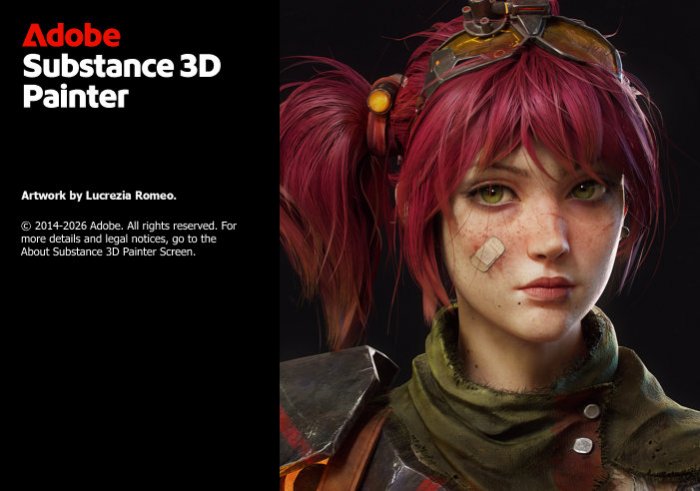
Adobe Substance 3D Painter v12.1.3 – Professional 3D Texturing and Material Painting Software
Overview
Adobe Substance 3D Painter v12.1.3 is a professional 3D texturing and material painting application designed for artists, game developers, visual effects professionals, designers, and digital content creators. It provides a powerful environment for creating highly detailed textures and realistic materials directly on 3D models.
Substance 3D Painter has become an important tool in modern 3D production pipelines because it combines real-time painting, procedural materials, masks, smart materials, brushes, and physically based rendering workflows within a single application.
Whether you are creating characters for video games, realistic objects for cinematic productions, environments, vehicles, weapons, architecture, or product visualizations, Adobe Substance 3D Painter provides an extensive collection of tools for transforming basic 3D models into detailed and visually convincing assets.
Professional 3D Texture Painting
Adobe Substance 3D Painter allows artists to paint directly onto the surface of 3D models. Instead of creating textures entirely through traditional 2D image editing, users can see their changes directly on the model while working.
Artists can paint information across different material channels, giving them detailed control over the final appearance of an asset.
This workflow makes it easier to create realistic surfaces and understand how materials will appear on the finished model.
Physically Based Rendering Workflow
Substance 3D Painter is built around modern Physically Based Rendering, commonly known as PBR.
PBR workflows allow artists to create materials that respond realistically to lighting conditions. Properties such as base color, roughness, metallic characteristics, normal information, height, and other material attributes can be controlled to produce convincing surfaces.
These materials can then be exported for use in compatible game engines, rendering applications, and other professional 3D software.
Smart Materials
Smart Materials are one of the most recognizable features of Substance 3D Painter. They allow artists to apply sophisticated materials that can react to the geometry and characteristics of a 3D model.
Instead of manually painting every scratch, edge, stain, or surface variation, Smart Materials can help generate complex results based on information derived from the model.
This makes it possible to quickly create surfaces such as worn metal, aged machinery, painted objects, damaged equipment, leather, wood, plastic, stone, and many other materials.
Smart Masks
Smart Masks provide another powerful way to control where effects and materials appear.
Artists can use masks to automatically influence specific areas based on information such as edges, cavities, surface orientation, and other characteristics of the model.
For example, wear effects can be concentrated around exposed edges while dirt can accumulate in recessed areas. This procedural approach can dramatically accelerate the creation of realistic environmental details.
Advanced Layer-Based Workflow
Substance 3D Painter uses a layer-based workflow that will feel familiar to artists experienced with professional image-editing applications.
Materials, effects, masks, paint layers, and procedural elements can be organized into a flexible layer structure. Users can modify individual components without permanently altering the rest of the project.
This non-destructive approach makes experimentation easier and provides greater control over complex texture projects.
Real-Time Viewport
The real-time viewport allows artists to immediately preview how textures and materials affect their 3D models.
Changes to roughness, metallic properties, colors, normal details, and other surface characteristics can be evaluated while working.
Real-time feedback is particularly valuable when designing materials because artists can quickly adjust parameters until they achieve the desired appearance without repeatedly exporting and rendering the asset in another application.
Powerful Brush System
Adobe Substance 3D Painter provides an advanced painting system with customizable brushes that can be used to add both subtle and dramatic surface details.
Artists can create scratches, dirt, dust, fingerprints, paint damage, stains, fabric details, imperfections, and many other effects.
Brush parameters can be adjusted to suit different artistic requirements, allowing creators to combine procedural techniques with traditional hand-painted detailing.
Procedural Texturing
Procedural workflows are an important part of Substance 3D Painter.
Instead of manually painting every detail, artists can use generators, filters, masks, materials, and procedural effects to create complex textures more efficiently.
Procedural elements can also remain adjustable throughout the project. This means artists can experiment with different material appearances without having to rebuild textures from the beginning.
Texture Baking
Texture baking is an essential stage in many professional 3D workflows, particularly for video game assets.
Substance 3D Painter provides baking functionality that can generate mesh maps used by materials, masks, generators, and other effects.
Baked information can help transfer surface details and provide the data required for procedural effects to interact intelligently with the geometry of a model.
Realistic Surface Details
Creating believable materials requires more than simply applying colors to a model. Real-world surfaces contain scratches, imperfections, roughness variations, dirt, wear, and subtle differences in texture.
Substance 3D Painter gives artists the tools required to reproduce these characteristics.
By combining layers, generators, masks, brushes, materials, and baked information, artists can create surfaces ranging from perfectly clean manufactured objects to heavily damaged and weathered assets.
Materials for Game Development
Adobe Substance 3D Painter is widely suited to game-development workflows.
Artists can texture characters, environments, weapons, vehicles, props, buildings, and other assets before exporting the required texture maps for integration into a game engine.
Its PBR-oriented workflow makes Substance 3D Painter particularly useful for modern games that rely on physically based materials and advanced real-time lighting.
Character Texturing
Characters often require a combination of different surface types, including skin, clothing, armor, leather, metal, and accessories.
Substance 3D Painter provides a unified environment where artists can work on these different materials while maintaining detailed control over each part of the character.
Masks and layers can help separate materials, while hand painting and procedural effects can be combined to create unique details.
Environment and Prop Texturing
Substance 3D Painter is equally capable when working with environmental assets.
Artists can create textures for buildings, furniture, machinery, rocks, containers, doors, industrial equipment, and countless other objects.
Smart Materials and procedural generators are particularly useful for environmental production because similar materials can be adapted across many different assets while still producing variations.
High-Quality Texture Export
Once a project is complete, textures can be exported for use in external applications and production pipelines.
Substance 3D Painter provides configurable export options that allow artists to prepare texture maps according to the requirements of their target renderer or engine.
This flexibility helps integrate Painter into workflows involving game engines, 3D applications, rendering solutions, and other digital content creation tools.
Integration with Professional 3D Workflows
Adobe Substance 3D Painter is designed to work as part of a larger 3D production pipeline.
Models can be created and prepared in dedicated modeling applications, imported into Painter for texturing, and then exported to another application or engine for rendering, animation, or real-time use.
This makes Substance 3D Painter suitable for workflows involving game development, animation, visual effects, architectural visualization, and product design.
Non-Destructive Editing
One of the major advantages of the Substance workflow is the ability to make extensive adjustments without permanently destroying previous work.
Layers, masks, generators, filters, and materials can remain editable throughout the project.
If the artistic direction changes, creators can adjust parameters and modify effects rather than rebuilding the entire texture manually.
Create Everything from Clean to Weathered Materials
Substance 3D Painter can be used to create a wide range of visual styles.
Artists can design clean futuristic surfaces, polished metals, realistic plastics, painted machinery, damaged armor, dirty industrial equipment, aged wood, weathered stone, worn fabrics, and countless other material types.
The combination of procedural and hand-painted techniques gives artists considerable freedom to determine how realistic or stylized the finished asset should appear.
Designed for Professional Artists
Although Substance 3D Painter provides many automated and procedural tools, it also offers the depth required for professional production.
Experienced artists can build sophisticated material stacks, customize masks, combine generators, control individual channels, and manually paint specific details.
This combination of automation and artistic control makes the software suitable for both individual creators and professional production environments.
Hardware Requirements
Professional 3D texturing can require significant system resources, particularly when working with high-resolution texture sets, complex models, or multiple materials.
A modern multi-core processor, sufficient RAM, a compatible dedicated graphics card, and an SSD are recommended for a smoother workflow.
Artists working on demanding projects should also consider using a GPU with sufficient graphics memory, as higher texture resolutions and complex scenes can substantially increase VRAM requirements.
Why Choose Adobe Substance 3D Painter?
Adobe Substance 3D Painter combines direct 3D painting with procedural texturing, Smart Materials, Smart Masks, baking, advanced layers, and PBR workflows.
Instead of relying on multiple separate applications for every stage of material creation, artists can perform much of the texturing process inside one specialized environment.
The ability to combine procedural automation with precise manual painting makes it especially valuable when creating detailed assets efficiently without sacrificing artistic control.
Conclusion
Adobe Substance 3D Painter v12.1.3 is a comprehensive 3D texturing and material-authoring solution for artists who need professional control over the appearance of digital assets. Its combination of real-time painting, PBR materials, Smart Materials, Smart Masks, procedural generators, baking tools, layers, and flexible export capabilities makes it suitable for demanding modern 3D workflows.
From detailed game characters and realistic weapons to cinematic props, vehicles, architecture, and large environmental assets, Substance 3D Painter provides the tools required to transform basic 3D geometry into polished and visually detailed models.
For game developers, 3D artists, texture artists, and digital designers looking for a specialized environment for professional material creation, Adobe Substance 3D Painter v12.1.3 remains a powerful solution for producing high-quality 3D textures and realistic surfaces.