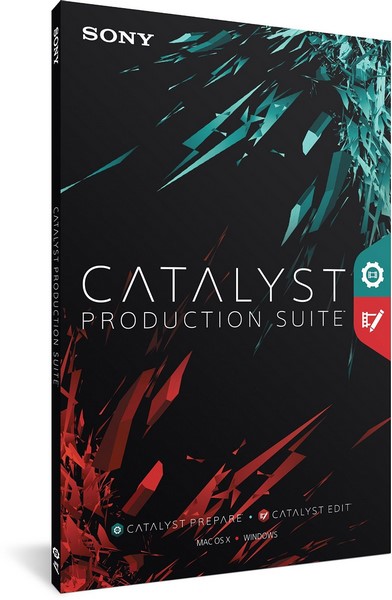
Sony Catalyst Production Suite 2026.1.1 Review
Sony Catalyst Production Suite 2026.1.1 is a professional video production package designed for filmmakers, editors, camera operators, content creators, and production teams who work with Sony camera footage. It combines media preparation, clip organization, color adjustment, metadata-based correction, stabilization, and timeline editing tools in one focused workflow.
The suite is especially useful for users who shoot with Sony Cinema Line, Alpha, XDCAM, and professional video cameras. It helps creators review footage, prepare media, apply corrections, manage clips, and edit projects more efficiently before final delivery or before moving into another editing environment.
What Is Sony Catalyst Production Suite 2026.1.1?
Sony Catalyst Production Suite 2026.1.1 is a paid software bundle that includes Catalyst Prepare and Catalyst Edit. Sony’s download page lists Catalyst Production Suite as a package that includes these two applications and confirms availability for both Windows and macOS.
Catalyst Prepare is focused on media preparation, browsing, organization, transcoding, metadata-based correction, and clip management. Catalyst Edit is a streamlined video editing application designed for fast cutting and finishing. Together, they create a complete production workflow for users who need to manage professional Sony footage from ingest to edit.
Main Features
Sony Catalyst Production Suite 2026.1.1 includes tools for browsing footage, organizing media, applying stabilization, correcting lens and camera issues, adjusting color, managing metadata, transcoding clips, and editing video projects.
The suite is designed to work closely with Sony camera metadata. This is one of its strongest advantages, because footage recorded by supported Sony cameras can include valuable information such as gyro data, lens information, exposure settings, stabilization data, and other shooting details. Catalyst applications can use this metadata to improve correction and preparation workflows.
Catalyst Prepare
Catalyst Prepare is the media preparation and organization part of the suite. It allows users to preview clips, organize footage into bins, apply color adjustments, perform stabilization, check metadata, transcode media, and prepare files for editing.
This is useful for professional workflows where footage must be reviewed and organized before editing begins. Instead of importing everything directly into a timeline editor, users can inspect clips, apply corrections, rename or organize media, and export optimized files.
Catalyst Prepare is especially valuable for Sony camera users because it can take advantage of camera metadata for functions such as stabilization, lens correction, and other clip adjustments.
Catalyst Edit
Catalyst Edit is the editing component included with Catalyst Production Suite. It is designed as a focused video editing application with the essential tools needed to cut, arrange, trim, and finish video projects.
Sony describes Catalyst Edit as a simple editing application with the necessary tools for editing, available as part of Catalyst Production Suite bundled with Catalyst Prepare.
This makes it suitable for users who want a clean and direct editing workflow without the complexity of larger editing platforms. While it may not replace full professional suites for every editor, it is useful for fast, focused edits and Sony camera-based production workflows.
New Features in the 2026.1 Generation
The 2026.1 release introduced several important improvements for Catalyst Browse, Catalyst Prepare, and Catalyst Production Suite. Sony’s support update for Catalyst 2026.1 mentions the addition of a horizon lock manual adjustment function, a newly added X-OCN-supported resolution, and support for 96 kHz / 32-bit float audio.
These improvements are especially useful for professional camera workflows. Horizon lock adjustment can help correct footage alignment more precisely. X-OCN support is important for high-end Sony cinema production, while 96 kHz / 32-bit float audio support is valuable for users working with higher-quality audio recordings.
Horizon Lock Manual Adjustment
One of the key updates in the 2026.1 release is manual adjustment for horizon lock. This feature helps users correct tilted footage and maintain a more stable horizon when working with supported clips.
This can be useful for handheld shots, action footage, gimbal work, travel videos, documentary footage, and any scene where the camera movement creates unwanted horizon shifts. For creators who shoot without perfect stabilization on location, this tool can save time during post-production.
Stabilization and Metadata-Based Correction
Sony Catalyst software is well known for its stabilization workflow, especially when used with supported Sony cameras that record gyro metadata. This allows the software to analyze camera movement and produce smoother footage.
Compared with basic software stabilization, metadata-based stabilization can often create more controlled results because it uses information recorded by the camera at the time of shooting. This is especially useful for handheld footage, run-and-gun shooting, vlogging, sports videos, and documentary production.
X-OCN Workflow Support
X-OCN is a professional recording format used in high-end Sony cinema workflows. The 2026.1 update added a newly supported X-OCN resolution, which strengthens the suite’s value for professional production environments.
For cinema users, proper X-OCN support is important because it allows high-quality footage to be handled more efficiently during preparation, review, correction, and editing.
96 kHz / 32-Bit Float Audio Support
Sony Catalyst Production Suite 2026.1 also added support for 96 kHz / 32-bit float audio.
This is useful for professional productions that record high-quality audio with a wide dynamic range. 32-bit float audio can help preserve detail in recordings with very quiet or very loud sections, making it valuable for interviews, field recording, documentary work, events, and professional video production.
Transcoding and Export
Catalyst Prepare allows users to transcode footage into formats that are easier to edit, share, or archive. This is helpful when working with high-resolution camera files, large professional formats, or media that needs to be converted for another editing application.
Users can prepare proxy files, convert clips for smoother playback, or export corrected footage for use in other editing platforms. This makes Catalyst Production Suite useful not only as a standalone workflow, but also as part of a larger post-production pipeline.
Color and Look Adjustment
Sony Catalyst applications include color adjustment tools that help users review and prepare footage before editing. Users can apply basic corrections, adjust the look of clips, and prepare footage for a more consistent editing workflow.
This is useful when working with log footage, camera profiles, or clips recorded under different lighting conditions. While dedicated color grading applications may offer deeper control, Catalyst Prepare provides practical tools for quick correction and media preparation.
Useful for Sony Camera Users
Sony Catalyst Production Suite 2026.1.1 is most valuable for users who shoot with Sony cameras. The software is designed to understand Sony camera metadata and use it in ways that many general video editors may not fully support.
This makes it useful for Alpha shooters, Cinema Line users, professional videographers, documentary creators, event shooters, YouTubers, and production teams who want a smooth Sony-focused workflow.
Supported Platforms and Licensing
Sony’s download page lists Catalyst Production Suite 2026.1.1 for both Windows and macOS. It also states that the suite requires a paid subscription and that a Creators’ Cloud sign-in is required.
This means users should check Sony’s official plan and download pages before installing, especially if they need the latest version, subscription details, or compatibility information.
Advantages
Sony Catalyst Production Suite 2026.1.1 has many advantages. It provides a dedicated Sony camera workflow, includes Catalyst Prepare and Catalyst Edit, supports professional media preparation, uses camera metadata for correction and stabilization, includes useful transcoding tools, supports high-quality production formats, and offers focused editing features.
The 2026.1 generation also adds useful improvements such as horizon lock manual adjustment, expanded X-OCN support, and 96 kHz / 32-bit float audio support.
Disadvantages
The main disadvantage is that Catalyst Production Suite is most useful for Sony camera users. Editors who work mainly with non-Sony cameras may not benefit from all of its metadata-based features.
Another limitation is that Catalyst Edit is more focused and streamlined than large professional editing platforms. Users who need advanced visual effects, complex motion graphics, deep color grading, multi-user collaboration, or large-scale post-production workflows may still prefer tools such as DaVinci Resolve, Adobe Premiere Pro, Final Cut Pro, or Avid Media Composer.
The suite also requires a paid subscription, so users should consider whether its Sony-specific advantages match their workflow.
Who Should Use Sony Catalyst Production Suite 2026.1.1?
Sony Catalyst Production Suite 2026.1.1 is ideal for Sony camera users, filmmakers, videographers, editors, content creators, documentary shooters, event videographers, YouTubers, and production teams who want a clean workflow for preparing, correcting, stabilizing, organizing, and editing footage.
It is especially useful for users who shoot handheld footage, work with Sony metadata, need reliable stabilization, prepare professional camera files, or want a dedicated Sony media management and editing solution.
Final Verdict
Sony Catalyst Production Suite 2026.1.1 is a strong professional video production package for users who work with Sony camera footage. By combining Catalyst Prepare and Catalyst Edit, it provides a complete workflow for browsing, organizing, correcting, stabilizing, transcoding, and editing video projects.
The 2026.1 generation adds important improvements such as horizon lock manual adjustment, expanded X-OCN support, and 96 kHz / 32-bit float audio support. These features make the suite more useful for modern professional production workflows.
Overall, Sony Catalyst Production Suite 2026.1.1 is a valuable tool for creators who want a focused Sony-based workflow and need better control over media preparation, stabilization, metadata correction, and efficient editing.