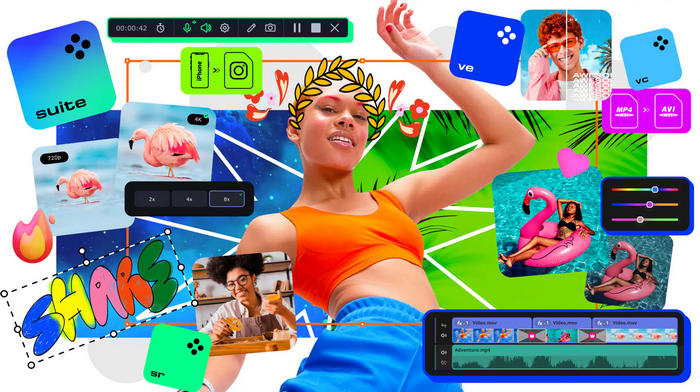
Movavi Video Suite 2026 Review
Movavi Video Suite 2026 is an all-in-one multimedia package designed for users who want to edit videos, record the screen, convert media files, create slideshows, and produce polished video projects without using complicated professional software. It combines several essential creative tools in one program, making it useful for content creators, YouTubers, students, teachers, marketers, gamers, and casual users.
Unlike a simple video editor, Movavi Video Suite includes video editing, screen recording, file conversion, media capture, and creative effects. The 2026 version also focuses strongly on AI-powered tools such as automatic subtitles, noise removal, and faster editing features. Movavi’s official page describes Video Suite 2026 as a tool for video editing, file conversion, screen recording, one-click AI tools, and hundreds of filters, transitions, titles, and overlays.
What Is Movavi Video Suite 2026?
Movavi Video Suite 2026 is a complete video creation package for Windows and Mac users. It is designed to help users create videos from start to finish, including importing footage, cutting clips, adding effects, improving sound, recording the screen, converting files, and exporting the final project.
The program is especially popular because it is easier to learn than advanced editing software such as Adobe Premiere Pro, DaVinci Resolve, or Final Cut Pro. It gives beginners and intermediate users many practical editing tools without requiring a professional editing background.
Main Features
Movavi Video Suite 2026 includes a wide range of tools for everyday video production. Users can cut, trim, split, rotate, crop, merge, and enhance clips on a simple timeline. They can also add titles, transitions, filters, overlays, stickers, music, voiceovers, and visual effects.
The suite also includes screen recording and media conversion tools. This makes it suitable for tutorials, gameplay videos, online lessons, product demonstrations, social media clips, YouTube videos, family videos, and business presentations.
Video Editing Tools
The video editor inside Movavi Video Suite 2026 offers a clean timeline where users can arrange clips, images, audio tracks, effects, and titles. It supports common editing tasks such as trimming unwanted parts, changing clip speed, adjusting colors, improving brightness and contrast, adding transitions, and creating smooth video sequences.
Movavi Video Editor 2026 is officially described as a simple but powerful editor with tools for cutting, cropping, adjusting colors and speed, adding effects, and using one-click AI tools such as auto subtitles and noise removal.
AI-Powered Features
One of the most important improvements in Movavi Video Suite 2026 is the use of AI tools. These features help users complete editing tasks faster and with less manual work.
The program includes AI-powered tools such as automatic subtitles, audio noise removal, motion tracking, background removal, and other smart editing features depending on the installed components and edition. The Steam listing for Movavi Video Editor 2026 highlights automatic subtitle creation and AI denoising as smart tools designed to save time and improve audio clarity.
Automatic subtitles are useful for YouTube videos, tutorials, social media clips, online courses, and videos made for viewers who watch without sound. AI noise removal is useful for cleaning background noise from voice recordings, interviews, gameplay commentary, and screen recordings.
Screen Recording
Movavi Video Suite 2026 includes screen recording features, allowing users to capture desktop activity, online meetings, tutorials, gameplay, webinars, video calls, or software demonstrations. Users can record the screen with system audio, microphone input, and webcam overlay when needed.
This is useful for teachers, students, YouTubers, streamers, remote workers, and anyone who needs to create instructional or presentation videos.
Video Converter
Another important part of Movavi Video Suite 2026 is the video converter. It helps users convert video, audio, and image files into different formats for phones, tablets, websites, social media platforms, TVs, and other devices.
This feature is helpful when a file is too large, not compatible with a device, or needs to be compressed for sharing. It can also be useful for extracting audio from video, converting clips for editing, or preparing videos for upload.
Effects, Filters, Titles, and Transitions
Movavi Video Suite 2026 includes many creative elements that help make videos look more professional. Users can add filters, transitions, animated titles, overlays, stickers, intros, and other visual effects.
Movavi’s official homepage mentions access to more than 10,000 effects through its effects ecosystem, while the Video Suite page highlights hundreds of built-in filters, transitions, titles, and overlays.
These tools are useful for creating YouTube intros, social media reels, travel videos, birthday videos, gaming edits, business promos, and educational content.
Easy Workflow for Beginners
Movavi Video Suite 2026 is designed to be beginner-friendly. The interface is simple, the tools are clearly organized, and most common editing tasks can be completed with drag-and-drop controls.
This makes the program a good choice for users who want to create videos quickly without spending weeks learning a professional editing workflow. It is also helpful for people who need practical results rather than advanced studio-level control.
Useful for YouTube and Social Media
Movavi Video Suite 2026 is especially suitable for YouTube, TikTok, Instagram, Facebook, and other social media platforms. Users can create short clips, tutorials, reaction videos, gaming videos, educational content, product reviews, and promotional videos.
Features such as automatic subtitles, ready-made effects, screen recording, audio cleanup, and fast export options make it useful for creators who need to produce content regularly.
Supported Platforms
Movavi Video Suite 2026 is available for Windows and Mac. The official Movavi Video Suite page provides download options for both PC and Mac versions.
Users should always check the official Movavi website for the latest system requirements before installing, especially if they plan to edit 4K videos or use AI-powered features that may require stronger hardware.
Advantages
Movavi Video Suite 2026 offers many advantages. It combines video editing, screen recording, media conversion, and creative tools in one package. It is easy to use, beginner-friendly, and includes modern AI tools that can save time.
The program is also useful for many types of users, including YouTubers, gamers, teachers, students, marketers, business owners, and home users. Its large collection of effects, titles, transitions, and overlays makes it easy to create attractive videos without needing advanced design skills.
Disadvantages
Movavi Video Suite 2026 is not as advanced as professional editing software used in film production or complex commercial projects. Users who need deep color grading, advanced audio mixing, complex visual effects, professional collaboration tools, or high-end post-production features may prefer more advanced software.
The free trial version may also include limitations such as watermarks or restricted features, so users who want full functionality should check the official licensing details before using it for serious projects.
Who Should Use Movavi Video Suite 2026?
Movavi Video Suite 2026 is ideal for beginners and intermediate users who want an easy but capable video creation tool. It is suitable for YouTubers, vloggers, teachers, online course creators, gamers, office users, small businesses, and anyone who needs to create videos quickly.
It is also a good option for users who want one program for editing, recording, converting, and improving videos instead of installing several separate applications.
Final Verdict
Movavi Video Suite 2026 is a complete and user-friendly multimedia package for video creation. It combines video editing, screen recording, file conversion, AI-powered tools, subtitles, audio cleanup, effects, titles, transitions, and overlays in one easy-to-use application.
It may not replace high-end professional software for advanced editors, but it is an excellent choice for users who want fast, attractive, and practical results without a steep learning curve. For content creators, students, teachers, marketers, and everyday users, Movavi Video Suite 2026 is a strong all-in-one solution for creating modern videos with less effort.