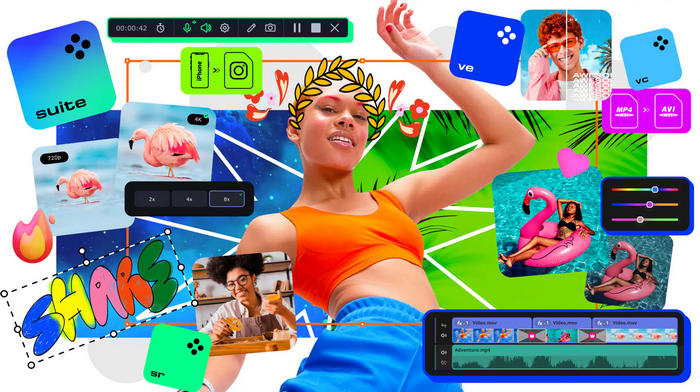
Movavi Video Suite 2026.0.0: Complete Video Editing, Conversion, and Screen Recording Software
Movavi Video Suite 2026.0.0 is a comprehensive multimedia package designed for users who want to edit videos, record their screens, convert media files, and create professional-looking content from one convenient application.
Instead of installing several separate programs, users can rely on Movavi Video Suite to manage many common video-production tasks through a clean and accessible interface. The software is suitable for beginners, content creators, educators, businesses, and home users who need powerful multimedia tools without the complexity of professional studio applications.
What Is Movavi Video Suite 2026?
Movavi Video Suite 2026 is an all-in-one multimedia solution that combines a video editor, screen recorder, media converter, and several additional tools.
The program allows users to create videos from clips, images, music, voice recordings, and screen captures. It also provides ready-made effects, transitions, titles, filters, and editing features that simplify the production process.
Movavi Video Suite 2026.0.0 focuses on usability, performance, and flexibility, making it a practical option for creating YouTube videos, tutorials, presentations, social media content, family movies, promotional videos, and educational materials.
Main Features of Movavi Video Suite 2026.0.0
Professional Video Editing
The integrated video editor provides a timeline-based workspace where users can cut, trim, split, rotate, crop, and combine video clips.
You can arrange multiple media files, add background music, insert text, adjust clip duration, and control the overall structure of your project. The timeline remains easy to understand, even for users with limited editing experience.
Transitions, Filters, and Visual Effects
Movavi Video Suite includes a collection of transitions, filters, overlays, stickers, animated titles, and visual effects.
These elements can help improve the appearance of videos without requiring advanced editing knowledge. Users can apply cinematic filters, create smooth scene changes, highlight important information, and give projects a consistent visual style.
AI-Powered Editing Tools
The software includes intelligent tools designed to speed up demanding editing tasks.
Depending on the available features and edition, these tools may help with background removal, motion tracking, noise reduction, automatic enhancements, object highlighting, and other creative adjustments.
AI-assisted features can reduce the amount of manual work required when producing tutorials, promotional clips, presentations, or social media videos.
Screen and Webcam Recording
Movavi Video Suite allows users to record their computer screens, application windows, online meetings, video calls, webinars, and gameplay.
It can also capture webcam footage, microphone audio, and system sound. This makes the program useful for creating software tutorials, online courses, product demonstrations, reaction videos, and business presentations.
After recording, the captured footage can be transferred directly to the video editor for trimming, annotation, enhancement, and export.
Media File Conversion
The built-in converter supports a wide variety of video, audio, and image formats.
Users can convert files for playback on computers, smartphones, tablets, televisions, and other devices. The converter can also compress large videos, extract audio tracks, change video resolution, and prepare media for online platforms.
Hardware acceleration may help improve conversion and export performance on supported systems.
Audio Editing Tools
Movavi Video Suite provides several tools for improving and managing audio.
Users can adjust volume levels, remove unwanted sections, add music, record voiceovers, apply sound effects, and synchronize audio with video clips. Noise-reduction features can also help improve recordings made in rooms with background sounds.
Titles and Text Customization
The program includes customizable titles, captions, subtitles, and animated text templates.
Users can change fonts, sizes, positions, colors, animation styles, and display durations. These tools are useful for introductions, credits, tutorials, advertisements, social media clips, and educational content.
Chroma Key Support
The Chroma Key feature allows users to remove a solid-colored background, such as a green or blue screen, and replace it with another image or video.
This feature can be used for presentations, gaming videos, creative scenes, virtual backgrounds, and professional-looking instructional content.
Video Stabilization
Shaky footage recorded with smartphones, action cameras, or handheld devices can be improved using video stabilization.
The feature analyzes camera movement and reduces unwanted shaking, helping users produce smoother and more comfortable viewing experiences.
Fast Export and Sharing
Finished projects can be exported in popular video formats and resolutions.
Users can prepare videos for YouTube, social networks, websites, mobile devices, presentations, and local playback. Export settings can be adjusted according to resolution, format, quality, file size, and intended platform.
What Can You Create with Movavi Video Suite?
Movavi Video Suite 2026.0.0 can be used for many types of multimedia projects, including:
- YouTube videos and channel introductions
- Gaming recordings and highlights
- Online courses and educational lessons
- Software tutorials and demonstrations
- Business presentations
- Social media advertisements
- Travel videos and personal memories
- Product reviews
- Video podcasts
- Family slideshows
- Promotional and marketing content
- Webcam and screen-recorded presentations
Its combination of recording, editing, and conversion tools allows users to complete an entire project without constantly switching between unrelated applications.
User Interface and Ease of Use
One of the main advantages of Movavi Video Suite is its beginner-friendly interface.
The tools are divided into clear sections, making it easy to choose between video editing, screen recording, file conversion, and other tasks. The editing workspace uses familiar drag-and-drop controls, while commonly used functions remain easy to locate.
New users can begin with basic operations such as trimming and joining clips, then gradually explore more advanced features as they gain experience.
Performance and Export Quality
Movavi Video Suite is designed to provide a balance between performance, output quality, and ease of use.
The program can work with high-resolution media, although editing performance depends on the computer’s processor, graphics card, memory, storage speed, and project complexity.
For smoother editing, especially when working with long videos or high-resolution footage, a modern multi-core processor, dedicated graphics card, solid-state drive, and sufficient RAM are recommended.
Movavi Video Suite 2026 System Requirements
The official Windows requirements for Movavi Video Suite 2026 include:
- Operating system: 64-bit Windows 10 or Windows 11 with current updates
- Processor: Intel, AMD, or compatible dual-core processor running at 1.5 GHz or faster
- Memory: At least 4 GB of RAM
- Display: Minimum resolution of 1280 × 768
- Graphics: Intel HD Graphics 2000, NVIDIA GeForce Series 8, AMD Radeon R600, or a newer compatible graphics card
- Storage: Approximately 600 MB for installation and additional space for program operations and media projects
- Internet connection: Required for activation, updates, and access to certain online features
More powerful hardware is recommended for editing high-resolution videos and handling complex projects with multiple effects.
Advantages of Movavi Video Suite 2026.0.0
- Clean and beginner-friendly interface
- Video editing, recording, and conversion in one package
- Wide selection of effects, titles, and transitions
- Useful AI-assisted editing tools
- Screen, webcam, microphone, and system-audio recording
- Support for many popular media formats
- Fast workflow for social media and YouTube content
- Customizable export settings
- Suitable for personal, educational, and business projects
- Lower learning curve than many professional editing programs
Disadvantages of Movavi Video Suite 2026.0.0
- Some advanced effects and assets may require additional purchases or subscriptions
- Professional editors may find certain controls less detailed than those in high-end software
- Complex high-resolution projects require stronger hardware
- The trial version includes limitations, such as a limited evaluation period and watermarks on exported videos
- Certain advanced features may vary depending on the purchased plan or package
Is Movavi Video Suite 2026 Good for Beginners?
Movavi Video Suite 2026 is a strong choice for beginners because it provides essential editing tools without presenting an overly complicated workspace.
Most operations can be completed by dragging files onto the timeline, selecting an effect, adjusting a few settings, and exporting the final result. This allows new users to focus on their content instead of spending a long time learning technical editing procedures.
Built-in templates, effects, transitions, and automated tools also help users create polished results more quickly.
Is It Suitable for Professional Work?
Movavi Video Suite can be used for many professional and commercial tasks, particularly online videos, advertisements, training materials, presentations, demonstrations, and social media content.
However, production studios that require advanced color grading, complex visual effects, detailed audio mixing, or large collaborative workflows may prefer specialized professional software.
For individual creators, educators, marketers, small businesses, and freelance editors, Movavi Video Suite offers a useful balance between functionality and accessibility.
Final Verdict
Movavi Video Suite 2026.0.0 is a versatile multimedia package that combines video editing, screen recording, file conversion, audio management, and creative effects in one organized application.
Its accessible interface makes it suitable for beginners, while its collection of editing and recording tools provides enough flexibility for content creators, teachers, marketers, and business users.
Users who need an easy way to create videos, record tutorials, convert media files, and prepare content for online platforms will find Movavi Video Suite 2026.0.0 to be a practical and efficient solution.