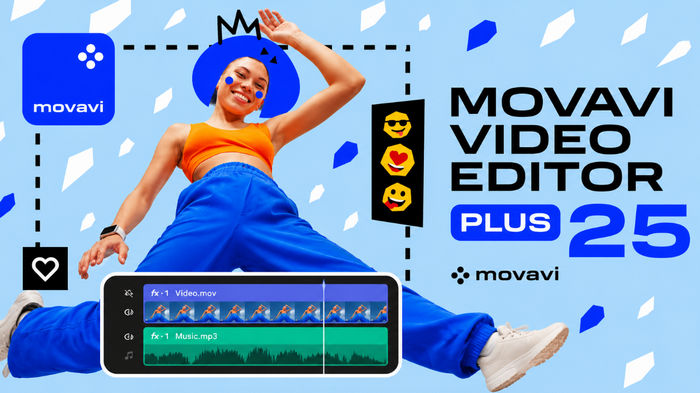
Movavi Video Editor Plus 25.9.0: A Complete and Easy Video Editing Solution
Movavi Video Editor Plus 25.9.0 is a powerful and user-friendly video editing program designed for beginners, content creators, social media users, and anyone who wants to produce professional-looking videos without dealing with complicated editing tools.
The software combines an intuitive interface with a wide collection of editing features, visual effects, transitions, titles, filters, and audio tools. Whether you are creating YouTube videos, family memories, tutorials, presentations, promotional content, or short social media clips, Movavi Video Editor Plus provides the essential tools needed to complete your project efficiently.
Simple and Modern User Interface
One of the main advantages of Movavi Video Editor Plus 25.9.0 is its clean and organized interface. The timeline, media library, preview window, and editing tools are arranged clearly, allowing users to find the required features quickly.
Videos, images, and audio files can be added to the timeline using simple drag-and-drop controls. This makes the program suitable for users who have little or no previous video editing experience.
Professional Video Editing Tools
Movavi Video Editor Plus includes a complete set of tools for cutting, trimming, splitting, rotating, cropping, and combining video clips. Users can easily remove unwanted scenes, rearrange footage, adjust playback speed, and create smooth transitions between different clips.
The multi-track timeline also allows users to work with multiple video, audio, image, title, and effect layers within the same project.
Filters, Effects, and Transitions
The program offers a large collection of filters and visual effects that can completely change the appearance of a video. Users can improve colors, create cinematic scenes, add artistic styles, or give their footage a unique atmosphere.
Transitions can be placed between clips to make scene changes smoother and more professional. Different transition styles are available for personal videos, presentations, advertisements, and social media content.
Titles and Text Animation
Movavi Video Editor Plus 25.9.0 provides customizable titles, captions, subtitles, and animated text templates. Users can change fonts, sizes, colors, positions, and animation styles to match the overall design of their videos.
These tools are useful for creating opening titles, video introductions, descriptions, names, promotional messages, and ending credits.
Background Removal and Chroma Key
The Chroma Key feature allows users to remove green or blue backgrounds and replace them with custom images or videos. This is especially useful for tutorials, gaming videos, presentations, product reviews, and creative social media content.
Background editing tools help users create visually impressive scenes without requiring an advanced professional studio.
Motion Tracking
Motion tracking allows text, stickers, graphics, or other visual elements to follow a moving object inside a video. This feature can be used to highlight people, products, vehicles, or important details within a scene.
It is also useful for hiding sensitive information, adding creative labels, and producing more dynamic video content.
Video Stabilization
Shaky footage recorded with smartphones, action cameras, or handheld cameras can reduce the quality of a video. Movavi Video Editor Plus includes a stabilization tool that helps reduce unwanted camera movement and produces smoother footage.
This feature is particularly helpful for travel videos, outdoor recordings, sports footage, and handheld clips.
Audio Editing and Voice Recording
The software includes several tools for managing soundtracks, voice recordings, and sound effects. Users can adjust audio volume, remove unnecessary sections, synchronize sound with video, and create smooth fade-in or fade-out effects.
Movavi Video Editor Plus also supports voice-over recording directly inside the program, making it easier to create tutorials, educational videos, reviews, and presentations.
Slow Motion and Speed Control
Users can increase or decrease the playback speed of individual clips. Slow-motion effects can be used to highlight important moments, while faster playback can shorten long recordings or create time-lapse-style scenes.
Speed controls can also be used creatively for entertainment videos, introductions, and social media content.
Picture-in-Picture Videos
The Picture-in-Picture feature makes it possible to display multiple videos on the screen at the same time. Users can resize and reposition each video layer depending on the project.
This feature is ideal for reaction videos, gameplay recordings, comparison videos, online lessons, interviews, and presentation content.
Support for Popular Media Formats
Movavi Video Editor Plus 25.9.0 supports many commonly used video, image, and audio file formats. This allows users to import footage from smartphones, cameras, screen recording programs, and other devices without complicated conversion processes.
Completed projects can be exported in different resolutions and formats based on the target platform or device.
Exporting Videos for Different Platforms
After completing a project, users can select the desired video quality, resolution, format, and output settings. Videos can be prepared for YouTube, social media platforms, computers, smartphones, televisions, and other devices.
The export process is straightforward, allowing beginners to save and share their projects without needing advanced technical knowledge.
Main Features of Movavi Video Editor Plus 25.9.0
- Clean and beginner-friendly interface
- Drag-and-drop video editing
- Multi-track editing timeline
- Video trimming, splitting, cropping, and merging
- Professional filters and visual effects
- Smooth transitions between clips
- Animated titles and customizable text
- Chroma Key background replacement
- Motion tracking tools
- Video stabilization
- Audio editing and voice-over recording
- Playback speed adjustment
- Picture-in-Picture support
- Support for popular media formats
- Flexible video export options
Advantages
Movavi Video Editor Plus is easier to learn than many advanced professional editing applications. It offers enough features for creating polished and attractive videos while keeping the workflow simple and accessible.
The program is suitable for beginners, YouTubers, students, teachers, small businesses, marketers, and social media creators. Its combination of simplicity and useful editing tools makes it a practical solution for everyday video production.
Possible Disadvantages
Although the software includes many useful tools, professional editors may find it less advanced than high-end applications designed for film production and complex post-production work.
Some additional effects, templates, or media assets may also require separate downloads or subscriptions, depending on the available edition and service plan.
Conclusion
Movavi Video Editor Plus 25.9.0 is a reliable and easy-to-use video editing program for creating high-quality content without a complicated learning process. It provides essential editing tools, effects, transitions, titles, audio controls, motion tracking, stabilization, and flexible export options within a modern interface.
It is an excellent choice for users who want to create professional-looking videos quickly, especially for YouTube, social media, educational content, family projects, and business presentations.