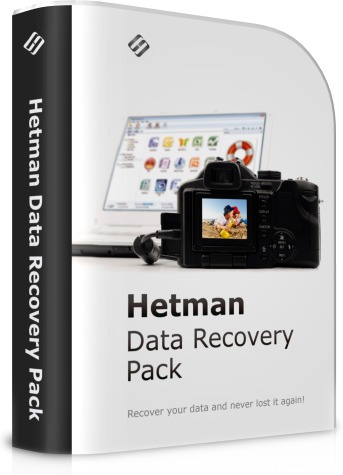
Hetman Data Recovery Pack 5.2 Review: Complete File, Partition, and Storage Recovery Software
Hetman Data Recovery Pack 5.2 + Portable is a professional data recovery software package designed to restore deleted files, lost partitions, formatted drives, damaged storage devices, and inaccessible data. It is useful for Windows users, technicians, IT support teams, office workers, photographers, students, and anyone who needs to recover important files after accidental deletion or storage failure.
The software focuses on helping users recover documents, photos, videos, archives, audio files, office files, and other important data from different storage devices. It can be used when files are deleted, the Recycle Bin is emptied, a drive is formatted, a partition becomes inaccessible, or a storage device starts showing errors.
What Is Hetman Data Recovery Pack 5.2?
Hetman Data Recovery Pack is a collection of recovery tools from Hetman Software. It is built to handle different data loss scenarios, including deleted files, corrupted file systems, damaged partitions, formatted disks, and storage media errors.
The most important tool in the package is Hetman Partition Recovery, which is designed as an all-in-one recovery solution for hard drives, SSDs, USB drives, memory cards, RAID arrays, virtual disks, and other storage media. Hetman’s official website describes Partition Recovery as its top-level recovery solution and states that it supports file systems such as FAT, exFAT, NTFS, ReFS, APFS, HFS+, Ext2, Ext3, Ext4, ReiserFS, XFS, UFS, and ZFS.
The official download page also lists Hetman Partition Recovery 5.2 with both an installation file and a portable version, meaning users can run the program without a traditional installation when needed.
Main Features of Hetman Data Recovery Pack 5.2
1. Deleted File Recovery
Hetman Data Recovery Pack can help recover files that were accidentally deleted from a computer, external drive, USB flash drive, or memory card. This is useful when users delete files by mistake, clear the Recycle Bin, or lose files after using Shift + Delete.
The software scans the storage device and shows a list of files that may be recoverable, allowing users to preview and restore important data.
2. Formatted Drive Recovery
One of the strongest uses of the software is recovering data from formatted drives. If a partition or storage device was formatted accidentally, Hetman Data Recovery Pack can scan the disk and attempt to restore files that still exist on the storage surface.
This feature is useful for USB drives, external hard drives, memory cards, and internal partitions that were formatted by mistake.
3. Lost Partition Recovery
The software can help recover data from lost, deleted, damaged, or inaccessible partitions. This is important when a partition disappears from Windows, becomes RAW, or cannot be opened normally.
Hetman Partition Recovery is designed to rebuild damaged volumes and recover files from corrupted or inaccessible storage media.
4. Recovery from Damaged File Systems
File system damage can make a drive unreadable even if the physical device still works. Hetman Data Recovery Pack can scan damaged file systems and locate recoverable files even when Windows cannot open the drive correctly.
This is useful in cases involving RAW partitions, corrupted file tables, interrupted formatting, sudden power loss, or unsafe drive removal.
5. Support for Multiple Storage Devices
Hetman recovery tools can work with many storage devices, including internal hard drives, SSDs, USB flash drives, memory cards, external drives, RAID arrays, virtual machine disks, and other media types. Hetman’s official site lists support for HDD, SSD, SSHD, USB drives, memory cards, RAID arrays, virtual machine hard disks, and internal storage.
This makes the software suitable for both personal and technical recovery tasks.
6. Document, Photo, Video, and Archive Recovery
Hetman Data Recovery Pack can recover many common file types, including documents, photos, videos, audio files, compressed archives, and office files. This is useful for users who lose work documents, family photos, project files, videos, or important records.
The software is especially helpful when recovering mixed data from a damaged or formatted drive.
7. Preview Before Recovery
A useful feature in Hetman recovery tools is file preview. Users can inspect recoverable files before saving them, which helps confirm whether the data is intact.
Previewing files before recovery saves time and helps users avoid restoring unnecessary or damaged files.
8. Step-by-Step Recovery Wizard
Hetman Data Recovery Pack includes a wizard-style workflow that guides users through the recovery process. Users choose the drive, select the scan type, review found files, and save the recovered data to a safe location.
This makes the software easier for beginners while still useful for technicians and advanced users.
9. Deep Scan Mode
For serious data loss cases, deep scan mode can analyze the storage device more thoroughly. This may take longer, but it can find more files, especially after formatting, partition loss, or file system damage.
Deep scanning is useful when a quick scan does not find the required files.
10. Portable-Style Recovery Option
The “Portable” version is especially useful in recovery situations because installing software on the same drive where files were deleted can overwrite recoverable data. Hetman’s official page explains that the portable version can be copied to a USB drive or memory card and launched without installation.
This makes portable use practical for technicians and safer for recovery work, especially when recovering files from a system drive.
Why Use Hetman Data Recovery Pack 5.2?
Hetman Data Recovery Pack is useful because data loss can happen in many ways. Files may be deleted accidentally, drives may be formatted, partitions may disappear, memory cards may become corrupted, or Windows may fail to access a storage device.
The software provides a structured way to scan storage media, locate recoverable files, preview data, and restore files to another safe disk.
It is especially useful for:
Recovering deleted files.
Restoring files after emptying the Recycle Bin.
Recovering formatted partitions.
Accessing RAW or corrupted drives.
Restoring photos from memory cards.
Recovering files from USB drives.
Recovering documents from office computers.
Repairing storage-related data loss situations.
Helping technicians recover customer files.
User Interface and Workflow
Hetman Data Recovery Pack uses a simple recovery workflow. Users select the affected drive, choose a scan method, wait for the software to analyze the storage device, browse the recovery results, preview files, and save selected data.
The interface is designed to make recovery easier for non-technical users. At the same time, advanced users can benefit from deeper scans, file system support, and recovery from more complex storage situations.
Advantages of Hetman Data Recovery Pack 5.2
Supports deleted file recovery.
Can recover data from formatted drives.
Useful for damaged and inaccessible partitions.
Supports many storage devices.
Can work with many file systems.
Includes preview before recovery.
Offers wizard-style operation.
Deep scan mode helps in difficult cases.
Portable version can run without installation.
Suitable for home users and technicians.
Disadvantages of Hetman Data Recovery Pack 5.2
Successful recovery is not guaranteed in every case.
Files may be unrecoverable if overwritten.
Deep scans can take a long time on large drives.
Recovered files should be saved to another drive, not the damaged one.
Some features may require a paid license to save recovered files.
Portable packages should only be downloaded from trusted sources.
System Requirements
Hetman Data Recovery Pack 5.2 is designed for Windows computers. It can run on most modern systems, but scanning large disks or damaged storage devices may require more time and stable hardware.
General requirements include:
Windows operating system.
Modern processor.
At least 1 GB of RAM for basic recovery tasks.
Free disk space for installation or portable files.
A separate storage device to save recovered files.
USB drive or external disk for portable recovery work.
For best results, users should avoid writing new data to the affected drive before recovery.
Important Recovery Tips
When data is lost, users should stop using the affected drive immediately. Continuing to use the drive can overwrite deleted files and reduce the chance of successful recovery.
Important tips include:
Do not install the recovery software on the same drive where files were lost.
Use the portable version from another drive when possible.
Save recovered files to a different disk.
Avoid formatting the drive again.
Do not copy new files to the damaged storage device.
Run a deep scan if quick scan results are incomplete.
For physically damaged drives, professional recovery service may be safer.
Is Hetman Data Recovery Pack Good for Beginners?
Yes, Hetman Data Recovery Pack can be used by beginners because it provides a guided recovery process. Users do not need to understand complex disk structures to start a scan and recover files.
However, beginners should be careful when selecting the recovery destination. Recovered files should always be saved to another drive to avoid overwriting lost data.
Is Hetman Data Recovery Pack Suitable for Professionals?
Hetman Data Recovery Pack is also useful for technicians and IT support users. Its support for multiple storage devices, formatted partitions, damaged file systems, and portable use makes it practical for recovery tasks on different computers.
Professionals can use it as part of a recovery toolkit when dealing with deleted files, corrupted drives, missing partitions, and user data loss cases.
Final Verdict
Hetman Data Recovery Pack 5.2 + Portable is a useful and powerful data recovery solution for restoring deleted files, formatted drives, lost partitions, damaged file systems, and inaccessible storage media. It supports many file types and storage devices, includes preview features, offers a step-by-step recovery workflow, and provides a portable option for safer recovery situations.
The software cannot guarantee recovery in every case, especially if files have been overwritten or the drive is physically damaged. However, for many common data loss scenarios, it provides a practical and professional way to scan drives and recover important files.
Overall, Hetman Data Recovery Pack 5.2 is a strong choice for users who need a complete recovery tool for personal files, business documents, photos, videos, USB drives, memory cards, hard disks, and damaged partitions.