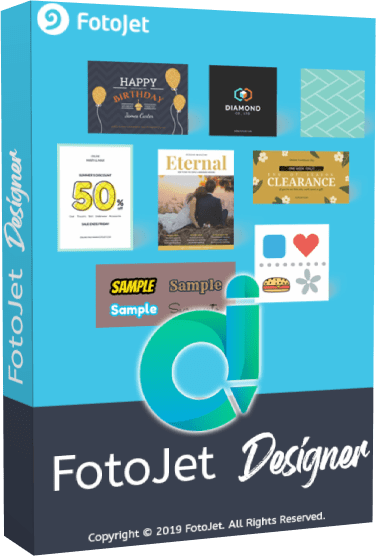
FotoJet Designer 1.4.7: Easy Graphic Design Software with Professional Templates
Introduction
FotoJet Designer 1.4.7 is an easy-to-use graphic design application created for users who want to produce attractive visual content without learning complicated professional design software.
The program provides a large collection of ready-made templates, decorative elements, text styles, fonts, backgrounds, shapes, and basic photo-editing tools. These resources can be used to create social media graphics, advertisements, posters, invitations, greeting cards, flyers, banners, logos, and other visual projects.
FotoJet Designer is particularly suitable for beginners, small businesses, students, content creators, social media managers, and home users who need quick and professional-looking designs.
What Is FotoJet Designer?
FotoJet Designer is a desktop graphic design program available for Windows and macOS.
It is part of the FotoJet family of creative applications, which also includes tools for editing photos and creating collages. Unlike advanced software that requires users to build every project from an empty canvas, FotoJet Designer focuses on template-based creation.
Users can select a design category, choose a suitable template, replace its photographs, edit the text, change the colors, and add decorative elements. The finished design can then be exported as an image for printing, publishing, or sharing online.
The software is designed to make graphic creation accessible to users with little or no previous design experience.
FotoJet Designer 1.4.7 Overview
FotoJet Designer 1.4.7 is an updated release of the desktop design application.
It retains the program’s familiar template-based workflow while providing the latest available maintenance improvements, compatibility refinements, and stability updates included in this build.
A detailed official public changelog identifying every individual change in version 1.4.7 is not currently available. It is therefore more accurate to describe it as a maintenance release rather than claiming that it introduces an entirely new set of major features.
Simple and Accessible Interface
FotoJet Designer uses a clean interface that separates templates, photographs, text, clipart, backgrounds, shapes, and editing controls into easily accessible panels.
The central canvas displays the active design, while the surrounding controls allow users to customize selected elements.
Most projects follow a straightforward workflow:
- Select a design category.
- Choose a template.
- Replace the example photos.
- Edit the text.
- Add decorative elements.
- Adjust colors and backgrounds.
- Export the finished design.
This approach makes the program significantly easier to learn than complex professional graphics applications.
More Than 900 Design Templates
One of the main advantages of FotoJet Designer is its extensive template library.
The official desktop edition provides more than 900 professionally designed templates organized into different categories. These templates give users a complete visual structure that can be customized according to their needs.
Available template categories include:
- Social media posts
- Facebook covers
- YouTube channel art
- YouTube thumbnails
- Twitter headers
- Instagram graphics
- Pinterest graphics
- Posters
- Flyers
- Invitations
- Greeting cards
- Banners
- Logos
- Email headers
- Advertisements
Templates are useful for users who do not want to spend time selecting fonts, arranging elements, or creating balanced layouts manually.
Social Media Graphic Creation
FotoJet Designer contains templates prepared for popular social media platforms.
Users can create graphics for Facebook, Instagram, YouTube, Twitter, Pinterest, Tumblr, and other supported services.
The available designs can be used for:
- Promotional posts
- Product announcements
- Event advertisements
- Quotes
- Channel artwork
- Video thumbnails
- Profile headers
- Holiday greetings
- Sales campaigns
- Educational content
Using templates with predefined dimensions reduces the need to research the correct image size for every platform.
However, social media image requirements can change over time. Users should verify the latest recommended dimensions before beginning an important project.
YouTube Thumbnails and Channel Art
YouTube creators can use FotoJet Designer to prepare thumbnails and channel graphics.
A thumbnail can be customized with photographs, large titles, colors, shapes, icons, and visual effects. The drag-and-drop editing system makes it possible to create attention-grabbing designs without using complicated layers or advanced selection tools.
YouTube channel-art templates can also help users create banners that match the style of their videos and brand.
FotoJet Designer does not provide advanced video editing, but it can be used alongside a separate video editor to create supporting visual assets.
Posters and Flyers
The program includes templates for creating posters and flyers for personal, educational, and commercial purposes.
Users can produce designs for:
- Business promotions
- Local events
- School activities
- Restaurants
- Product launches
- Sales
- Workshops
- Concerts
- Community announcements
- Parties
Text, photographs, backgrounds, and decorative components can be changed to match the intended event or organization.
Before printing, users should confirm that the selected canvas size and resolution meet the requirements of their printing service.
Invitations and Greeting Cards
FotoJet Designer can create invitations and cards for many occasions.
Template categories may include designs for:
- Birthdays
- Weddings
- Anniversaries
- Graduations
- Baby showers
- Holidays
- Parties
- Thank-you messages
- Seasonal greetings
- Special events
Users can personalize names, dates, addresses, photographs, colors, and decorative elements.
The completed card can be saved digitally or printed, depending on the selected size and output quality.
Logo and Banner Creation
The software provides templates and design components for creating basic logos and banners.
Users can combine text, shapes, icons, backgrounds, and colors to produce simple visual identities for projects, websites, online stores, clubs, and small businesses.
FotoJet Designer is appropriate for quick logo concepts and basic branding materials. However, businesses that need fully original vector logos, trademark-ready assets, or files for large-format professional printing may require dedicated vector-design software.
Custom Canvas Sizes
In addition to templates, users can begin with a custom canvas.
Custom dimensions are useful when creating graphics for a website, advertisement, digital display, presentation, or printing project that does not match one of the available presets.
Users can enter the required width and height before adding photographs, text, and decorative elements.
This feature gives FotoJet Designer more flexibility beyond its template library.
Built-In Photo Tools
FotoJet Designer includes basic tools for adjusting photographs directly inside a project.
Users can:
- Move images
- Resize images
- Rotate images
- Crop images
- Flip images
- Adjust transparency
- Apply visual effects
- Change image placement
- Replace template photographs
These controls are sufficient for preparing images for cards, banners, social media posts, and similar projects.
The program is not intended to replace a professional photo editor for advanced retouching, RAW processing, object selection, frequency separation, or detailed color grading.
Replace Template Photos Easily
Templates often contain example photographs that demonstrate the intended layout.
Users can replace these images by importing their own files and dragging them onto the existing photo area. The new image is automatically placed within the template frame.
After replacing a photograph, users can adjust its crop, position, rotation, and size.
This feature allows a complete template to be personalized in only a few steps.
Photo Effects
A collection of photo effects is available for giving imported images a distinctive appearance.
Effects can help create:
- Vintage looks
- Black-and-white images
- Warm or cool color styles
- High-contrast photographs
- Soft artistic results
- Coordinated template colors
Users can preview an effect before applying it and adjust its intensity when supported.
Photo effects should be used carefully because excessive processing can reduce image quality or make a design look inconsistent.
Text Editing
FotoJet Designer provides flexible tools for adding and customizing text.
Users can modify:
- Font family
- Font size
- Text color
- Alignment
- Style
- Transparency
- Position
- Rotation
- Decorative effects
The application includes more than 80 fonts and over 30 preset text styles.
Preset styles can quickly add outlines, shadows, colors, and decorative formatting to headings. They are especially useful for social media posts, posters, advertisements, and greeting cards.
Typography for Different Projects
Choosing suitable typography is an important part of graphic design.
FotoJet Designer allows users to combine different fonts for headings, subheadings, and body text. A bold decorative font can be used for the main title, while a simpler font can improve readability for smaller information.
Users should avoid combining too many font styles in one project. Using two or three coordinated fonts usually produces a cleaner result.
Text should also maintain sufficient contrast against the background.
Clipart Collection
The program provides more than 800 preset clipart images.
Clipart can be used to decorate designs or communicate an idea visually. Available categories may include symbols, celebrations, nature, food, travel, business, shapes, and seasonal elements.
Users can resize, rotate, reposition, and adjust the transparency of clipart objects.
Decorative elements can improve a design, but adding too many can make the final result crowded and difficult to read.
Lines and Shapes
FotoJet Designer includes more than 80 lines and shapes.
These resources can be used to:
- Create borders
- Separate sections
- Highlight text
- Build simple diagrams
- Add decorative patterns
- Create text backgrounds
- Frame photographs
- Improve visual balance
Shapes can be resized, rotated, recolored, and placed behind or in front of other elements.
They are useful for creating call-to-action buttons, price labels, banners, and organized content sections.
Background Patterns
The application offers more than 80 background patterns.
Users can select a background that matches the intended subject and then adjust the surrounding photographs, text, and decorative elements.
Backgrounds are useful for cards, invitations, banners, and social media graphics.
A visually strong background should not reduce the readability of the text. Semi-transparent shapes can be placed behind text when additional contrast is required.
Importing Personal Photos
Users can add their own images from a computer and use them inside templates or custom designs.
Supported photographs can be dragged onto the canvas, resized, cropped, and positioned freely.
The desktop product also promotes access to Facebook images and online stock resources, although availability can depend on current service integrations and internet connectivity.
Users should only use photographs and stock assets that they have permission to publish.
Layer Management
Design elements are organized through a layer-based arrangement.
Users can move selected objects forward or backward to control which elements appear above others.
Layer controls are useful when:
- Placing text over a photograph
- Adding a shape behind a title
- Creating overlapping image arrangements
- Building borders
- Combining multiple decorative elements
Although the layer system is simpler than those found in professional applications, it provides enough control for most template-based designs.
Editing Multiple Elements
FotoJet Designer allows users to select multiple elements and edit them together.
Grouped selections can be moved, resized, or repositioned without adjusting each object separately.
This improves efficiency when users want to maintain the alignment and spacing of related design components.
Multiple selection is especially helpful when reorganizing a completed template.
Automatic Alignment
The Auto Snap feature helps align objects while they are being moved.
Visual guides appear when an object reaches the center of the page or aligns with another element. This makes it easier to create balanced layouts without measuring every position manually.
Users can temporarily disable Auto Snap when they need unrestricted movement.
Automatic alignment is valuable for beginners because poorly aligned objects can make an otherwise attractive design appear unprofessional.
Undo and Redo
The program includes undo and redo controls for reversing supported editing actions.
These commands allow users to experiment with layouts, effects, colors, and text without permanently applying every change.
Undo can recover from common mistakes such as accidental movement, deletion, resizing, or formatting.
It remains advisable to save important projects regularly because undo history is not a replacement for a saved project file.
Zoom Controls
Users can zoom in or out on the design canvas.
Zooming in helps with precise placement, small text, and detailed decorative elements. Zooming out provides a better view of the complete composition.
The zoom level changes only the workspace view and does not directly alter the exported image dimensions.
Saving Editable Projects
FotoJet Designer can save projects for later editing.
This is useful when a design is unfinished or when users want to create multiple variations based on the same layout.
Editable project files preserve the position and formatting of supported objects, allowing users to reopen the design and continue working.
Keeping the original project file is recommended because exported JPG and PNG images cannot preserve editable elements in the same way.
JPG and PNG Export
Finished designs can be saved as JPG or PNG images.
JPG
JPG is appropriate for photographs, social media posts, email graphics, and images where smaller file size is important.
The format uses lossy compression, which can reduce file size but may also lower quality when repeatedly edited and resaved.
PNG
PNG is suitable for graphics containing text, logos, sharp edges, and flat colors.
It generally preserves visual details more effectively than JPG, although files may be larger.
Users should select the format that best matches the intended destination.
Printing Designs
Exported designs can be printed at home or through a professional printing service.
Before printing, users should confirm:
- Canvas dimensions
- Image resolution
- Color appearance
- Margin requirements
- Bleed requirements
- Paper size
- File format
FotoJet Designer is mainly focused on screen-based and general-purpose graphic creation. It does not provide the advanced CMYK, bleed, crop-mark, and prepress controls found in professional desktop-publishing software.
Commercial and Personal Projects
FotoJet Designer can be used to produce materials for personal projects and small-business communication.
Potential uses include:
- Online advertisements
- Product graphics
- Promotional banners
- Event posters
- Social media campaigns
- Restaurant menus
- Educational graphics
- Blog images
- Digital invitations
Users should review the licensing terms for included templates, stock images, fonts, and other assets before using them in commercial products or items intended for resale.
Desktop Application Advantages
The desktop edition provides a dedicated workspace that can be launched directly from Windows or macOS.
Advantages of using the desktop application include:
- A focused design environment
- Access to local image files
- No need to keep a browser tab open
- Convenient project saving
- Familiar desktop controls
- Faster access from the operating system
- Lifetime-license availability
Some online content and integrations may still require an internet connection.
Trial and Full Editions
FotoJet Designer is commercial software with a trial option.
The trial allows users to evaluate the interface and design tools before purchasing. Limitations may apply to exports, premium templates, watermarks, support, or updates.
The official full desktop license advertises:
- Output without watermarks
- Lifetime updates
- Access to future templates
- Priority support
Purchase conditions and included services should be reviewed before completing an order because pricing and licensing terms may change.
System Compatibility
The official Windows product page lists compatibility with:
- Windows 10
- Windows 8
- Windows 7
A macOS edition is also available.
The public product information was created for earlier operating-system generations and does not clearly confirm official support for every recent Windows or macOS release.
Users running newer systems should test the trial edition before purchasing to confirm that installation, display scaling, file access, and export functions work correctly.
Performance
FotoJet Designer is relatively lightweight compared with advanced professional graphics software.
Performance depends on:
- Image dimensions
- Number of design elements
- Available memory
- Processor speed
- Storage performance
- Operating system
- Number of imported photographs
Projects using many high-resolution images may require more memory and can respond more slowly.
Reducing unnecessarily large source images can improve performance and reduce exported file sizes.
Advantages
FotoJet Designer 1.4.7 provides several important advantages:
- Easy to learn
- Suitable for beginners
- More than 900 templates
- More than 800 clipart images
- More than 80 fonts
- Over 30 text styles
- More than 80 backgrounds
- More than 80 lines and shapes
- Social media presets
- Custom canvas sizes
- Basic photo effects
- Layer management
- Automatic alignment
- Multiple-element selection
- Editable project saving
- JPG and PNG export
- Available for Windows and macOS
- Lifetime license option
Disadvantages
The application also has several limitations:
- Less powerful than professional design software
- Limited advanced photo-editing features
- No complete vector-editing environment
- Limited professional print controls
- No advanced typography system
- Templates may require customization to look original
- Some included resources may appear dated
- Official compatibility information focuses on older Windows versions
- No detailed public changelog for version 1.4.7
- Exported JPG and PNG files do not preserve editable layers
- Some online integrations may require an internet connection
Who Should Use FotoJet Designer?
FotoJet Designer is suitable for:
- Beginners
- Students
- Teachers
- Social media managers
- Bloggers
- YouTube creators
- Small-business owners
- Marketing assistants
- Event organizers
- Home users
- Users creating invitations and cards
- Anyone needing quick promotional graphics
Professional illustrators, brand designers, print-production specialists, and users creating complex vector artwork may require more advanced applications.
Is FotoJet Designer 1.4.7 Worth Using?
FotoJet Designer 1.4.7 is a useful choice for users who want to create visual content quickly without dealing with the complexity of professional graphic-design software.
Its template library is the application’s strongest feature. Instead of building a complete composition manually, users can select a design and personalize its photographs, colors, text, and decorative elements.
The software is especially effective for social media content, YouTube thumbnails, cards, invitations, posters, flyers, and simple advertisements.
It is less appropriate for advanced illustration, large commercial branding projects, detailed photo manipulation, or professional print production. However, these limitations are reasonable considering its focus on speed and accessibility.
Final Verdict
FotoJet Designer 1.4.7 is a practical and beginner-friendly graphic design application for Windows and macOS.
It combines more than 900 templates with a large selection of fonts, text styles, clipart, shapes, backgrounds, photo effects, and editing controls. Its drag-and-drop workflow allows users to create attractive graphics without extensive design knowledge.
The program is particularly useful for creating social media posts, YouTube graphics, posters, flyers, invitations, greeting cards, banners, and basic promotional materials.
Although it cannot replace advanced professional software, FotoJet Designer provides a convenient balance between simplicity, customization, and creative flexibility. It is a good option for users who value fast results and ready-made design resources.