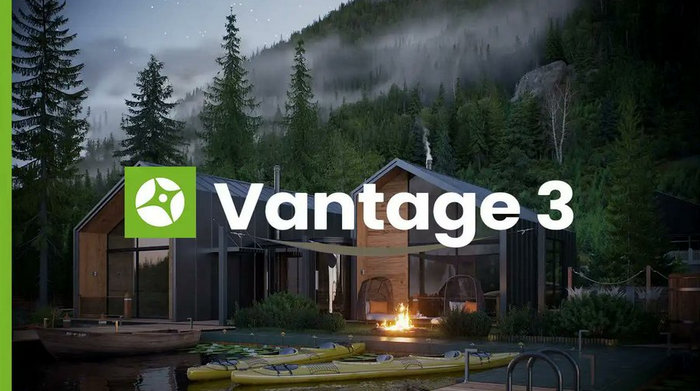
Chaos Vantage 3.3.1: Real-Time Ray-Traced Rendering for Professional 3D Visualization
Chaos Vantage 3.3.1 is a professional real-time rendering and visualization application developed by Chaos. It allows architects, 3D artists, designers, filmmakers, and visualization studios to explore highly detailed V-Ray and Corona scenes inside a fully ray-traced environment.
Instead of waiting for traditional offline renders to finish, users can navigate complex scenes, adjust cameras, inspect lighting, test materials, create animations, and produce high-quality visual presentations with immediate GPU-accelerated feedback.
Chaos officially released Vantage 3.3.1, identified as Vantage 3 Update 3.1, on July 9, 2026.
What Is Chaos Vantage?
Chaos Vantage is a GPU-accelerated real-time renderer created for exploring, presenting, and manipulating professional 3D scenes.
The software is powered by ray-tracing technology related to the rendering technology used by V-Ray. It is designed to display physically accurate lighting, reflections, shadows, materials, global illumination, and camera effects while allowing the user to move through the scene interactively.
One of its most important advantages is that it can work with production-quality scenes without requiring artists to rebuild everything specifically for a real-time engine.
Users can import compatible scenes and begin exploring them without lengthy baking, manual polygon reduction, or complicated scene conversion.
Chaos describes Vantage as a real-time visualization tool capable of producing cinematic-quality still images and animations with fully ray-traced rendering.
What Is New in Chaos Vantage 3.3.1?
Chaos Vantage 3.3.1 is a maintenance update for the Vantage 3 generation. It follows the larger Vantage 3.3.0 release and focuses on improving the reliability of the features and workflows introduced in that update.
The official release notes classify version 3.3.1 as an official Vantage 3 Update 3.1 release dated July 9, 2026.
As a maintenance release, version 3.3.1 is intended to provide a more stable experience when working with complex scenes, imported assets, real-time rendering, animation, materials, cameras, and supported integrations.
The update may address issues discovered after the release of version 3.3.0, including problems related to:
- Scene loading and compatibility
- GPU rendering stability
- Materials and textures
- Animation playback
- Camera movement
- Live Link connections
- Imported V-Ray and Corona scenes
- USD workflows
- User-interface responsiveness
- General application stability
Users upgrading from an earlier Vantage 3 build should install version 3.3.1 to receive the latest official corrections available for the Update 3 release line.
Real-Time Ray-Traced Rendering
The central feature of Chaos Vantage is its ability to render scenes through real-time ray tracing.
Ray tracing simulates how light travels through a digital environment and interacts with surfaces. It calculates effects such as reflections, refractions, shadows, indirect lighting, and transparent materials.
Traditional rendering can provide excellent quality, but a complex frame may require several minutes or hours to complete. Chaos Vantage uses modern graphics processors to deliver a continuously updated result while the user navigates or modifies the scene.
This allows artists to evaluate their work without repeatedly launching long offline renders.
Chaos states that Vantage can produce photorealistic still images and animations in real time, including physically based cameras, materials, lights, and global illumination.
Production-Quality Scene Exploration
Many real-time applications require scenes to be simplified before they can run smoothly. Artists may need to reduce polygon counts, replace materials, bake lighting, or convert assets into special formats.
Chaos Vantage is designed to minimize these preparation steps.
Users can open highly detailed production scenes and explore them interactively without creating a separate low-quality version exclusively for real-time presentation.
This is useful for projects containing:
- Detailed architectural models
- High-resolution materials
- Complex lighting arrangements
- Large exterior environments
- Furniture and vegetation
- Product visualization assets
- Automotive models
- Film production sets
- Virtual production scenes
Chaos promotes Vantage as a workflow that does not require scene simplification or lighting baking before real-time exploration.
V-Ray Scene Support
Chaos Vantage can work directly with .vrscene files exported from compatible V-Ray applications.
A .vrscene file may contain scene information such as:
- Geometry
- Cameras
- Lighting
- Materials
- Textures
- Environment settings
- Animation data
- Rendering properties
This allows artists to transfer scenes from their primary content-creation software into Vantage without manually reconstructing the entire project.
The software can also work with compatible scenes originating from V-Ray, Corona, and Enscape workflows.
Corona Scene Compatibility
Chaos Vantage is also designed to extend real-time visualization to compatible Corona scenes.
This is particularly useful for architectural visualization professionals who use Corona for high-quality still images but need an interactive environment for scene reviews, client presentations, animation planning, and design exploration.
The workflow allows artists to preserve much of their existing scene preparation while gaining access to real-time navigation and GPU-accelerated ray tracing.
Compatibility can vary depending on the materials, effects, and features used in the original scene. Users should review the rendered result after importing a large or technically complex project.
Live Link Workflow
Live Link connects Chaos Vantage to supported design and 3D content-creation applications.
Instead of exporting a new scene after every adjustment, Live Link transfers scene changes from the main application to Vantage.
Depending on the host application and integration, users can observe updates to:
- Geometry
- Materials
- Lighting
- Camera positions
- Object transformations
- Scene composition
- Environmental settings
This makes Vantage useful as a high-quality real-time companion while the artist continues working in the original modeling application.
Chaos lists integrations with major tools such as 3ds Max, Maya, Cinema 4D, SketchUp, Rhino, and Revit. It can also participate in workflows involving USD-compatible content-creation software.
USD and MaterialX Support
Chaos Vantage supports modern scene-interchange workflows involving Universal Scene Description and MaterialX.
USD is a framework originally developed for exchanging complex 3D scenes across different applications and production departments. It can store scene hierarchies, assets, animation, transformations, cameras, and other production information.
MaterialX is an open standard designed to describe materials and visual appearances consistently across compatible tools.
Support for these standards helps Vantage fit into pipelines that use software from multiple developers.
This is valuable for:
- Visual effects studios
- Animation companies
- Architectural teams
- Product visualization departments
- Virtual production workflows
- Multi-application content pipelines
Chaos confirms that Vantage supports .vrscene, USD, and MaterialX-based workflows.
Real-Time Material Evaluation
Materials strongly influence the final appearance of a rendered scene.
Chaos Vantage allows users to evaluate materials while viewing the complete lighting environment. Changes can be inspected immediately instead of waiting for repeated offline test renders.
Artists can examine important surface properties such as:
- Reflection
- Roughness
- Refraction
- Transparency
- Texture scale
- Bump and normal detail
- Metal appearance
- Glass behavior
- Surface color
This is useful when testing interior finishes, exterior cladding, furniture fabrics, automotive paint, product packaging, or cinematic assets.
Physically Accurate Lighting
Chaos Vantage uses physically based lighting to help artists understand how their scenes will behave under realistic conditions.
Users can examine direct and indirect illumination, natural daylight, artificial lights, shadows, reflections, and global illumination in real time.
The software is useful for testing:
- Sunlight direction
- Interior lighting layouts
- Night scenes
- Studio lighting
- Exterior illumination
- Product-lighting arrangements
- Cinematic lighting
- Automotive reflections
Immediate feedback allows artists to experiment with more lighting alternatives before committing to final rendering.
Camera Tools
Chaos Vantage includes camera controls for scene navigation, composition, and presentation.
Users can move through a project interactively or create specific viewpoints for still images and animations.
Camera-related tools can be used to control:
- Position
- Rotation
- Field of view
- Focal length
- Exposure
- Depth of field
- Motion
- Camera transitions
- Clipping and composition
These features help artists create architectural walkthroughs, cinematic shots, product presentations, and virtual location tours.
Animation Creation
Chaos Vantage is not limited to interactive scene viewing. It can also be used to create rendered animations.
Users can establish camera positions, construct movement paths, animate supported scene elements, and preview the sequence in real time.
Its animation capabilities are useful for:
- Architectural walkthroughs
- Interior fly-throughs
- Exterior presentations
- Product animations
- Automotive videos
- Film previsualization
- Virtual production planning
- Client presentations
Real-time previews make it easier to detect uncomfortable camera movements, incorrect timing, weak compositions, or unwanted collisions before starting the final export.
Film and Previsualization Workflows
Chaos Vantage can be used for previsualization in film, television, advertising, and virtual production.
Previsualization allows filmmakers to plan shots before the final production stage.
Directors, cinematographers, and visual-effects teams can use a real-time scene to study:
- Camera placement
- Lens selection
- Lighting
- Actor positions
- Scene blocking
- Shot composition
- Camera movement
- Production timing
Chaos positions Vantage as a tool capable of producing production-quality previsualization while using full-sized assets that can continue into later production stages.
Architectural Visualization
Architectural visualization is one of the primary uses of Chaos Vantage.
Architects and designers can navigate a project as if it were already constructed. They can evaluate the space from different angles and demonstrate the design to clients interactively.
Typical architectural uses include:
- Interior design reviews
- Residential walkthroughs
- Commercial property visualization
- Landscape presentations
- Urban-planning projects
- Lighting studies
- Material selection
- Design-option comparisons
- Client approval meetings
Users can also create still images and animations for presentations, marketing materials, and project proposals.
Interactive Client Presentations
Traditional client presentations often depend on predetermined images or videos. If the client asks to view a different room or angle, the artist may need to return to the studio and produce another render.
Chaos Vantage allows presenters to navigate the scene interactively during the meeting.
This makes it possible to:
- Visit requested areas immediately
- Compare lighting options
- Review material alternatives
- Inspect design details
- Discuss camera angles
- Demonstrate spatial relationships
- Respond to feedback more quickly
Real-time presentations can make design communication more direct and reduce misunderstandings between artists, architects, and clients.
High-Quality Still Images
Chaos Vantage can export still images from the current scene and camera.
Artists can use the interactive viewport to finalize the composition, lighting, and materials before generating the output.
Still-image rendering is useful for:
- Architectural presentations
- Marketing images
- Product visualization
- Design reviews
- Storyboards
- Social media
- Concept development
- Client approval documents
The software can also provide render elements that assist with additional post-production adjustments.
Virtual Reality
Compatible Vantage workflows may be used to provide immersive virtual-reality experiences.
VR allows a user to examine the scale and spatial organization of a scene more naturally than viewing it on a standard monitor.
It can be valuable for:
- Architectural walkthroughs
- Interior-design evaluation
- Client presentations
- Training environments
- Virtual production
- Design validation
Virtual reality is particularly demanding, so a powerful graphics card and sufficient video memory are recommended.
GPU-Accelerated Performance
Chaos Vantage depends heavily on graphics-card performance.
Unlike CPU-based rendering applications, it uses a DXR-compatible GPU to calculate ray-traced visuals.
Performance is influenced by:
- GPU model
- Video memory capacity
- Scene complexity
- Texture resolution
- Output resolution
- Number of light sources
- Material complexity
- Ray-tracing workload
- Driver version
- Available system memory
A faster GPU can provide smoother navigation, quicker frame updates, and better performance when working with detailed scenes.
Multiple-GPU Support
Chaos Vantage can use a limited number of compatible GPUs, depending on the installed hardware and current system requirements.
A multi-GPU configuration may improve rendering performance, but available video memory is not necessarily combined into a single larger memory pool.
The scene must generally fit within the usable memory of the rendering hardware.
Users should verify that their graphics cards, power supply, cooling system, motherboard, and drivers are suitable before building a multi-GPU workstation.
User Interface
Chaos Vantage provides a professional interface focused on viewport navigation, scene control, animation, rendering, and presentation.
The workspace gives users access to key areas such as:
- Scene objects
- Cameras
- Lights
- Materials
- Animation controls
- Rendering options
- Environment settings
- Output controls
The interface is designed to let experienced 3D artists begin exploring imported scenes without rebuilding the project inside a completely different editor.
System Requirements
Chaos Vantage is available for compatible Windows computers and requires modern ray-tracing hardware.
The current official requirements include:
- A 64-bit Intel, AMD, or compatible processor with AVX2 support
- At least 8 GB of system RAM
- System RAM equal to or greater than the GPU memory
- A DXR-compatible graphics card
- A supported Windows operating system
- Recent graphics drivers
- Sufficient storage for the application, scenes, textures, and output files
Chaos emphasizes that the graphics card is the most important hardware component for running Vantage effectively.
For professional projects, a workstation with significantly more than the minimum memory and a powerful modern GPU is recommended.
Installation Guide
To install Chaos Vantage 3.3.1:
- Download the official installer through a Chaos account.
- Close active Chaos and 3D applications.
- Run the installer with administrator privileges.
- Review the software license agreement.
- Select the required installation options.
- Complete the installation process.
- Sign in to the Chaos licensing system.
- Activate a valid subscription or trial license.
- Install the latest recommended GPU driver.
- Launch Vantage and test a supported sample scene.
Existing users should save custom projects and close older Vantage sessions before updating.
Advantages
Chaos Vantage 3.3.1 provides many professional advantages:
- Fully ray-traced real-time rendering
- High-quality interactive visuals
- Direct
.vrscenesupport - V-Ray and Corona workflow compatibility
- USD and MaterialX support
- No traditional lighting-baking workflow
- Reduced need for scene simplification
- Live Link integration
- Fast material and lighting evaluation
- Still-image rendering
- Animation creation
- Architectural walkthroughs
- Film and VFX previsualization
- Interactive client presentations
- Support for complex production assets
- Physically accurate cameras and lighting
Limitations
Users should also consider several limitations:
- A powerful DXR-compatible GPU is required
- The software is primarily intended for Windows
- Complex scenes may require substantial video memory
- Some source-scene features may not be reproduced identically
- Performance depends heavily on GPU capability
- Large textures can consume video memory quickly
- It is not a complete replacement for 3D modeling software
- A valid Chaos license or subscription is required
- Professional hardware may be expensive
- Imported scenes should always be checked for compatibility
Who Should Use Chaos Vantage?
Chaos Vantage is particularly suitable for:
- Architects
- Interior designers
- Architectural visualization artists
- V-Ray users
- Corona users
- 3D animation studios
- Filmmakers
- Visual-effects teams
- Automotive visualization artists
- Product designers
- Virtual production teams
- Real-estate marketing professionals
- Creative agencies
- Design-review teams
It is most valuable for professionals who already create detailed scenes and want to explore or present them in real time.
Chaos Vantage vs. Traditional Offline Rendering
Traditional offline rendering remains important when maximum image quality, complete feature compatibility, or advanced production control is required.
However, it can make experimentation slower because each major change may require another long render.
Chaos Vantage provides a more interactive approach. Artists can navigate the scene, evaluate lighting, adjust composition, and preview animation while viewing a ray-traced result.
Many studios can use both methods together:
- Vantage for exploration, design reviews, presentations, and previsualization
- V-Ray or Corona offline rendering for specialized final-production requirements
This combined workflow can reduce unnecessary test renders and help artists make better decisions earlier in the project.
Is Chaos Vantage 3.3.1 Worth Using?
Chaos Vantage 3.3.1 is worth considering for professionals who need fast interaction without abandoning the realism of ray-traced rendering.
It is especially effective when working with detailed architectural environments, cinematic scenes, product models, automotive projects, and other assets that would be difficult to prepare for a conventional game engine.
Its ability to work with compatible V-Ray, Corona, Enscape, USD, and MaterialX scenes makes it suitable for existing production pipelines.
However, users need compatible ray-tracing hardware and sufficient GPU memory to receive the best experience.
Final Verdict
Chaos Vantage 3.3.1 is a powerful real-time visualization and rendering solution that combines interactive speed with physically accurate ray-traced graphics.
It allows artists to open complex production scenes, navigate them immediately, evaluate lighting and materials, create camera animations, generate presentation content, and collaborate with clients or production teams more effectively.
Version 3.3.1 provides the official maintenance update for the Vantage 3 Update 3 generation, making it the recommended build for users working within that release line.
With direct support for professional scene workflows, Live Link connections, animation tools, high-quality output, and modern interchange standards, Chaos Vantage remains an excellent option for architectural visualization, film previsualization, product design, and interactive 3D presentations.