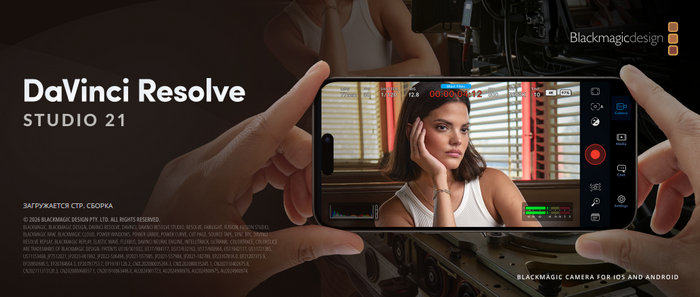
Blackmagic Design DaVinci Resolve Studio 21.0.2: Professional Video Editing, Color Grading, VFX, and Audio Production
Blackmagic Design DaVinci Resolve Studio 21.0.2 is a professional post-production application that combines video editing, color correction, visual effects, motion graphics, audio post-production, and media delivery in one complete environment. It is designed for filmmakers, video editors, colorists, content creators, studios, and professionals who need a powerful all-in-one solution for producing high-quality videos.
DaVinci Resolve has become one of the most respected tools in the media industry because it offers a full production workflow inside a single program. Instead of moving between separate applications for editing, grading, effects, and audio, users can complete an entire project from start to finish within DaVinci Resolve Studio.
Complete Post-Production Workflow
DaVinci Resolve Studio includes several specialized workspaces, often called pages. Each page is designed for a specific stage of production. The Cut page is made for fast editing, the Edit page provides a traditional timeline editing experience, the Fusion page is used for visual effects and motion graphics, the Color page offers advanced color grading tools, the Fairlight page handles professional audio work, and the Deliver page is used for exporting final projects.
This page-based workflow makes the software flexible. Beginners can start with basic editing tools, while professionals can use the advanced pages for more complex work. Everything remains inside one project, which saves time and reduces the need for external file transfers.
Professional Video Editing Tools
DaVinci Resolve Studio 21.0.2 provides a complete editing environment with timeline editing, trimming, multicam editing, transitions, effects, markers, metadata, subtitles, and project organization tools. Editors can work on short videos, YouTube content, documentaries, commercials, music videos, feature films, and social media projects.
The software supports modern editing workflows and allows users to handle large projects with many video and audio tracks. It is suitable for both fast content creation and detailed professional editing.
Advanced Color Correction and Grading
Color grading is one of the strongest parts of DaVinci Resolve Studio. The software is widely known for its professional color tools, which are used in film, television, and commercial production. Users can adjust exposure, contrast, shadows, highlights, white balance, skin tones, saturation, curves, and many other image properties with high precision.
The Studio edition also includes advanced HDR tools, Dolby Vision and HDR10+ workflows, professional scopes, noise reduction, and extra Resolve FX. These tools make it suitable for high-end color grading work, not only basic correction.
New Photo Page in DaVinci Resolve 21
One of the major additions in DaVinci Resolve 21 is the new Photo page. This feature expands Resolve beyond video editing and brings professional color tools to still photography. Users can import, manage, edit, and grade photos using Resolve’s powerful image processing system.
This is especially useful for hybrid creators who work with both video and photography. Photographers can use cinematic color grading tools, while video creators can keep still images and motion projects inside the same creative environment.
Fusion Visual Effects and Motion Graphics
DaVinci Resolve Studio includes Fusion, a powerful visual effects and motion graphics system. Fusion uses a node-based workflow, allowing users to build complex effects, titles, animations, composites, and 3D graphics.
With Fusion, users can create cinematic titles, remove objects, add particle effects, design motion graphics, composite green screen footage, and build advanced visual effects. DaVinci Resolve 21 also introduces more graphics and improvements, giving creators more tools for modern video production.
Fairlight Professional Audio Tools
Fairlight is DaVinci Resolve Studio’s professional audio workspace. It includes tools for recording, editing, mixing, repairing, and mastering audio. Users can clean dialogue, balance music, adjust sound effects, mix multiple tracks, and prepare audio for professional delivery.
The Studio edition includes advanced audio features such as voice isolation, dialogue separation, music remixing, immersive audio tools, and other AI-assisted options. This makes it possible to handle serious audio post-production without leaving the software.
AI-Powered Tools and DaVinci Neural Engine
DaVinci Resolve Studio 21 includes a wide range of AI-powered tools driven by the DaVinci Neural Engine. These tools are designed to save time and improve creative workflows. They can help with media search, object and face-related tasks, image enhancement, audio cleanup, and other intelligent operations.
Resolve 21 introduces newer AI tools such as IntelliSearch, improved media organization, advanced image processing, and creative automation features. These tools are especially useful for editors working with large projects, because they can reduce repetitive manual work.
Studio Edition Advantages
DaVinci Resolve Studio offers several advantages over the free version. According to Blackmagic Design, the Studio edition supports up to 120fps at 32K resolution, multiple GPUs, professional 10-bit formats, hardware-accelerated H.264 and H.265 encoding and decoding, advanced HDR grading and rendering, immersive audio tools, and many additional Resolve FX.
The Studio version also includes premium AI tools, advanced noise reduction, SuperScale, de-interlacing, Dolby Vision, HDR10+ support, and other professional features that are important for demanding projects.
Version 21.0.2 Improvements
DaVinci Resolve Studio 21.0.2 is mainly a maintenance update rather than a major feature release. It focuses on improving stability and fixing issues across different parts of the program. Reports about the update mention improvements related to keyframe handling, retime speed curves, TIFF export bit depth, IntelliSearch performance, Color and Fusion workflows, and Studio-specific decoding improvements for NVIDIA H.264 and H.265 media.
This makes version 21.0.2 important for users who already work with DaVinci Resolve 21, because it helps make the new version more stable and reliable for professional projects.
Cross-Platform Support
DaVinci Resolve Studio is available for Windows, macOS, and Linux. This is a major advantage for professional environments where different systems may be used in the same workflow. The software is also designed to work with Blackmagic Design hardware, control panels, cameras, and cloud collaboration tools.
Support for Blackmagic Cloud allows teams to collaborate more easily, making Resolve useful for both individual creators and larger production teams.
Pros
DaVinci Resolve Studio 21.0.2 offers a professional all-in-one workflow, excellent color grading tools, advanced video editing, Fusion visual effects, Fairlight audio production, AI-powered tools, high-resolution support, HDR workflows, and cross-platform compatibility. The Studio edition adds powerful professional features that make it suitable for demanding creative work.
Cons
DaVinci Resolve Studio is powerful, but it can be demanding on computer hardware, especially when working with high-resolution footage, Fusion effects, noise reduction, or AI tools. Beginners may also need time to learn the full interface because the software includes many professional features. In addition, Studio is a paid edition, while some users may only need the free version for basic editing.
Conclusion
Blackmagic Design DaVinci Resolve Studio 21.0.2 is one of the most complete and powerful post-production applications available today. It combines editing, color grading, visual effects, motion graphics, audio production, photo editing, AI tools, and final delivery inside one professional platform.
For filmmakers, editors, YouTubers, photographers, studios, and advanced content creators, DaVinci Resolve Studio 21.0.2 offers a serious creative environment capable of handling everything from simple videos to complex cinematic productions. With the new features introduced in version 21 and the stability improvements in 21.0.2, it remains a strong choice for anyone looking for a professional, modern, and complete media production solution.