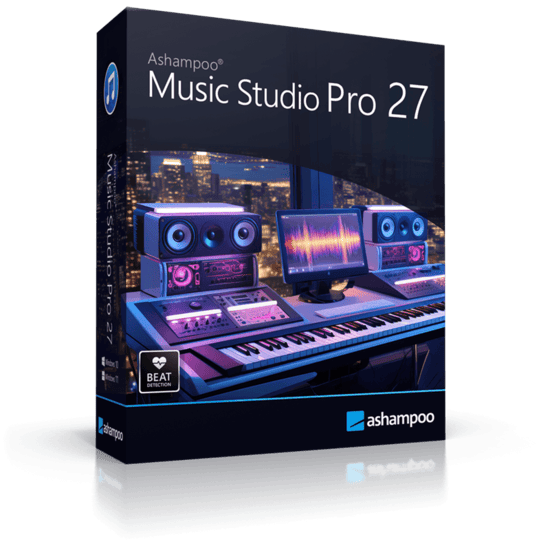
Ashampoo Music Studio Pro 27.0.0.2 Review: Complete Audio Editing, Recording, Conversion, and Music Management Software
Ashampoo Music Studio Pro 27.0.0.2 is a complete audio software package designed for users who want to edit, record, convert, organize, burn, and manage music files from one simple interface. It is built for Windows users who need practical audio tools without the complexity of a full professional digital audio workstation.
The program is useful for music lovers, students, content creators, podcasters, office users, DJs, collectors, and anyone who works with digital audio files. Whether you want to cut songs, convert audio formats, record music streams, create playlists, rip CDs, burn discs, or organize a music library, Ashampoo Music Studio Pro provides a wide set of tools in one convenient application.
What Is Ashampoo Music Studio Pro 27.0.0.2?
Ashampoo Music Studio Pro 27 is an audio editing and music management suite developed by Ashampoo. It combines several audio-related functions, including editing, cutting, mixing, converting, recording, ripping, burning, tagging, organizing, and cover design.
According to Ashampoo’s official product page, Music Studio Pro 27 is designed to help users edit, burn, and cut songs quickly and easily. The program also supports recording from apps such as Spotify, Deezer, and Amazon Music, which makes it useful for capturing audio streams for personal use where legally permitted.
Unlike advanced studio software that focuses on complex music production, Ashampoo Music Studio Pro is designed for everyday audio work. It gives users clear modules for specific tasks, making it easier to complete common jobs without needing technical audio engineering experience.
Main Features of Ashampoo Music Studio Pro 27.0.0.2
1. Audio Editing Tools
Ashampoo Music Studio Pro includes basic and practical editing tools for cutting, trimming, splitting, and adjusting audio files. Users can remove unwanted sections, shorten tracks, extract useful parts, or prepare audio clips for personal projects.
This is useful for editing music, podcasts, voice recordings, lectures, interviews, ringtone clips, and other sound files.
2. Audio Cutting and Splitting
The software allows users to cut songs into smaller parts or split long recordings into separate tracks. This is helpful when working with live recordings, DJ sets, long lectures, audiobooks, or downloaded audio files that need better organization.
Track splitting can make large audio files easier to browse, label, and play.
3. Music Recording
Ashampoo Music Studio Pro can record audio from different sources. The official description highlights recording from streaming apps such as Spotify, Deezer, and Amazon Music.
This feature can be useful for personal recording tasks, but users should always respect copyright rules, streaming platform terms, and local laws when recording or storing audio content.
4. Audio Format Conversion
The program includes audio conversion tools that allow users to convert music files between popular formats. This is useful when a file format is not supported by a phone, car stereo, media player, editing program, or portable device.
Audio conversion is also helpful for reducing file size, preparing music for older devices, or standardizing a music collection.
5. CD Ripping
Ashampoo Music Studio Pro can rip audio CDs and convert tracks into digital files. This is useful for users who still own physical music discs and want to create a digital library on their computer.
CD ripping helps preserve music collections and makes tracks easier to play on phones, computers, media servers, and portable players.
6. CD Burning
The software includes disc burning features for creating audio CDs or music collections on physical media. This can be useful for car audio systems, backup copies, events, or users who still prefer disc-based playback.
Burning tools make Ashampoo Music Studio Pro more complete because users can both extract music from CDs and create new discs.
7. Playlist Creation
Ashampoo Music Studio Pro allows users to create and manage playlists. Playlists are useful for organizing songs by mood, event, artist, genre, workout, study session, party, or personal preference.
This feature is helpful for users who want to create structured music collections without relying only on media player software.
8. Music Library Organization
The program helps organize music collections by editing metadata, renaming files, and sorting tracks more clearly. Proper organization is important for large libraries because poorly named files and missing tags can make music difficult to search and manage.
Ashampoo’s support section describes Music Studio as a tool that gives users everything their songs need, including editing and organization features.
9. Tag Editing
Tag editing allows users to correct song titles, artist names, album names, years, genres, track numbers, and other metadata. This is especially useful when music files have incomplete or incorrect information.
Good metadata improves how tracks appear in media players, phones, car systems, and music libraries.
10. Cover Designer
Ashampoo Music Studio includes cover design tools for creating and printing covers for music projects. This is useful when burning CDs, creating personal compilations, preparing gifts, or organizing physical music collections.
The cover designer gives the program extra value compared to basic audio converters or simple music players.
11. Mixing and Combining Tracks
The software can help combine audio files and create simple mixes. This is useful for making compilations, merging recordings, or preparing continuous playback files.
While it is not a full professional DAW, it provides enough mixing features for common personal and small-scale audio tasks.
12. User-Friendly Module-Based Workflow
Ashampoo Music Studio Pro is designed around clear task-based modules. Instead of overwhelming users with a complicated studio interface, it separates functions such as editing, converting, recording, ripping, burning, and organizing.
This makes the program easier for beginners and casual users who want to complete audio tasks quickly.
Why Use Ashampoo Music Studio Pro 27.0.0.2?
Ashampoo Music Studio Pro is useful because it combines many everyday audio tools into one application. Instead of installing separate programs for audio editing, conversion, CD ripping, burning, recording, tagging, and playlist creation, users can handle all these tasks from one place.
It is especially useful for:
Editing songs and sound clips.
Recording audio streams for personal use where allowed.
Converting audio files to other formats.
Ripping audio CDs.
Burning music discs.
Creating playlists.
Organizing music libraries.
Editing song metadata.
Preparing personal music collections.
Managing audio files without complex studio software.
User Interface and Workflow
The interface of Ashampoo Music Studio Pro is designed to be simple and organized. Users choose the task they want to perform, select the audio files, apply the required settings, and export or save the result.
This workflow is easier than professional audio production software because each module focuses on one type of task. Beginners can use the program without learning advanced audio production concepts, while experienced users can save time on common music management jobs.
Advantages of Ashampoo Music Studio Pro 27.0.0.2
Easy-to-use audio editing tools.
Supports music recording.
Can record from popular streaming apps where permitted.
Includes audio format conversion.
Supports CD ripping and CD burning.
Useful playlist creation tools.
Helps organize music libraries.
Includes tag editing features.
Provides a cover designer.
Good for beginners and casual users.
Combines many audio tools in one program.
Disadvantages of Ashampoo Music Studio Pro 27.0.0.2
It is not a full professional digital audio workstation.
Advanced mixing and mastering tools are limited.
Recording from streaming services may be restricted by laws or platform terms.
Professional musicians may need more advanced production software.
Some features may require a paid license.
Windows-only users benefit most from the software.
System Requirements
Ashampoo Music Studio Pro 27 is designed for Windows computers. It should run well on most modern PCs, especially for basic editing, conversion, ripping, and organization tasks.
General requirements include:
Windows operating system.
Modern processor.
Enough RAM for audio processing.
Free disk space for installation and exported audio files.
Sound card or built-in audio device.
Internet connection for activation, updates, or online-related features.
CD/DVD drive if the user wants to rip or burn physical discs.
For large audio libraries or long recordings, more storage space and better hardware will improve performance.
Best Uses for Ashampoo Music Studio Pro
Ashampoo Music Studio Pro 27.0.0.2 can be used for many audio tasks, including:
Cutting songs into smaller parts.
Editing voice recordings.
Converting music formats.
Recording audio from supported sources.
Ripping CDs to digital files.
Burning audio CDs.
Creating playlists.
Editing song tags.
Organizing music libraries.
Designing CD covers.
Combining tracks into simple mixes.
Preparing audio files for phones, cars, and media players.
Is Ashampoo Music Studio Pro Good for Beginners?
Yes, Ashampoo Music Studio Pro is very suitable for beginners. Its module-based interface makes audio tasks easy to understand, and users do not need advanced production knowledge to edit, convert, record, or organize music files.
It is a good choice for users who want simple audio tools without the complexity of professional studio software.
Is Ashampoo Music Studio Pro Suitable for Professionals?
Ashampoo Music Studio Pro can be useful for professionals who need quick audio preparation tools, but it is not designed to replace advanced DAWs such as Ableton Live, FL Studio, Cubase, Logic Pro, or Adobe Audition.
It is better suited for practical audio management, quick editing, format conversion, CD work, and simple music organization. Professionals may use it as a secondary tool for fast everyday tasks.
Legal and Safe Usage
Ashampoo Music Studio Pro is a legitimate audio utility, but users should be careful when recording or copying music. Recording streams, ripping CDs, or converting files should only be done when the user has the legal right to do so.
Safe and responsible usage includes:
Using the software with legally owned audio files.
Respecting copyright rules.
Following streaming service terms.
Avoiding unauthorized distribution.
Keeping original backups of important audio files.
Downloading the software only from official or trusted sources.
Final Verdict
Ashampoo Music Studio Pro 27.0.0.2 is a practical and user-friendly audio software suite for editing, recording, converting, ripping, burning, tagging, organizing, and managing music files. It is designed for everyday users who want many useful audio tools in one simple program.
The software is not a full professional music production studio, but it is excellent for common audio tasks such as cutting songs, converting formats, creating playlists, recording audio, ripping CDs, burning discs, and organizing a music library.
Overall, Ashampoo Music Studio Pro 27.0.0.2 is a strong choice for Windows users who want an easy, complete, and efficient audio management solution without the complexity of advanced production software.