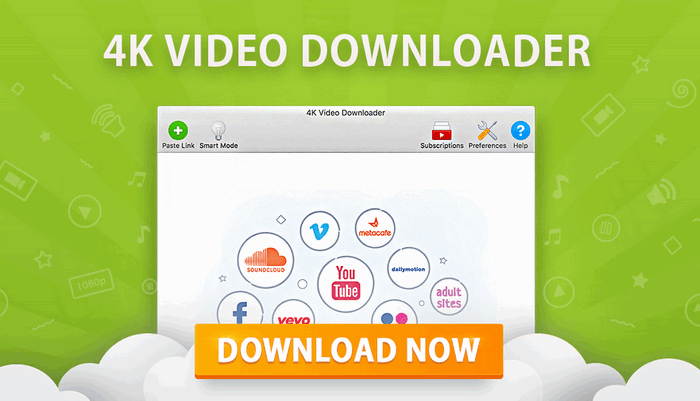
4K Video Downloader Plus 26.2.1.0379: Download High-Quality Videos, Playlists, Audio, and Subtitles
4K Video Downloader Plus 26.2.1.0379 is a powerful cross-platform application designed to help users download online videos, audio tracks, playlists, channels, and subtitles for offline access. It provides a convenient desktop interface that eliminates the need to depend on complicated browser tools or unreliable online downloading websites.
The program supports high-quality media downloads and offers useful features such as Smart Mode, playlist downloading, channel subscriptions, subtitle extraction, private-content access, format selection, and an integrated browser.
Version 26.2.1.0379 was officially released on July 17, 2026, for Windows, macOS, and Ubuntu-based Linux systems. It is available in installer and portable editions for selected platforms.
What Is 4K Video Downloader Plus?
4K Video Downloader Plus is a desktop media-downloading application developed by 4K Download. It allows users to copy the link of supported online content, paste it into the program, choose the desired format and quality, and save the media file to their computer.
The application can download individual videos as well as complete playlists and channels. Depending on the selected content and platform, users may also save audio-only files, subtitles, annotations, thumbnails, and multiple language tracks.
The program is intended for downloading content that users own, content available under an appropriate license, or media they have permission to save. Copyright restrictions and the terms of each supported platform should always be respected.
Main Features of 4K Video Downloader Plus 26.2.1.0379
High-Quality Video Downloads
The program can download videos in a variety of available resolutions. The available quality depends on the source video, but supported options may include:
- 240p
- 360p
- 480p
- 720p HD
- 1080p Full HD
- 1440p
- 4K Ultra HD
- 8K Ultra HD
Users can select a lower resolution to save storage space or choose the highest available quality for large displays and offline archiving.
Downloading high-resolution content requires more storage space and may take longer depending on the internet connection and source server.
Multiple Video and Audio Formats
4K Video Downloader Plus provides several output formats depending on the selected website and available media streams.
Common video formats may include:
- MP4
- MKV
Audio-only downloads may be available in formats such as:
- MP3
- M4A
- OGG
The exact formats and codecs offered by the application depend on the original content and the media options provided by the source platform.
Smart Mode
Smart Mode is one of the program’s most useful features. It allows users to configure their preferred quality, format, subtitle language, and destination folder once.
After Smart Mode is enabled, the same settings can be applied automatically to future downloads. This removes the need to select the same options every time a new video link is added.
Smart Mode is particularly useful for users who regularly download videos using one preferred resolution and file format.
Playlist Downloads
Instead of downloading every video separately, users can add a supported playlist link and process multiple videos together.
The application can analyze the playlist and display its available items. Users may then download the entire playlist or choose specific videos.
Playlist downloading is useful for:
- Educational courses
- Music collections
- Podcast episodes
- Tutorial series
- Documentary collections
- Personal video archives
Large playlists may require additional processing time and storage space.
Channel Downloads
4K Video Downloader Plus can parse supported video channels and download multiple published videos.
This feature is helpful for users who need to save a collection of permitted content from one creator or channel without copying each video link individually.
Users can normally select the preferred format, quality, subtitles, and destination folder before beginning the channel download.
Channel Subscriptions
The subscription feature can monitor supported channels and automatically detect newly published content.
Version 26.2 introduced improvements to subscription updates. Users can select an update period through the advanced settings, while subscription entries display clearer information about their current status and most recent update.
The adjusted checking schedule is designed to reduce excessive requests that could lead to temporary platform restrictions.
Subscription availability and limits may depend on the license plan being used.
Subtitle Downloads
The program can download subtitles when they are available for the selected video.
Users may be able to save:
- Manually created subtitles
- Automatically generated subtitles
- Subtitles in different languages
- Separate SRT subtitle files
- Subtitles embedded into supported video files
This feature is valuable for language learning, accessibility, educational content, and videos watched without sound.
Automatically generated subtitles may contain transcription or translation errors because their accuracy depends on the source platform.
Audio Extraction
Users who only need the sound from a video can select an audio format instead of downloading the complete video file.
Audio extraction can be useful for saving:
- Podcasts
- Lectures
- Interviews
- Public speeches
- Permitted music
- Language-learning materials
The final audio quality depends on the original stream. Converting a low-quality source into a high-bitrate audio file does not improve the original recording.
Integrated Browser
4K Video Downloader Plus includes an integrated browser that can help users access supported websites directly from the application.
The browser may be used to sign in to a platform account when access to certain permitted content requires authentication. This can include private videos, age-restricted content, saved playlists, or other account-dependent media.
Users should protect their account information and use only the official, unmodified version of the application.
Private Content Access
After signing in through the application, users may be able to access private or account-restricted content they are authorized to view.
This does not bypass ownership permissions or copyright protections. The user must have legitimate access to the content through their own account.
Availability depends on the platform, account type, regional restrictions, and changes made by the source website.
Built-In Search
The application offers convenient tools for locating supported videos without repeatedly switching between the browser and the downloading interface.
Users can search for content, open supported pages through the internal browser, and begin the download from within the program.
This creates a more unified downloading workflow.
Batch Downloading
Multiple media links can be added and processed in one session. This makes the program suitable for users who need to download a large number of videos or audio files.
Batch operations reduce repetitive work by allowing users to:
- Add several links
- Apply common quality settings
- Select one destination folder
- Monitor all download tasks
- Pause or cancel individual items
Performance during batch downloading depends on the internet connection, disk speed, selected resolution, and number of active downloads.
Duplicate File Protection
The application includes file-management improvements that help prevent media with identical names from accidentally replacing existing files.
Recent releases improved duplicate-name detection by considering file extensions and correctly numbering files with matching names during batch operations.
This makes large playlist and channel downloads easier to organize.
Proxy Support
Proxy configuration can help users connect through a different network route when supported content is restricted in a particular region or when normal access is unavailable.
Proxy functionality does not guarantee access to every website. Some platforms actively detect and restrict proxies, VPN services, automated requests, or unusual traffic patterns.
Users remain responsible for following applicable laws and platform rules.
Improvements in the 26.2 Series
The 26.2 generation introduced several improvements focused on organization, subscriptions, parsing reliability, and file management.
Better Organization of Processed Files
Files produced by the program’s media-processing tools are attached more clearly to their original source items.
This makes it easier to identify which processed version belongs to each original download. Deleting a source item can also remove its associated processed versions, reducing unnecessary or orphaned files.
Smarter Subscription Updates
Subscription checks were redesigned to avoid sending unnecessary requests every time the application starts.
Users can configure how frequently subscriptions are updated, while each subscription displays information such as:
- Waiting status
- Update countdown
- Last update time
- Current processing state
These changes are intended to make subscription monitoring more transparent and reduce temporary access restrictions.
More Reliable Playlist and Channel Parsing
The updated parsing system addresses situations where channels could appear empty, enter a continuous processing loop, or cause unexpected application behavior.
Failed playlist and channel items may also be processed again after the user signs in.
Because supported websites frequently modify their systems, keeping the application updated remains important for reliable link analysis.
Improved File Handling
The software offers clearer handling of duplicate files, batch items with identical titles, subtitles, and long destination paths.
Users may receive a warning when a destination path is so long that the final file name must be shortened.
On supported Linux installations, exported files are also assigned the correct extensions more consistently.
Interface and Stability Fixes
The recent program generation includes smaller interface and stability improvements, such as:
- More consistent Smart Mode settings
- Better keyboard navigation
- Improved multi-selection controls
- Clearer notifications
- Correct application icons in Windows notifications
- Better menu behavior on macOS
- Improved translations
- Fewer crashes during parsing
Version 26.2.1.0379 continues this release line with additional maintenance and compatibility refinements.
How to Download a Video
Using 4K Video Downloader Plus is straightforward:
- Open the supported video or playlist in a web browser.
- Copy the page address from the browser.
- Launch 4K Video Downloader Plus.
- Click the Paste Link button.
- Wait while the application analyzes the content.
- Select the desired format.
- Choose the preferred video or audio quality.
- Select subtitles when available.
- Choose the destination folder.
- Start the download.
The completed media file will be saved in the selected folder and can be opened directly from the application.
How to Use Smart Mode
To simplify repeated downloads:
- Open 4K Video Downloader Plus.
- Enable Smart Mode.
- Select the preferred output format.
- Choose the desired quality.
- Select the subtitle option.
- Set the destination folder.
- Save the configuration.
- Paste a supported media link.
Future downloads will use the saved configuration automatically until Smart Mode is disabled or its settings are changed.
How to Download a Playlist
To process a supported playlist:
- Copy the playlist link.
- Paste it into the application.
- Wait for the playlist to be analyzed.
- Select the complete playlist or individual items.
- Choose the format and quality.
- Select subtitles if required.
- Choose the output folder.
- Begin the download.
Large playlists may take longer to analyze, especially when they include unavailable, private, deleted, or region-restricted items.
How to Download Subtitles
When subtitles are available:
- Paste the video link.
- Wait for parsing to finish.
- Open the subtitle selection menu.
- Select the preferred language.
- Choose whether to save the subtitle separately or embed it when supported.
- Start the download.
Separate subtitles are commonly saved in the SRT format and can be opened by most modern media players.
Supported Platforms
4K Video Downloader Plus is officially available for several desktop operating systems.
Windows
The Windows edition requires a 64-bit operating system. The official download page provides both installer and portable packages for version 26.2.1.0379.
The program’s newer technical framework no longer supports 32-bit Windows systems.
macOS
The application supports macOS 12 or later and provides separate downloads for:
- Apple Silicon Macs
- Intel-based Macs
Native Apple Silicon support allows the program to operate directly on compatible M-series processors without depending on the Rosetta 2 translation layer.
Linux
The official Linux version is intended primarily for 64-bit Ubuntu systems using the GNOME desktop environment.
Official installation guidance references Ubuntu 22.04 or newer. Compatibility with other Linux distributions may vary.
System Requirements
General system requirements include:
- A compatible 64-bit operating system
- Windows 10 or later for current Windows releases
- macOS 12 or later for supported Mac editions
- Ubuntu 22.04 or newer for the officially documented Linux setup
- An active internet connection
- Sufficient free storage space
- A modern processor
- Adequate memory for large playlists and high-resolution media
- Permission to write files to the selected destination folder
Downloading 4K or 8K videos requires significantly more storage than downloading standard-definition media.
Installer and Portable Editions
The Windows and Ubuntu download pages provide installer and portable packages.
Installer Version
The installer edition adds the program to the operating system using a standard installation process. It may create:
- Start menu entries
- Desktop shortcuts
- Uninstallation records
- File associations
- Application settings folders
This edition is suitable for users who regularly use the software on one computer.
Portable Version
The portable edition can run without a traditional installation process.
It may be useful for users who:
- Prefer fewer system changes
- Need to carry the program on an external drive
- Use the application on multiple authorized computers
- Want easier file management
Portable software may still store temporary data or user settings on the computer while it is running.
Free and Paid Features
4K Video Downloader Plus can be used with a free feature set, but advanced functionality and higher limits may require a paid license.
Depending on the current licensing plan, premium features may include:
- Larger playlist downloads
- Channel subscriptions
- More simultaneous downloads
- Private-content access
- Additional Smart Mode options
- Advanced downloading controls
- Removal of free-edition restrictions
License features and prices can change, so users should review the current official plan comparison before purchasing.
Advantages of 4K Video Downloader Plus
The program offers several important advantages:
- Easy-to-use interface
- Support for high-resolution video
- Video and audio downloading
- Playlist and channel processing
- Subtitle support
- Smart Mode automation
- Integrated browser
- Private-content access for authorized accounts
- Cross-platform compatibility
- Portable packages for selected systems
- Subscription monitoring
- Batch downloading
- Multiple format options
- Apple Silicon support
- Regular compatibility updates
Disadvantages of 4K Video Downloader Plus
The application also has some limitations:
- Some advanced features require a paid license.
- Downloads may stop working when websites change their systems.
- Not every website or media format is supported.
- Protected DRM content cannot normally be downloaded.
- High-resolution files require considerable storage space.
- Large playlists may take time to analyze.
- Private and restricted content requires account authorization.
- Some platforms may temporarily block frequent automated requests.
- The latest Windows release does not support 32-bit systems.
- Download quality cannot exceed the quality of the original media.
Common Downloading Problems
The Link Cannot Be Parsed
A parsing error can occur when:
- The website has changed its media system.
- The application is outdated.
- The video is private or unavailable.
- The content is region-restricted.
- The link is incorrect.
- A firewall or security program blocks the connection.
- The platform requires account authentication.
- The content has been removed.
Updating the program is often the first recommended step because website changes frequently require compatibility fixes.
The Download Stops Unexpectedly
Interrupted downloads may result from:
- An unstable internet connection
- A temporary source-server problem
- Insufficient storage space
- Antivirus interference
- Firewall restrictions
- VPN or proxy instability
- An unavailable media stream
- A suspended computer
- A changed download address
Restarting the program and trying the download again may resolve temporary issues.
The Video Is Unavailable
The source video may have been:
- Deleted
- Made private
- Restricted by age
- Limited to members
- Blocked in the user’s country
- Restricted to signed-in accounts
- Protected by digital rights management
The application cannot provide access to content the user is not authorized to view.
No Subtitles Are Available
Subtitles will only appear when the source platform provides them in a format the application can process.
Some videos may have no captions, while others may provide only automatically generated subtitles or a limited number of languages.
The Application Cannot Save the File
Users should verify that:
- The destination folder still exists.
- The account has permission to write to the folder.
- The drive has enough free space.
- The file name is not too long.
- Security software is not blocking the application.
- The external storage device is connected.
- The selected folder is not read-only.
Choosing another local destination folder can help identify permission-related problems.
Troubleshooting Tips
When downloading or parsing problems occur:
- Restart the application.
- Restart the computer.
- Check for software updates.
- Test a different supported video.
- Sign out and sign in again through the integrated browser.
- Change the download directory.
- Test with Smart Mode enabled and disabled.
- Check available storage space.
- Verify antivirus and firewall settings.
- Temporarily disable a conflicting VPN or proxy.
- Reinstall the official application when necessary.
Disabling security tools should only be done temporarily for testing. The program should be added to the trusted applications list instead of leaving system protection disabled.
Safety and Security
4K Video Downloader Plus is generally safe when downloaded from the official developer.
Users should avoid unofficial repacks, modified installers, cracked editions, and unauthorized activation tools. These files may include:
- Malware
- Password-stealing software
- Advertising components
- Cryptocurrency miners
- Damaged application files
- Modified browser certificates
- Unwanted system services
A legitimate installation also provides access to official updates, which are important because online media platforms frequently change their technical systems.
Responsible and Legal Use
The program should only be used for content that the user is legally permitted to download.
Appropriate examples may include:
- Personal videos
- Public-domain media
- Creative Commons content
- Videos with direct creator permission
- Educational resources licensed for offline use
- Backup copies where permitted
- Content provided with an official download right
Downloading copyrighted media without permission may violate copyright law or the source platform’s terms of service.
The ability to download a file does not automatically grant permission to reproduce, distribute, sell, or publish it.
Who Should Use 4K Video Downloader Plus?
The application may be useful for:
- Students saving permitted educational videos
- Teachers preparing offline classroom resources
- Travelers who need offline media
- Researchers archiving authorized references
- Content creators backing up their own channels
- Podcast listeners saving permitted audio
- Users with unreliable internet connections
- Professionals organizing licensed training materials
- Viewers who need subtitles for accessibility
- Anyone managing large collections of authorized media
Final Verdict
4K Video Downloader Plus 26.2.1.0379 is a feature-rich solution for downloading permitted online videos, playlists, channels, audio tracks, and subtitles.
Its greatest strengths are its simple workflow, high-resolution support, Smart Mode automation, integrated browser, batch operations, playlist management, subscription monitoring, and compatibility with Windows, macOS, and Linux.
The 26.2 release line improves subscription behavior, media organization, parsing reliability, duplicate-file handling, notifications, and overall stability. These improvements make the application more practical for users who regularly process playlists, channels, and large media collections.
Some functionality remains dependent on the source website, account permissions, regional availability, and the selected license. Changes made by online platforms can also temporarily affect parsing and downloads.
Overall, 4K Video Downloader Plus 26.2.1.0379 is a convenient and capable desktop application for users who need an organized way to save legally accessible online media for offline use.