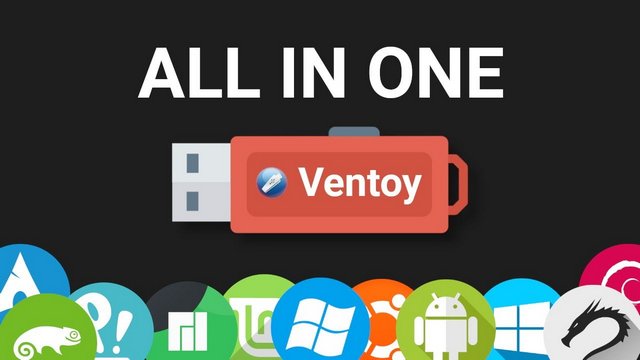
Ventoy 1.1.14: A Smarter Way to Create Multi-Boot USB Drives
Ventoy 1.1.14 is the latest version of the popular open-source bootable USB tool designed to make operating system installation and recovery much easier. Instead of formatting a USB drive every time you want to install a new system, Ventoy lets you copy ISO, WIM, IMG, VHD, VHDX, and EFI files directly to the USB drive and boot them from a simple menu.
This makes Ventoy one of the most useful tools for technicians, system administrators, Linux users, Windows installers, rescue-disk users, and anyone who regularly works with multiple operating systems.
What Is Ventoy?
Ventoy is a lightweight utility that turns a USB drive into a multi-boot device. Once Ventoy is installed on the USB drive, you can simply copy bootable image files to it. When you restart a computer and boot from the USB, Ventoy automatically detects the files and shows them in a boot menu.
This means you can keep several operating systems and repair tools on the same USB drive. For example, one Ventoy USB can contain Windows installation images, Linux distributions, antivirus rescue disks, partition tools, backup utilities, and recovery environments.
What’s New in Ventoy 1.1.14?
Ventoy 1.1.14 is mainly focused on Secure Boot compatibility and reliability. The most important change in this version is the updated Secure Boot shim file, which is designed to solve the UEFI CA 2023 issue.
Because this release uses a new Certificate Authority, users may need to enroll a new key the first time they boot with Secure Boot enabled. This is especially important for users who rely on UEFI Secure Boot on modern laptops, desktops, and enterprise systems.
The release also includes a synchronous VentoyPlugson update. VentoyPlugson is the web-based plugin configuration tool used to customize Ventoy settings more easily. In addition, the Global Control plugin now includes a new VTOY_SECURE_BOOT_POLICY option, giving advanced users more control over Secure Boot behavior.
Easy Multi-Boot USB Creation
The biggest advantage of Ventoy is simplicity. Traditional bootable USB tools usually write one operating system image to a USB drive at a time. If you want to use another ISO, you normally need to format the USB and create it again.
Ventoy changes this workflow completely. After installing Ventoy once, you only need to copy your ISO or image files to the USB drive. You can add, remove, or replace files like normal data. Ventoy will automatically list supported boot images when the USB drive starts.
This is extremely useful for users who need a portable toolkit with several systems available at once.
Wide Format and System Support
Ventoy supports many bootable image formats, including ISO, WIM, IMG, VHD, VHDX, and EFI. This gives users more flexibility compared to basic bootable USB software.
It also supports many boot environments, including Legacy BIOS and multiple UEFI architectures. This makes it suitable for older computers, modern PCs, servers, and different hardware configurations.
Ventoy is also useful for Windows, Linux, WinPE, ChromeOS, Unix-based systems, VMware tools, Xen environments, recovery utilities, and many other bootable images.
Useful Features
Ventoy is not only about booting ISO files. It includes many advanced features that make it powerful for technical users. It supports both MBR and GPT partition styles, Secure Boot, Linux persistence, Windows and Linux auto installation, plugin configuration, menu customization, password protection, theme support, and booting large ISO files.
Another important feature is that the USB drive can still be used normally for file storage. You can keep regular files on the same drive without breaking Ventoy’s boot function. This makes the USB more practical for daily use.
Ventoy also supports safe version updates. When updating Ventoy on an existing USB drive, the files stored on the main partition are usually kept unchanged, which makes upgrading easier and safer.
Why Ventoy 1.1.14 Is Important
Ventoy 1.1.14 is not a feature-heavy release in the traditional sense, but it is important because it focuses on modern boot security. Secure Boot compatibility is a critical part of booting on many newer computers, and the UEFI CA 2023 issue can affect how bootloaders work on updated systems.
By updating the Secure Boot shim and introducing a new Secure Boot policy option, Ventoy 1.1.14 becomes more prepared for current and future UEFI environments. For users who boot different operating systems on modern hardware, this update is highly recommended.
Who Should Use Ventoy?
Ventoy is ideal for IT technicians, system repair specialists, Linux testers, Windows installers, students, cybersecurity learners, and advanced PC users. It is also useful for anyone who wants to keep multiple bootable tools on one USB drive.
Instead of carrying several USB drives for different systems, Ventoy allows you to create one organized multi-boot drive that can handle many tasks.
Advantages
Ventoy is simple to use, fast, open-source, and extremely flexible. It saves time because users do not need to recreate the USB drive every time they download a new ISO. It supports many operating systems and image formats, and it can be customized through plugins and themes.
The tool is especially valuable for people who frequently install operating systems or troubleshoot computers.
Disadvantages
Although Ventoy is easy for basic use, some advanced features may require reading documentation. Secure Boot setup can also be confusing for beginners, especially in version 1.1.14 because a new key may need to be enrolled on first boot.
In addition, not every ISO or bootable image in the world is guaranteed to work perfectly, although Ventoy supports a very large number of them.
Final Verdict
Ventoy 1.1.14 is a practical and important update for one of the best multi-boot USB tools available today. Its main focus on Secure Boot improvements makes it especially useful for modern systems that depend on UEFI security features.
For anyone who installs operating systems, tests Linux distributions, repairs computers, or manages recovery tools, Ventoy remains an essential utility. Version 1.1.14 keeps the tool reliable, flexible, and ready for newer boot environments.