TinyWall is a lightweight, easy-to-use, secure, and free firewall for Windows. It allows you to monitor and protect all network traffic on your computer.
After installation, it automatically blocks all outgoing connections except for a few trusted programs, such as Internet Explorer, Firefox, and others. If you want to access the internet using an application not on the trusted list, the connection is blocked by default without warning pop-ups.
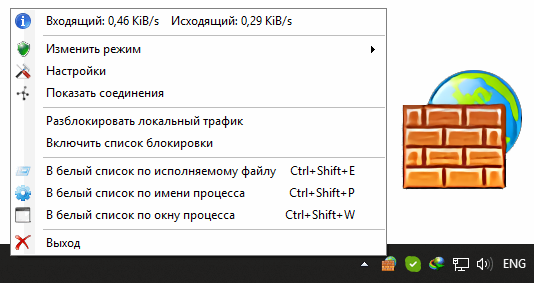
TinyWall’s default behavior—blocking without warnings—is intentional, as the program’s author believes that when the Allow/Deny warning pop-up appears, users are more likely to click Allow. To allow a connection in TinyWall, right-click the program icon in the taskbar, select “Add to Whitelist…,” and then select the desired program from the list. Outgoing connections will then be immediately available, and TinyWall will remember your choice.

Key features of TinyWall:
- It doesn’t irritate you with pop-up windows for every event, but it allows you to easily add exceptions to your firewall rules.
- Actively blocks hundreds of Trojans, viruses and Internet worms
- Does not require the user to have technical knowledge of ports, protocols, and application details
- Uses network zones, allowing you to set different firewall behavior when you are at home, at work, or in a public place.
- Prevents malware from changing Windows Firewall settings
