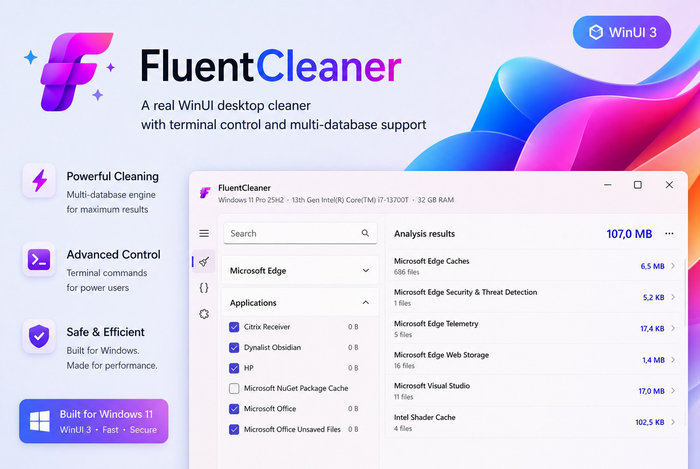
FluentCleaner 26.06.04: A Modern Open-Source Cleaner for Windows
FluentCleaner 26.06.04 is a modern Windows cleanup tool designed for users who want a clean, simple, and transparent way to remove unnecessary files from their computers. It is built with a modern WinUI 3 interface, giving it a look and feel that matches newer versions of Windows, especially Windows 11.
The main idea behind FluentCleaner is simple: clean junk files without turning into a heavy system suite full of ads, background services, or unnecessary features. Many users remember older PC cleaners as useful tools, but over time some of them became overloaded with extra functions, warnings, advertisements, and aggressive recommendations. FluentCleaner takes a different approach by focusing mainly on cleaning temporary files, caches, logs, and leftover application data.
One of the most important features of FluentCleaner is its use of the winapp2.ini ecosystem. This community-maintained cleaning database helps the program identify junk files created by Windows and many installed applications. Instead of guessing randomly, FluentCleaner uses clear cleaning rules, which makes the cleanup process more understandable and safer.
FluentCleaner can scan the system and show users what can be removed before cleaning. This is important because deleting files without review can sometimes cause problems. With FluentCleaner, users can inspect the results, check the categories, and decide what they want to clean. This gives users more control compared with tools that apply changes automatically.
The program is especially useful for removing temporary Windows files, application caches, browser-related leftovers, old logs, and other files that may build up over time. These files are usually not required for normal use, but they can take up storage space and make the system feel cluttered.
FluentCleaner 26.06.04 continues the same lightweight philosophy of the project. It is not trying to replace every Windows maintenance tool. Instead, it focuses on one job and tries to do it well: cleaning unnecessary files in a clean and modern way. This makes it a good option for users who want a focused cleaner rather than a large optimization package.
The interface is another strong point. FluentCleaner looks more modern than many traditional cleanup tools. Its WinUI 3 design makes it feel native on Windows 11, with a cleaner layout and easier navigation. Categories are organized clearly, making it easier to understand what type of data will be cleaned.
Another advantage is that FluentCleaner is open-source. This gives advanced users and developers the ability to inspect the project, understand how it works, and follow its development. Open-source software also helps build trust because the tool is not a hidden black box.
However, users should still be careful. Even when a cleaner is well-designed, deleting cached files, logs, browser data, or application leftovers can sometimes affect saved sessions, temporary preferences, or app behavior. Before running any cleanup, users should review the selected items and avoid deleting anything they are unsure about.
FluentCleaner is not a magic performance booster. It will not turn an old computer into a new one, and it should not be used as a replacement for proper system maintenance. Its real value is freeing storage space, removing clutter, and giving users a cleaner Windows environment.
Overall, FluentCleaner 26.06.04 is a promising Windows cleanup utility for users who want a modern alternative to traditional PC cleaners. It combines a clean interface, open-source transparency, winapp2.ini-based cleaning rules, and a focused design. For users who want to remove junk files without dealing with bloated software or aggressive advertising, FluentCleaner is a strong and practical choice.