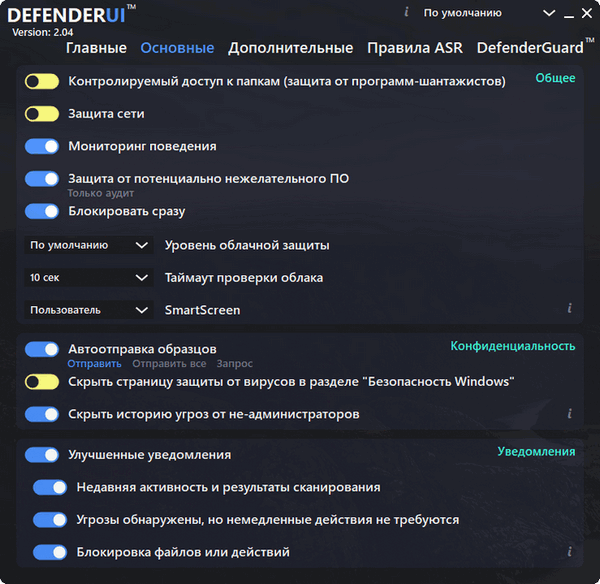
DefenderUI Pro is an enhanced version of the free DefenderUI program, designed to enhance the interface and functionality of the built-in Microsoft Defender antivirus in Windows. The program significantly improves the usability of Microsoft Defender by unlocking numerous hidden security features.
DefenderUI Pro offers a range of features and capabilities that significantly expand the functionality of the standard Microsoft Defender and make security management more flexible and accessible:
- Fully automated WDAC (Windows Defender Application Control): This feature automatically configures application rules, controlling which applications can run on the system. This improves security by preventing the execution of malware or unknown software.
- Kernel Lockdown: This feature increases system security by blocking changes to the operating system kernel, which prevents a range of attacks targeting low-level system components.
- Real-time WDAC blocking: The user receives real-time notifications when attempts to access system resources are made, allowing for immediate response to potential threats.
- WDAC Training Mode: A training mode for WDAC that helps configure security rules by analyzing the behavior of applications in a secure environment before they are finally allowed to run on the main system.
- Integrated Microsoft WDAC Customizable Wizard: Simplifies the process of configuring security policies by providing custom templates and recommendations.
- Windows Sandbox: Integration with Windows Sandbox allows you to safely run and test suspicious applications and files in an isolated environment without compromising the main operating system.
- WDAC Automated Audit Whitelist: Manage and automate the process of creating application whitelists based on security audit history.
- WhitelistCloud integration for scanning: Check files and apps against an online database of safe apps to quickly determine their trustworthiness.
- Custom Security Policies: The ability to configure and manage individual security policies, allowing you to fine-tune the actions allowed on your computer.
- File Type Blocking: The program allows you to configure blocking of specific file types, which prevents the opening of potentially dangerous files.
15