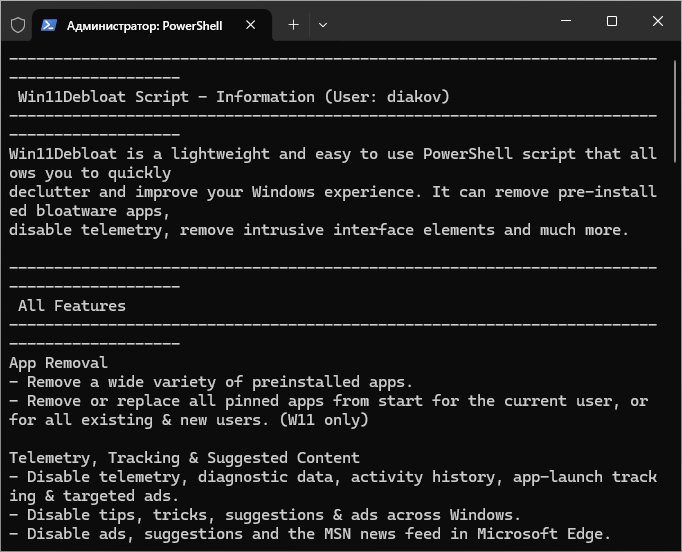
Win11Debloat is a PowerShell script that helps declutter Windows 11 (and also works on Windows 10) by automatically removing pre-installed bloatware, disabling telemetry and ads, removing intrusive interface elements, and tweaking some system settings—in short, it makes Windows cleaner, less cluttered, and more private.
Win11Debloat features:
- Removing many pre-installed applications (Microsoft programs and third-party software), including applications that come “out of the box”.
- Start Menu Cleanup: Remove pinned apps and the “Pinned apps” pattern for the current user or for all users at once.
- Disable telemetry, diagnostic data collection, activity tracking, advertising, tips, recommendations, “advice,” and offers within the OS.
- Disable Bing search, built-in AI features (such as Microsoft Copilot), Assistant, web search, Windows Recall, and other new Windows 11 AI/integrations.
- Interface customization: disable transparency, animations, visual effects, switch the system and applications to dark mode, disable mouse acceleration, change the behavior of File Explorer, the context menu, the taskbar, and the Taskbar in a multi-monitor configuration.
- Managing Explorer: display hidden files and extensions, change the Explorer start folder, hide unnecessary elements (3D objects, OneDrive folders, etc.), easily remove “junk” from Explorer.
- Customize the taskbar and Start menu: align icons on the left, change the grouping mode, hide buttons (widgets, chat, search, etc.), disable ads/tooltips, hide integration with mobile devices, disable unnecessary UI elements.
- Disabling system “add-ons” – for example, removing the Xbox Game Bar, disabling Fast Start-up, disabling Modern Standby connections – can reduce the load on the system.
- Support for running in automatic mode (without user prompts), the ability to apply changes immediately upon installation, as well as applying settings to all Windows users, or use in mode for new users.
- Rollback options: Most changes can be undone, and uninstalled apps can be reinstalled through the Microsoft Store if needed.
OS: Windows 11 / 10 Download the Win11Debloat 2026.05.20 script (0.3 MB):
from
15