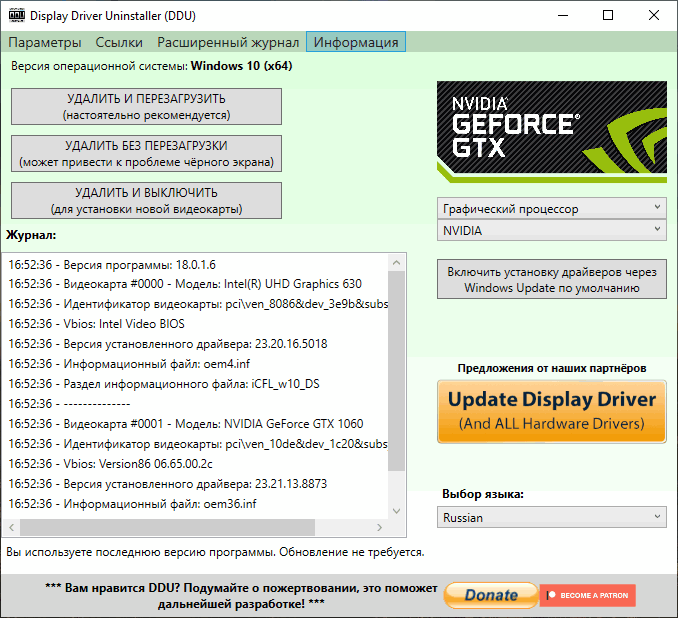
Display Driver Uninstaller (DDU) is a driver removal tool that can help completely remove AMD (ATI), NVIDIA, and Intel graphics drivers from your system without leaving any leftovers (such as registry keys, folders, files, and driver storage). Over time, these leftover files can cause compatibility issues, reduced performance, or system crashes. Using DDU, you can remove remnants of old drivers and resolve many common graphics driver issues.
The program offers three operating modes:
- Uninstall and Restart. Uninstall the selected GPU drivers and restart. This option is recommended in most cases if you only have a graphics card from one manufacturer. After restarting, you can begin installing the new drivers.
- Uninstall without rebooting. This uninstall option is recommended if you have multiple different GPUs installed. Uninstall each driver one by one and then reboot.
- Uninstall and Shut Down. Uninstalls the selected drivers and shuts down the computer. This is useful if you plan to upgrade your graphics card.
Changes in version:
– Service stop/remove improvements.
– Installer version improvements
– General fixes and improvements.
– Service stop/remove improvements.
– Installer version improvements
– General fixes and improvements.